
Try Valley
Put your outbound workflow to work.

Saniya Sood
Published:
Updated:
Published May 18, 2026 · Updated August 31, 2026
The wall is not automation itself. Automation is not the problem. The problem is that most automation tools start from templates pre-written messages that use variable substitution to insert names, companies, and post titles. That approach fails not because automation is inherently low-quality, but because the underlying message contains no actual research about the specific person receiving it.
Automating LinkedIn messages at a level that produces replies requires automating the research, not just the delivery.
GTM agencies automate LinkedIn messages for clients without sounding like bots by using Valley’s research-based message generation which writes each message from a fresh research brief about that specific prospect (recent posts, company news, role context, LinkedIn signals) rather than filling in variable fields in a template. The output reads like a person wrote it because the process that produced it is the same process a person would use: research first, message second.
► Book a demo (teams of 5+)and explore how Valley can support your use case
Why Template-Based LinkedIn Message Automation Fails
A template is a message written for an average prospect, not for any specific one. Even with variable fields inserted, the underlying structure and the underlying reason for reaching out are the same for everyone in the campaign. Prospects recognize this immediately not because they run a bot detection algorithm, but because the message does not contain anything that required the sender to think specifically about them.
The tells are structural: “I noticed you work at [Company] in [Industry] we help companies like yours with [Benefit].” “Hi [Name], I came across your profile and wanted to connect.” “Following up on my previous message.” These structures appear in hundreds of messages a prospect receives per month. They trigger deletion without reading.
What templates cannot produce is a message that references something specific: a post the prospect wrote last week, a company development they might be navigating, a pain point visible in their professional context. That level of specificity requires research per prospect. Research per prospect, done manually, caps at 20 - 30 messages per week per team member. At agency scale, that does not work.
Valley solves this by automating the research step, not just the delivery step.
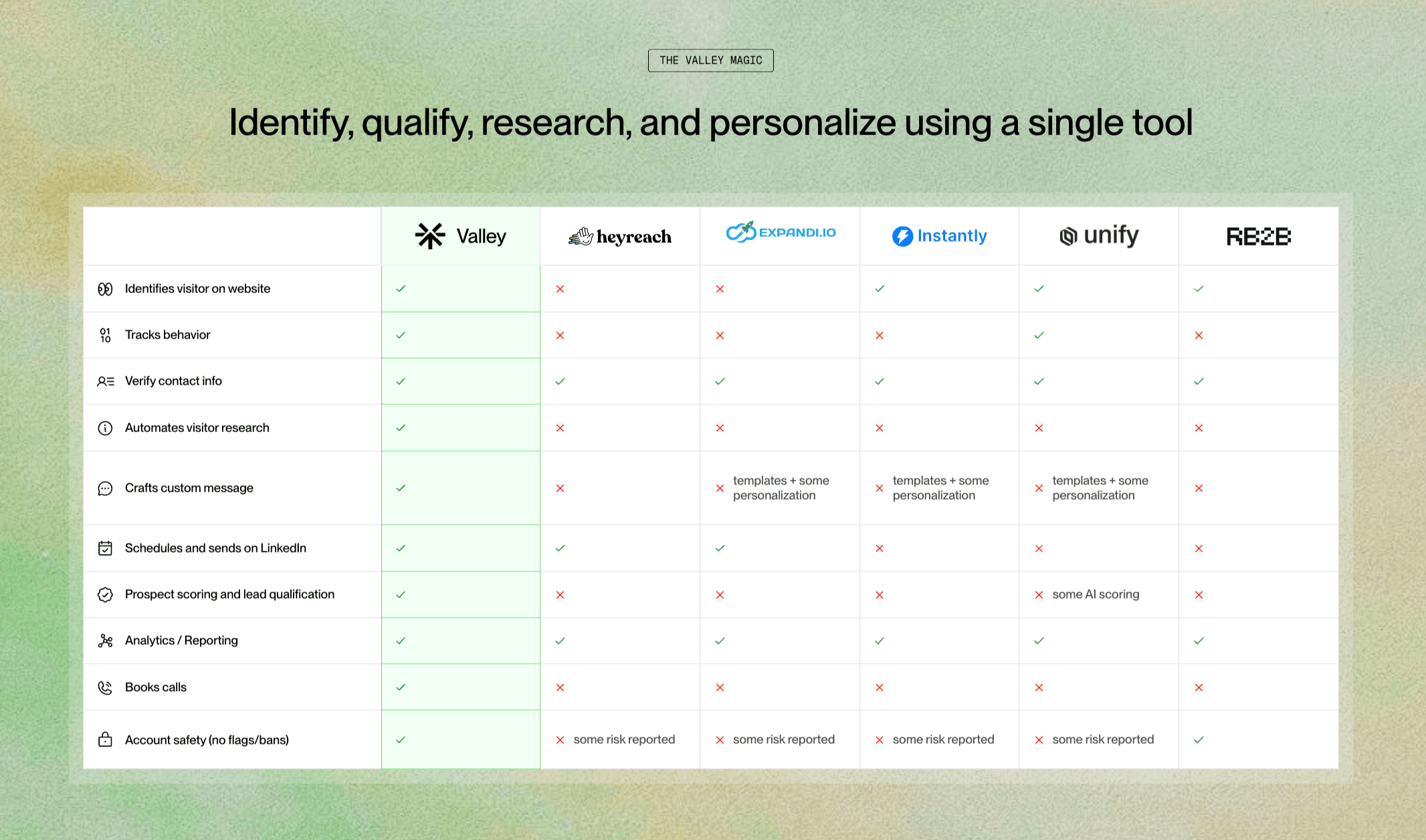
How Valley Automates LinkedIn Messages Without Sacrificing Specificity
Valley‘s message generation workflow for each prospect works in three stages.
Research input collection: Valley pulls from five to seven sources per prospect: their recent LinkedIn posts (what they are thinking about publicly), company news (what their organization is navigating), role context (what their position requires), the specific signal that triggered outreach (profile view, post engagement, website visit), and Valley’s ICP research on the client’s offer (how it maps to this prospect’s likely pain points).
Message generation: Valley’s AI synthesizes the research brief into a first message that references something specific. Not a post title an insight from the post. Not a company name a current company situation relevant to the offer. The message is written in the client’s defined voice and tone.
Agency review: The agency reads the generated message, optionally alongside the research brief that produced it. They approve, edit, or reject with feedback. Valley learns from feedback and improves message quality for subsequent prospects in the same campaign.

Give your sales team
an unfair advantage.
This distinction matters for agencies positioning their service to clients.
Automated LinkedIn messages is a technical description: the message was generated and scheduled by software rather than written and sent manually. It says nothing about quality, relevance, or why the message was sent.
Warm outbound on LinkedIn is a strategic description: the message was sent because a warm signal indicated the prospect's interest, and the message references that signal with specific context. The automation is incidental what matters is that the message arrives at the right moment with the right information.
When agencies pitch LinkedIn outreach to clients, the positioning matters. "We automate LinkedIn messages" sounds like spam. "We run warm outbound on LinkedIn targeting prospects who have already shown interest in your offer, with messages that reference why they showed up in the first place" sounds like a pipeline strategy.
Valley is the platform that makes the second description operationally real. The automation is the mechanism; the warm signal and the research are what make it work.
Read: How Valley Uses Your ICP and Value Prop to Write LinkedIn Messages That Convert
Practical Quality Controls for Agencies Automating LinkedIn Messages
Quality control 1: AI training cadence. In the first 30 days, review every message generated by Valley and provide specific feedback on what to improve. This trains the AI on the client's voice, the ICP's language, and the messaging angles that resonate. Skipping this step is the primary cause of slow results.
Quality control 2: Sample auditing at scale. Once the campaign is mature and approval rates are above 70%, shift from reviewing every message to reviewing a sample (20 - 30%) of generated messages weekly. Flag patterns that need correction and provide batch feedback.
Quality control 3: Reply quality monitoring. Track not just whether prospects reply, but what they say. Positive replies that lead to meetings versus confused or negative replies indicate whether the messaging angle is well-calibrated.
Quality control 4: Client voice reviews. Monthly, share a sample of recent messages with the client and ask for their reaction. Do the messages sound like the client? Are they proud to have their name associated with these messages?
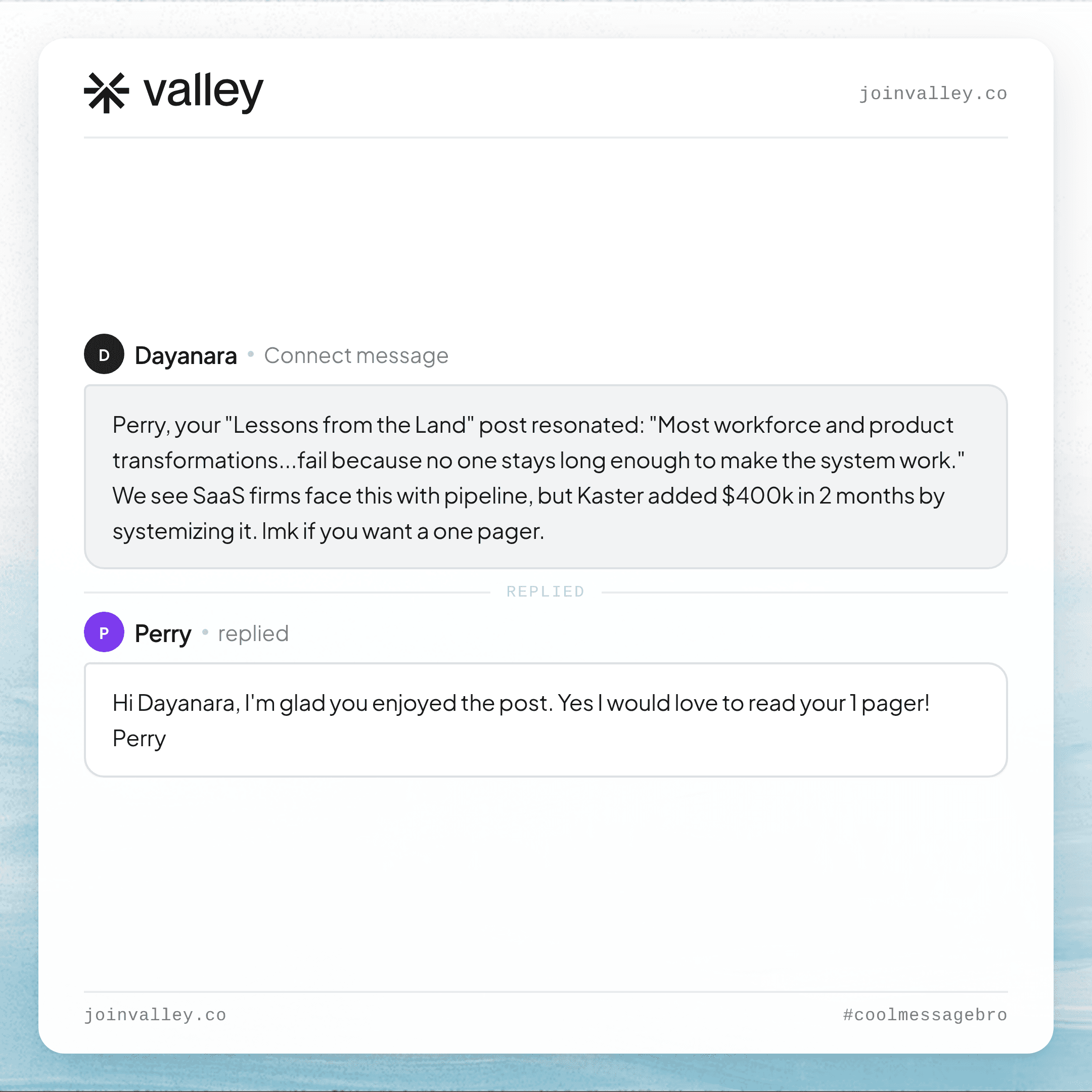
► Browse the receipts: real Valley outreach and the responses that came back
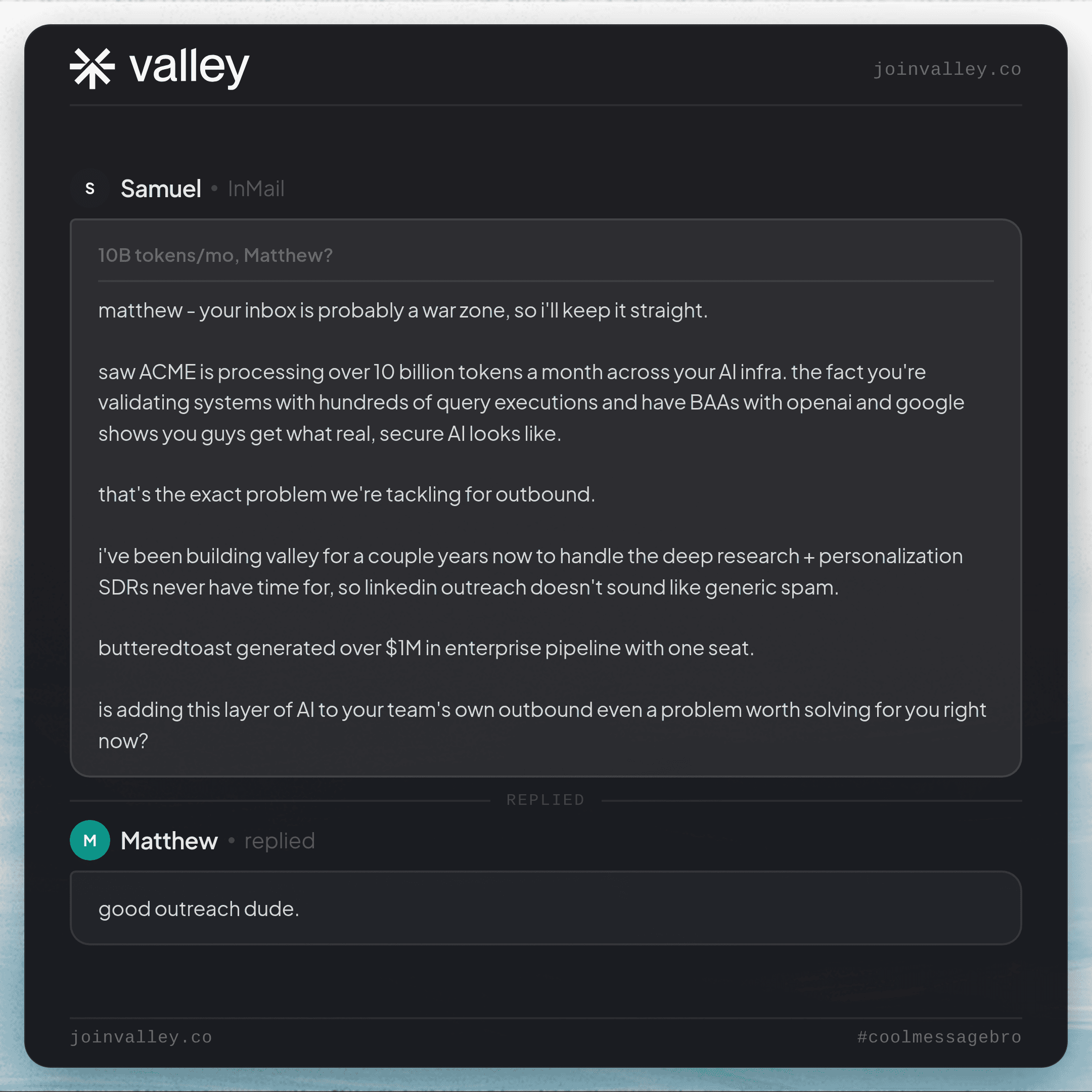
► Check Out Valley's Incredible Outreach: A compilation of real time messages and responses!

Give your sales team
an unfair advantage.
GTM agencies managing LinkedIn outreach for clients do not have to choose between volume and quality. Valley’s research-based message generation produces specificity at scale that template automation cannot match and the agency review layer keeps quality standards intact before anything goes out.
► Book a demo (teams of 5+)with the Valley team and see a generated message example alongside the research brief that produced it, and understand how the quality standard holds across campaign volume.
Frequently Asked Questions
How do automated LinkedIn messages avoid sounding like bots?
By starting from individual prospect research rather than templates. Valley generates each message from a research brief about that specific prospect recent posts, company context, LinkedIn signals so the message contains information that required thinking about them specifically.
What approval rate should agencies expect from Valley’s message generation?
40 - 80% approval without edits from day one, improving to 80%+ after 30 days of AI training on the client’s voice and ICP.
How does Valley’s message automation maintain voice consistency for each client?
Through a writing style configuration that includes the client’s tone, communication do’s and don’ts, and example high-performing messages. Valley trains on this configuration and maintains consistency across all generated messages for that client account.
What is the best LinkedIn message format for automated outreach?
Short (under 300 characters for connection notes, under 150 words for follow-ups), specific (referencing something real about the prospect), and single-threaded (one clear reason for reaching out, one clear call to action). Valley generates in this format automatically.
Can agencies review all automated LinkedIn messages before they send?
Yes. Valley’s message approval workflow requires agency review of every generated message before it is scheduled. Nothing goes out without explicit approval. This is the quality control layer that makes automated LinkedIn messages safe to run on behalf of clients.
Related: running client outbound from one platform.
See also: Automate LinkedIn Messages Without Sounding Spammy · How to Stop Sounding Like AI in Cold Outreach (2026 Field Guide) · Automate LinkedIn Connection Requests Without Getting Flagged


