
Try Valley
Put your outbound workflow to work.

Saniya Sood
Published:
Updated:
Published June 3, 2026 · Updated August 31, 2026
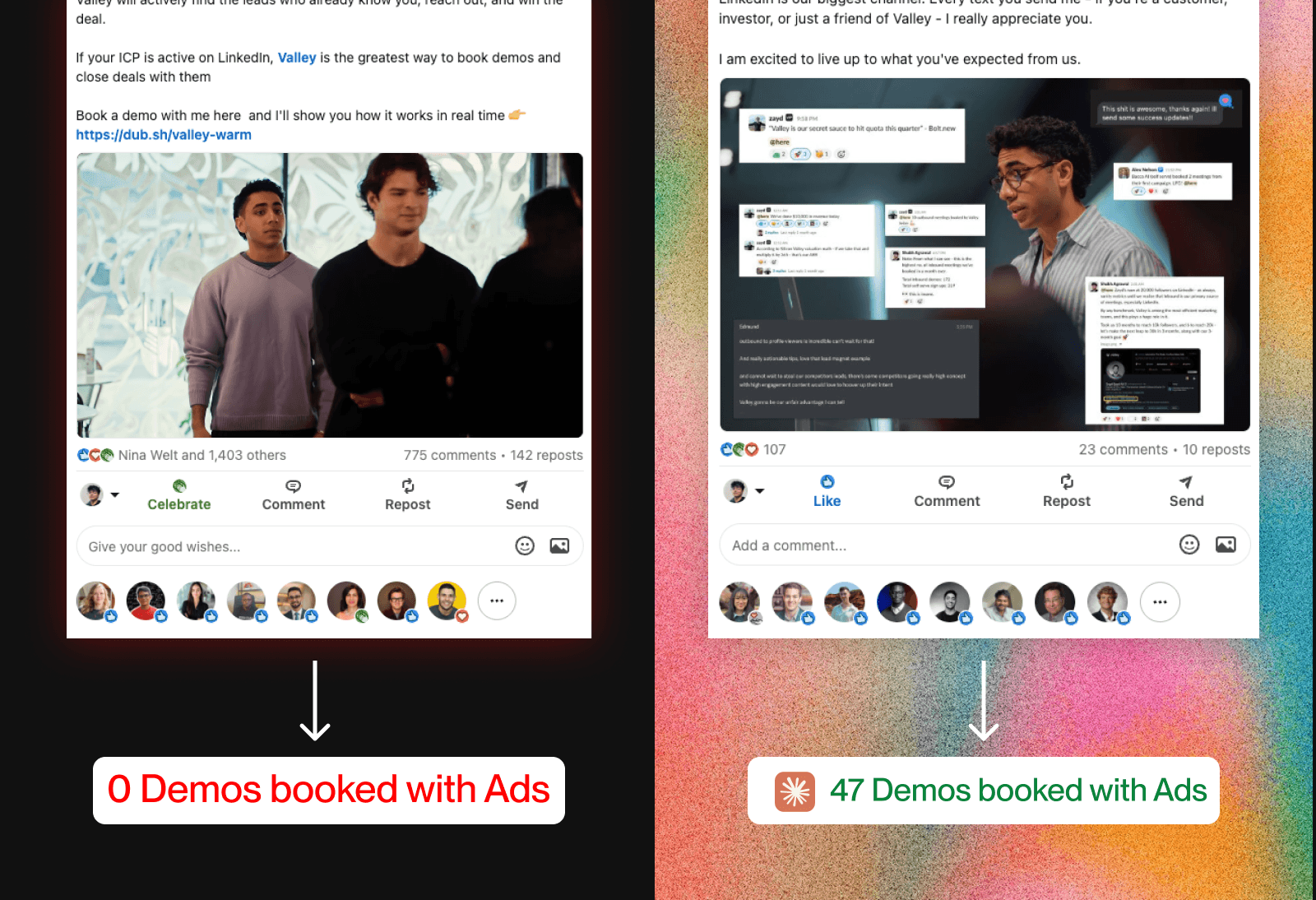
Last month I started running ads on my own LinkedIn posts. The hard part wasn’t the ads. It was figuring out which posts to boost.

Here’s the exact system used to find them, using Claude.
► Reading is step one; step two is a free 7-day Valley trial

Give your sales team
an unfair advantage.
Thought leadership ads boost existing content from a real person's profile instead of a company page. They outperform company-page ads because there is a face and a story attached. People do not dismiss them as ads the same way.
If you are spending under $5 to 10K a month on LinkedIn, run only these. Do not build new creative. Boost what already worked.
The question is: which posts?
If you have been posting for a year, you have a full archive to work with. Most people pick by gut. Here is how to pick by data.
Step 1: Export All Your LinkedIn Post Data
Go to your LinkedIn analytics and download every post from the last 12 months as a CSV. Pull impressions, likes, saves, and all engagement data available.
Pay close attention to saves and bookmarks. The most-saved posts in your archive are your best-performing content category. Make more of those, and boost those first.
Step 2: Export Your Demo Data
If you are early-stage and do not have clean attribution, export your week-on-week inbound demos for the same 12-month period.
If you can attribute some demos to specific sources, strip those out. But if most of your pipeline comes from people seeing your content, this data is the correlation you need.
Step 3: Let Claude Correlate the Two
Feed Claude both CSVs and use this prompt:
"Here's my post data for the last year, and my week-on-week inbound demos. Find the spikes in demos and tell me which posts likely drove them."
Claude runs a week-by-week analysis and works out why each spike happened. Sometimes it is raw reach. Sometimes it is a post that spoke directly to your ICP's problem and converted.
You will end up with three categories of winners:
Posts that popped on reach
One-off launch posts
True bottom-of-funnel posts (case studies, testimonials, problem-solution stories)
The third category is what you want ad budget behind.
Step 4: Filter to the Real BOFU Posts
The ones worth boosting directly name your ICP's problem and explain how you solve it. These are your bottom-of-funnel posts.
Then remove any post with multiple images. LinkedIn will not run multi-image posts as ads. Single image, no image, carousel, or video only.
If you have a strong multi-image post, have your team repost it as a single image. The best-performing image formats are ones people actually stop and read: Slack screenshots, Stripe screenshots, email screenshots. People pause on those.
Step 5: Edit, Then Boost
Click edit on each winner and do two things:
Shorten it. Cut to under 1,500 characters.
Add a CTA. Tie the post directly to what you solve, plus a UTM link so you can track what is driving demos.
Test at a low budget for one to two weeks. Pour budget behind the posts that perform. Cut the ones that do not.

Give your sales team
an unfair advantage.
Run Valley on top of it.
Every new person who engaged with the boosted post, viewed your profile, or followed you because of the ad gets identified by Valley, qualified against your ICP, and added to outreach.
The people who saw the ad but never clicked? You reach them anyway and convert them later.
Proven content. Real attribution. Paid reach. A net underneath to catch everyone the ad did not close.
That is the whole system.
Who This Is For
If you do not have predictable revenue, are not sure where your next customers will come from, or your sales and marketing team does not know who is worth reaching out to, Valley is built for exactly that.
Valley identifies leads from signals and automatically qualifies the ones that fit your ICP, then sends personalized outreach to book more calls and close more deals.
► Book a demo: see how Valley would find, research and message your buyers
Frequently Asked Questions
What are LinkedIn thought leadership ads and why do they perform better than company page ads?
LinkedIn thought leadership ads boost existing posts from a real person’s personal profile rather than a company page. Because they come from an individual with a face, name, and story, they are not immediately categorized as ads by viewers. This reduces the scroll-past reflex and produces significantly higher engagement and CTR compared to standard company-page ad formats, especially for audiences under $5 to 10K a month in spend.
How do I know which LinkedIn posts to boost as ads?
Boosting by gut feeling leaves most of the value on the table. The better method is to export 12 months of post data (impressions, saves, likes) alongside week-on-week demo or pipeline data, then use Claude to correlate the two. Claude identifies which posts align with demo spikes, surfacing three categories: high-reach posts, launch posts, and true BOFU posts. Only the BOFU posts (those that name your ICP’s problem and your solution) are worth ad budget.
What types of LinkedIn posts cannot be boosted as ads?
LinkedIn does not support multi-image posts as ads. Only single-image posts, posts with no image, carousels, and videos are eligible. If your best-performing post has multiple images, repost it with a single image before boosting. Slack screenshots, Stripe screenshots, and email screenshots tend to perform well as single images because people stop to read them.
How should I edit a LinkedIn post before boosting it as an ad?
Cut it to under 1,500 characters and add a clear CTA that ties directly to what you solve, plus a UTM-tracked link. The shortened version should still hit the same hook and the same ICP pain point as the original. Then test at a low budget for one to two weeks before committing more spend.
How does Valley extend the results from LinkedIn thought leadership ads?
Valley identifies everyone who engaged with the boosted post, visited your profile, or followed you as a result of the ad. It then qualifies each person against your ICP and adds qualified leads to personalized LinkedIn outreach. This means even people who saw the ad but did not click get reached through warm outbound, extending the return on every dollar of ad spend.
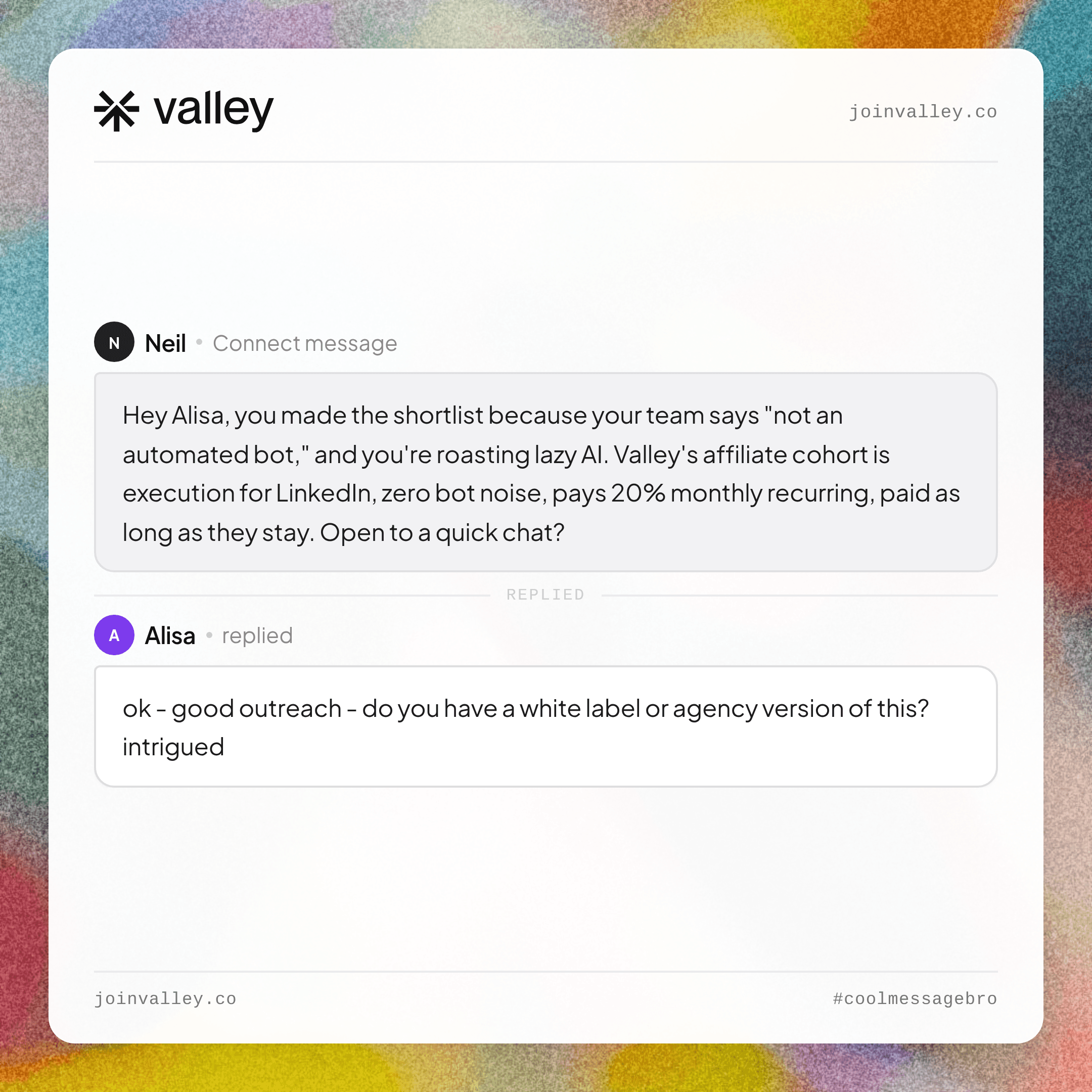
See more of Valley’s outreach examples: coolmessagebro.com
Generate more demos using LinkedIn: Apply here
Become a Valley partner and earn 20% recurring commission: Join the affiliate program
Related: Valley's MCP server for Claude, ChatGPT and Cursor.
See also: How to Use Stripe and Claude to Find Your ICP Golden Segment (6-Step Process) · LinkedIn AI Post Generator: Write Better Posts in Seconds · How to Add a Portfolio to Your LinkedIn Profile (Steps)


