How Does Valley Ensure Message Quality and Prevent AI-Generated Errors?

Try Valley
Make LinkedIn your Greatest Revenue Channel ↓

Saniya
Published:
How does Valley prevent AI hallucinations in prospect messages?
Valley uses seven different AI models in its message generation pipeline, including dedicated models that check for hallucinations and factual accuracy. After the initial message draft is created, verification models review the content against the source research to ensure every claim is accurate. If a hallucination is detected, Valley automatically regenerates the message. While hallucinations were more common in Valley's early versions, they're now very rare due to these multi-layer verification systems.
The seven-model architecture creates checks and balances preventing errors from reaching prospects.
Model 1: Research aggregation (pulls data from sources).
Model 2: Relevance filtering (identifies useful information).
Model 3: Priority ranking (determines what matters most).
Model 4: Draft composition (writes initial message).
Model 5: Factual verification (checks claims against sources).
Model 6: Human-sound testing (ensures natural language).
Model 7: Brand compliance (matches your writing style).
Each model specializes in one aspect, collectively producing higher quality than single-model approaches.
The hallucination risk in AI messaging stems from how language models work, they predict probable next words rather than verify facts.
Example hallucination: Research shows prospect's company has 150 employees, AI draft says "your team of 200."
Valley's verification layer catches this discrepancy (150 ≠ 200) and triggers regeneration with more careful attention to numerical accuracy.
The verification step doesn't prevent initial hallucinations but ensures they never reach prospects by catching and correcting them pre-send.
► Book a demo and explore how Valley can support your use case

What quality checks does Valley perform before sending messages?
Valley conducts multiple quality verification steps: accuracy verification against research sources, tone matching against your writing style examples, appropriateness checking to ensure messages align with your do's and don'ts, human-sound testing to ensure messages don't read as obviously AI-generated, and length verification to keep messages within configured word counts.
Only after passing all checks does Valley mark a message as ready for approval or autopilot sending.
The quality gate architecture operates sequentially, message must pass each check to advance.
Gate 1 (Accuracy): All factual claims verified against source documents—if verification fails, regenerate.
Gate 2 (Tone): Message tone scored against your writing style examples—if tone score below threshold, regenerate.
Gate 3 (Appropriateness): Message checked against your don'ts list, if violations detected, regenerate.
Gate 4 (Human sound): Message analyzed for AI-typical patterns, if patterns detected, regenerate.
Gate 5 (Length): Word count verified against configuration, if exceeded, trim and reverify. Only after clearing all five gates does message enter approval queue.
The regeneration logic includes attempt limits preventing infinite loops. If message fails quality checks three times despite regeneration, Valley flags it for manual review rather than continuing to regenerate indefinitely.
This prevents scenarios where Valley gets stuck trying to satisfy contradictory constraints (for example, "mention specific research detail" but "keep message under 50 words" when the research detail requires 30 words to explain). The manual review flag surfaces these constraint conflicts for human resolution.
Can Valley accidentally send messages with incorrect prospect information?
Very rarely. Valley's research comes from real-time data sources and the verification layer catches most factual errors before sending.
However, occasionally Valley might reference outdated information if the prospect's LinkedIn profile or company website hasn't been updated. This risk exists with any automated research tool.
Valley minimizes it by pulling from multiple current sources and prioritizing recent information over older data points.
The error scenarios that slip through typically involve rapidly changing information with lag between occurrence and public documentation. Example: Prospect changed jobs 3 days ago, but LinkedIn profile still shows old company (hasn't updated profile yet).
Valley researches the profile today, sees old company, crafts message referencing that role. Prospect receives message and thinks "I don't work there anymore—this person didn't do their homework." These timing-based errors are rare but not impossible.
The error mitigation strategies include recency preference in research agents (recent data weighted more heavily than old data), multiple-source verification (if LinkedIn and company website disagree about someone's role, flag for caution), and cautious language when referencing potentially volatile information ("I saw on LinkedIn that you're currently..." versus "As the [Title] at [Company]..." where the former allows for outdating). These strategies reduce but don't eliminate the possibility of outdated information errors.
How does Valley ensure messages sound human and not AI-generated?
One of Valley's seven AI models specifically focuses on making messages sound human. This model evaluates sentence variety, natural conversation flow, appropriate use of imperfect grammar where it enhances authenticity, varied message lengths, and avoidance of AI-typical patterns like overly formal language or generic phrasing.
Valley's messages deliberately include conversational elements that make them indistinguishable from manually written outreach.
The human-sound testing model was trained on thousands of human-written and AI-written messages with performance data.
The training corpus included: high-performing human messages (10%+ reply rates), low-performing human messages (1-2% reply rates), obvious AI messages (ChatGPT/Claude outputs with no editing), and edited AI messages (AI outputs refined by humans). The model learned patterns distinguishing high-performing human communication from AI-typical outputs.
The specific anti-AI-sound tactics include: varying sentence openers (avoiding "I noticed" or "I saw" in every message), including occasional contractions (don't, you're, it's versus do not, you are, it is), strategic imperfection (fragment sentences for emphasis, casual punctuation), contextual vocabulary (using prospect's industry language naturally rather than forcing it), and conversational transitions (rather than formal paragraph structure).
These elements combine to create messages that read as personally crafted rather than algorithmically generated.
What happens if I notice Valley repeatedly making the same mistake?
Add the problematic pattern to your writing style's "don'ts" section immediately. For example, if Valley keeps mentioning posts when you don't want that, add "Don't reference LinkedIn posts" to your don'ts. If Valley uses phrases you dislike, specify "Never use phrases like [examples]."
These explicit instructions override Valley's default behavior permanently across all campaigns, ensuring the mistake doesn't recur.
The reactive refinement process creates compounding improvement. Week 1: Notice Valley occasionally mentions competitors by name (you prefer not to). Add "Never mention competitor names, reference them as 'alternative solutions' or 'other approaches.'" Week 2: Notice Valley sometimes uses overly long sentences. Add "Keep sentences under 25 words, prefer shorter, punchier communication." Week 3: Notice Valley sometimes mentions irrelevant research details. Add "Only mention research if it directly connects to a pain point we solve or value we provide." Cumulative effect: Writing style becomes increasingly refined, errors become increasingly rare.
The proactive refinement approach anticipates potential issues before they occur at scale. After initial setup, generate 20-30 test messages without sending them. Review these test messages carefully, identify any patterns you dislike, add relevant don'ts preemptively. This testing phase catches issues in controlled environment before they affect real prospect communication, enabling refinement without consequence.
Does Valley's message quality improve over time as it learns from my feedback?
Valley learns marginally from in-app feedback and message edits, but this learning is inconsistent. The more reliable improvement method is explicitly updating your writing style in Studio based on patterns you notice. Whenever you edit messages consistently (for example, always shortening them or removing certain words), codify that preference in your writing style settings rather than relying on Valley to infer the pattern.
The implicit learning mechanism observes your edits and attempts pattern recognition. If you consistently delete the first sentence from Valley's drafts, Valley's models notice and might generate messages without that sentence type in the future.
However, this learning isn't guaranteed, the models might apply the lesson to some messages but not others, creating inconsistent application of your preferences.
The explicit codification ensures universal application. Instead of hoping Valley learns from your edits, state the rule directly: "Never open messages with 'I hope this finds you well' or similar pleasantries, get straight to the point in sentence one." This explicit instruction applies to every future message without exception, whereas implicit learning through edits produces probabilistic application (Valley might or might not learn the pattern correctly).
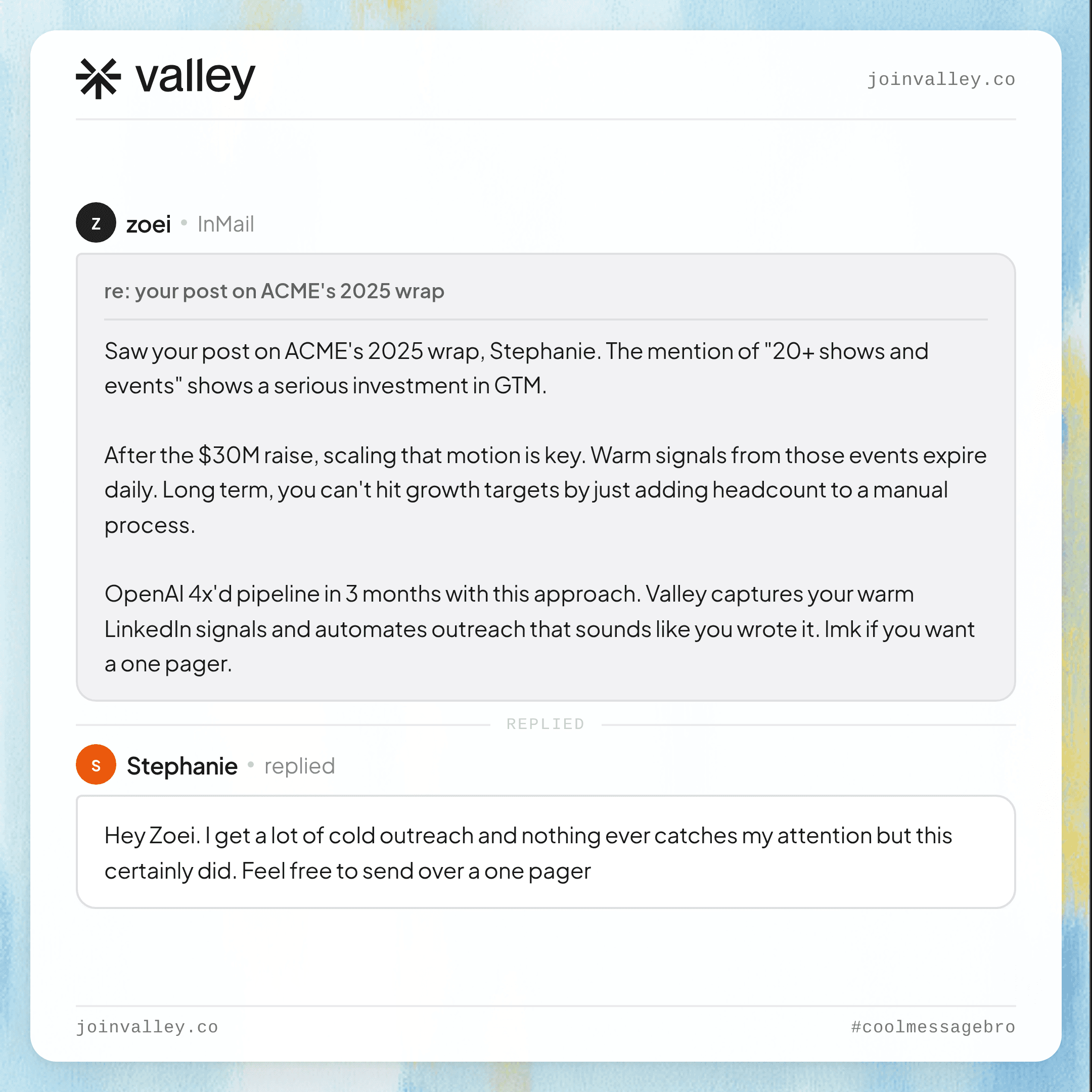
► Check Out More of Valley's Incredible Outreach: A compilation of real time messages and responses!

Can I preview messages before campaigns launch to ensure quality?
Yes. Valley shows you example messages in the training center during campaign setup. You can review 3-5 sample messages, provide feedback, and refine your writing style before launching campaigns.
Valley generates these samples using real prospects from your list, so you see exactly how your configured settings translate into actual outreach messages before any send to prospects.
The preview functionality enables risk-free refinement. You upload 1,000 prospects, configure campaign, Valley generates 5 preview messages from randomly selected prospects. You review the previews and notice: messages are too long (averaging 200 words, you prefer 125-150), tone feels slightly too formal, research integration feels forced rather than natural.
You adjust writing style: add "Keep messages under 150 words" to advanced questions, add conversational examples, add "Mention research naturally—only if it creates genuine connection" to do's. Regenerate previews, confirm improvements, then launch campaign with confidence.
The preview limitations include sample size (5 messages might not reveal edge cases) and randomness (the 5 previews might happen to be good while the full 1,000 includes problematic cases). Best practice: After launching campaign, review first 20-30 actual approved messages carefully. If issues emerge at scale that previews didn't reveal, pause campaign, refine writing style, regenerate remaining messages.
This progressive quality assurance catches issues before they affect significant prospect volume.
What should I do if a message Valley sends is inappropriate or off-brand?
Tag the prospect to stop outreach immediately, manually message them with an apology or clarification if needed, then analyze what went wrong. Review the message against your writing style and research inputs to identify why Valley generated that message, then add explicit instructions to your don'ts section to prevent similar future occurrences. Valley's customer success team can also review specific problematic messages to help refine your configuration.
The damage control priority sequence involves: immediate (tag prospect "stop outreach," prevent further automated messages), short-term (send personal message acknowledging the error if appropriate: "Apologies for the previous message—it didn't properly represent [issue]. Let me clarify..."), medium-term (analyze root cause in writing style or research agent configuration, implement preventive changes), long-term (monitor next 50-100 messages to ensure fix was effective).
The root cause analysis methodology involves asking: What about this message was problematic? (identify specific issue: tone, content, factual error, inappropriate research reference). Why did Valley include that problematic element? (review research inputs and writing style settings that led to inclusion).
What rule would prevent this in the future? (formulate specific don't: "Never mention [X]" or "Always verify [Y] before including"). The systematic approach prevents knee-jerk reactions that might over-correct, creating new problems while solving the original issue.
► Here's the Valley Warm Outbound Launch Video

Related Blogs

FEATURED READ
5 min
Valley vs HeyReach: Which LinkedIn Outreach Tool Wins More Qualified Meetings?
Read
Read

FEATURED READ
5 min
Valley in 2026: Is the Price Worth the Pipeline?
Read
Read

FEATURED READ
5 min
Valley vs Dripify: Which LinkedIn Outreach Tool Actually Converts in 2026?
Read
Read

FEATURED READ
5 min
Valley vs. Hiring an SDR: The Real Cost and ROI Breakdown for 2026
Read
Read
Which channels does Valley support?
Valley supports LinkedIn outreach, including connection requests and InMails. Valley users safely send 1000-1200 messages per seat every month.
How safe is it and does Valley risk my LinkedIn account?
Do I have to commit to an Annual Plan like other AI SDRs?
How does Valley personalize messages?
Is Valley available in my country?

VALLEY MAGIC





