How Does Valley Generate and Manage Lead Lists from LinkedIn?

Try Valley
Make LinkedIn your Greatest Revenue Channel ↓

Saniya Sood
Published:
Can Valley Automatically Find and Build Prospect Lists Based on My ICP?
Valley doesn't automatically generate prospect lists from scratch, but it provides four powerful methods to build highly targeted campaigns from existing LinkedIn data.
Unlike traditional list-building tools, Valley focuses on intelligently processing and qualifying the prospects you identify rather than randomly scraping LinkedIn.
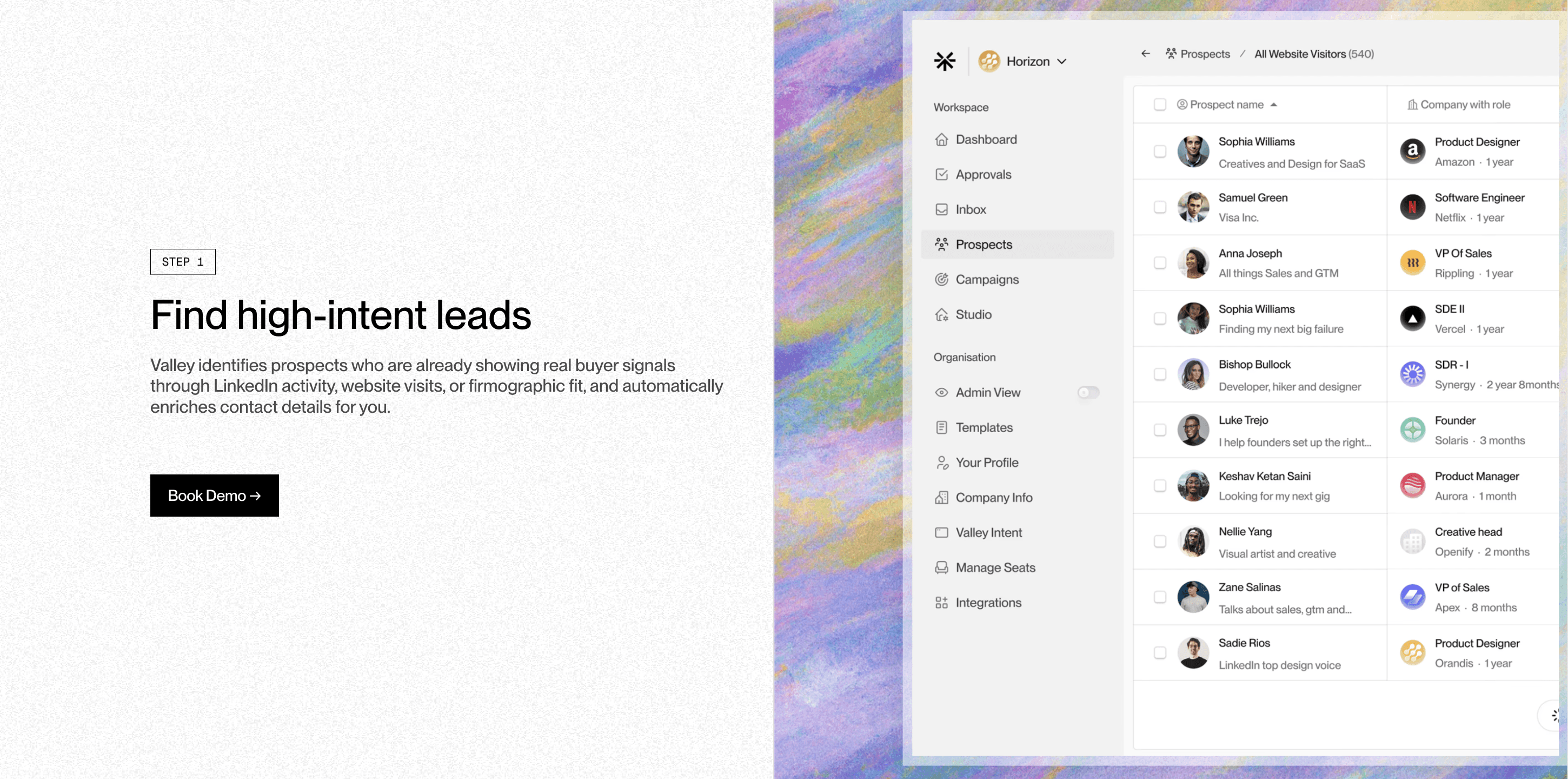
The platform requires you to bring prospects through one of these methods: Sales Navigator search URLs (up to 2,500 prospects at once), LinkedIn post engagement scraping (unlimited posts), CSV/Excel uploads from existing databases, or automatic profile viewer routing.
Valley then applies its deep research and qualification engine to ensure you're only reaching out to high-quality prospects.
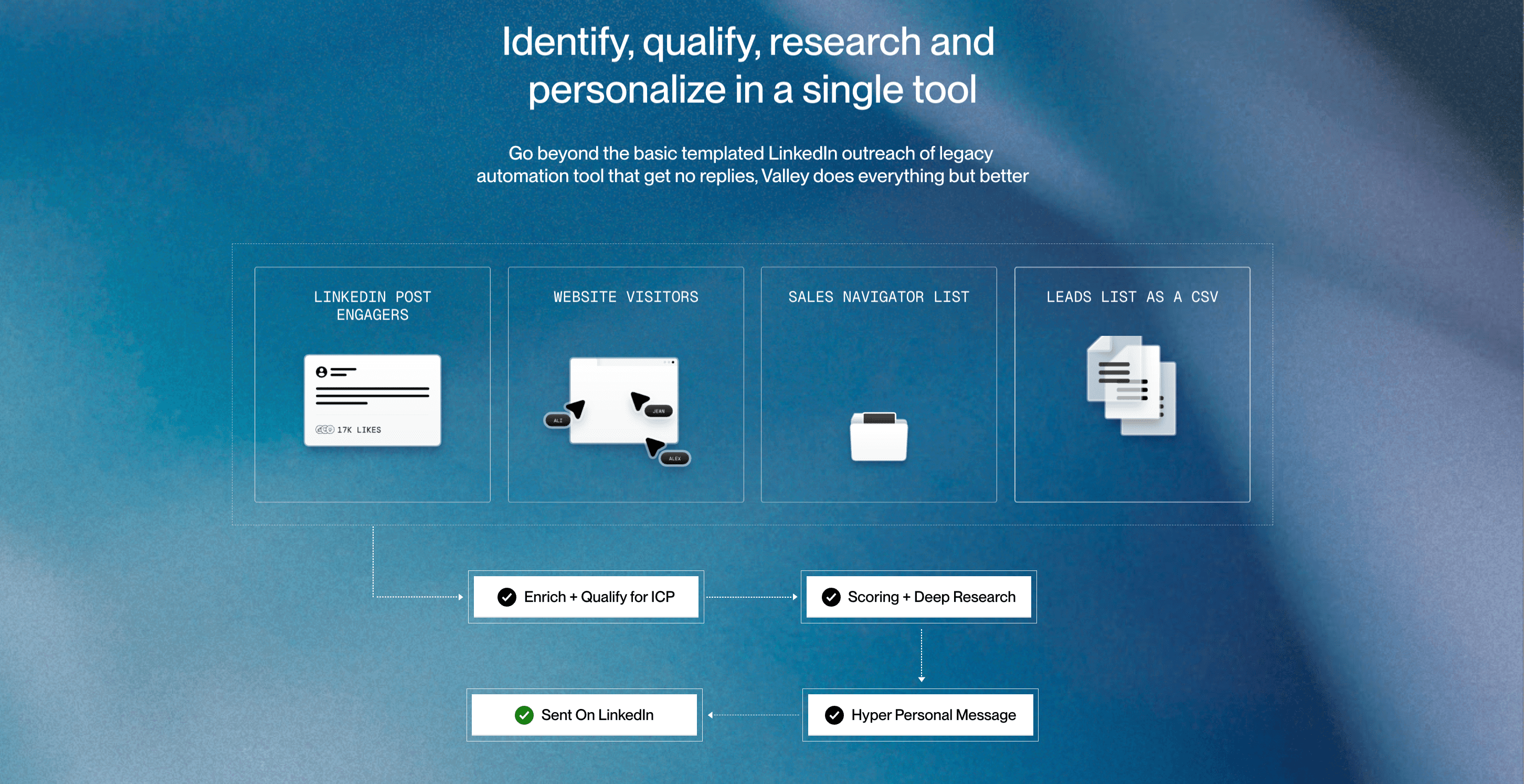
Valley won't identify prospects for you, but as long as you're able to get a list, Valley can digest that list and reach out to the people on it.
This approach ensures you maintain control over your target audience while Valley handles the heavy lifting of research and personalization.
► Book a demo and explore how Valley can support your use case.
How Does Valley Work with Sales Navigator Search URLs?
Valley's Sales Navigator integration is seamlessly simple yet powerful. You create your search in Sales Navigator using any combination of filters - industry, company size, seniority level, geography, keywords - then simply copy the URL and paste it into Valley. The platform can process up to 3,000 prospects from a single search, which typically provides 2-3 months of outreach capacity.
The beauty of this approach is that you don't need to manually select individual prospects. Valley automatically pulls everyone from your search results, researches each person using 60-100 data points, scores them against your ICP criteria, and then provides a "Delete Low ICP Fits" button to remove unqualified prospects.
This means you can start with broader searches and let Valley's AI handle the qualification process.
For example, if you search for "CTOs at fintech companies in the United States" and get 6,000 results, Valley will process all of them (in batches if needed), deeply research each one, and help you focus only on those who truly match your ideal customer profile. This saves hours of manual prospect review while ensuring higher quality outreach.

What's the Power of Valley's LinkedIn Post Engagement Scraping?
Valley's post engagement feature is a game-changer for capturing high-intent prospects. You can input unlimited LinkedIn post URLs, and Valley will identify everyone who reacted to or commented on those posts. This includes both your own posts and competitor posts, creating a powerful intent-based prospecting strategy.
The strategic value here is enormous. As Valley users report: "Competitor posts work well because they attract low-hanging fruit prospects." When someone engages with content about a problem your solution solves, they're demonstrating active interest in that topic. Valley captures these warm leads automatically, scores them for ICP fit, and prepares personalized outreach based on their demonstrated interest.
You can even create ongoing campaigns from your content strategy. Post valuable content, let it generate engagement, then feed those post URLs into Valley to automatically reach out to engaged prospects. This creates a virtuous cycle where your content marketing directly feeds your sales pipeline with pre-qualified, interested prospects.
How Does Valley Handle CSV Uploads and External Lead Lists?
Valley seamlessly integrates with your existing lead generation tools through CSV and Excel file uploads. Whether you're using Apollo, ZoomInfo, Clay, Seamless, or any other enrichment tool, Valley can process your lists as long as they include LinkedIn profile URLs. This flexibility means you don't need to abandon your current tech stack - Valley enhances it.
The critical requirement is the LinkedIn URL for each prospect. Most modern enrichment tools include this automatically, but if you're working with older databases, Valley's team can provide workarounds and alternatives. Once uploaded, Valley treats these prospects the same as any other source: deep research, ICP scoring, and personalized message generation.
This feature is particularly valuable for teams with existing lead databases or those using sophisticated lead generation workflows. You can continue using your preferred tools for initial list building while leveraging Valley's superior research and personalization capabilities for the actual outreach.
Can Valley Automatically Target People Who View My LinkedIn Profile?
Valley's profile viewer feature creates an evergreen pipeline of warm prospects. The platform automatically identifies people who view your profile, scores them against your ICP criteria, and routes high-fit viewers into campaigns. This happens completely automatically, requiring no manual intervention once configured.
The power of this feature lies in its intent signal. Someone viewing your profile has already shown interest in you or your company. Valley capitalizes on this moment of interest by immediately researching them, crafting a personalized message, and reaching out while you're still top-of-mind. Users report exceptional results: "63% acceptance rate, 47% reply rate on profile viewer campaigns."
Valley is expanding this warm lead functionality to include post engagers, profile followers, and company followers. The vision, as described by Valley's CEO, is "an evergreen engine that captures warm leads surrounding businesses - pulling in profile viewers, post engagers, followers daily, scoring them for ICP fit, researching deeply, and sending messages automatically."

How Does Valley Score and Qualify Prospects from Different Sources?
Regardless of how prospects enter Valley, the platform applies the same rigorous qualification process. Valley researches each prospect using 100+ data points from multiple sources: LinkedIn profiles, company websites, social media presence, news mentions, hiring trends, funding history, and more. This research spans 15-20 pages per prospect, far exceeding what any SDR could do manually.
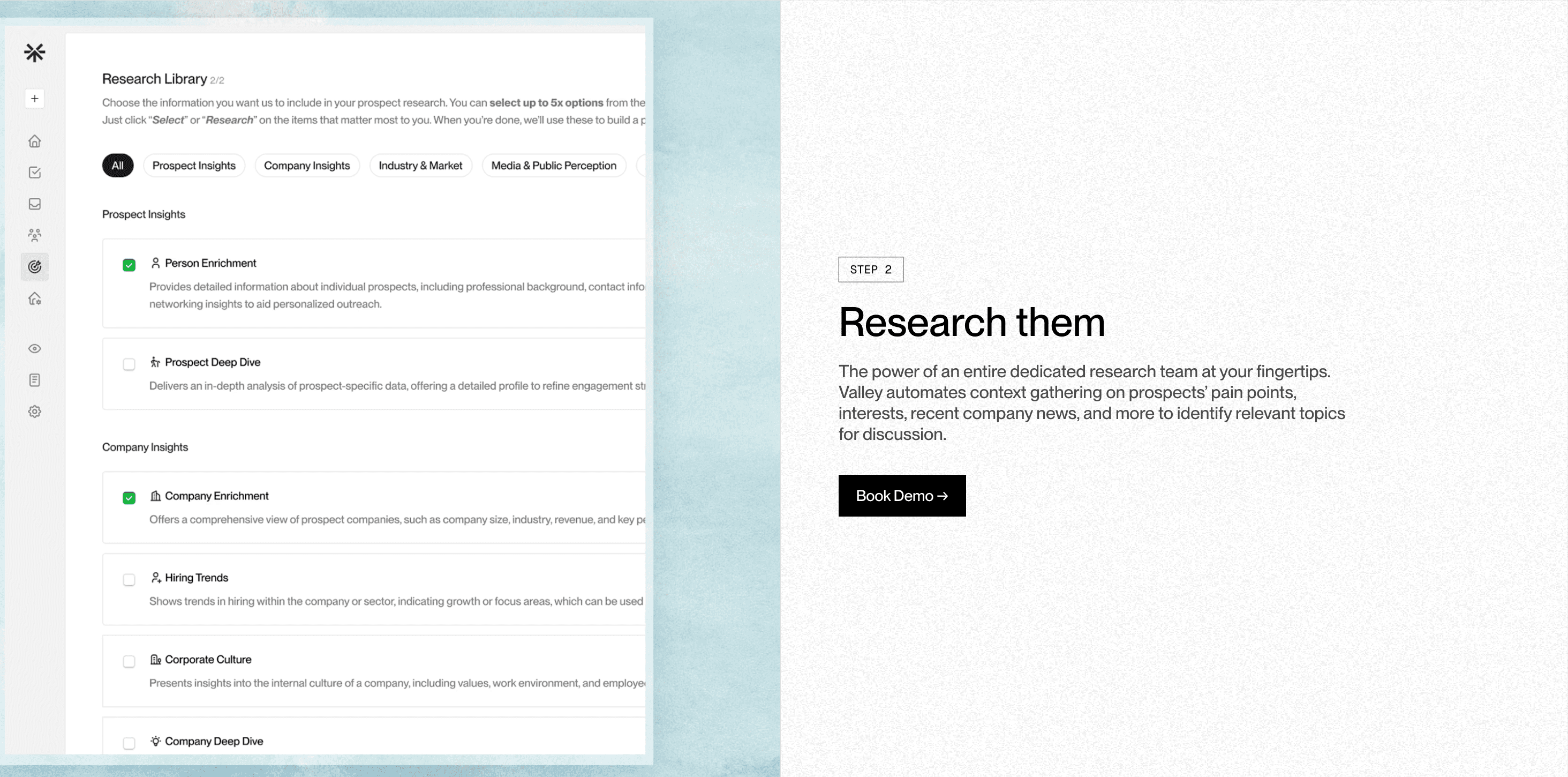
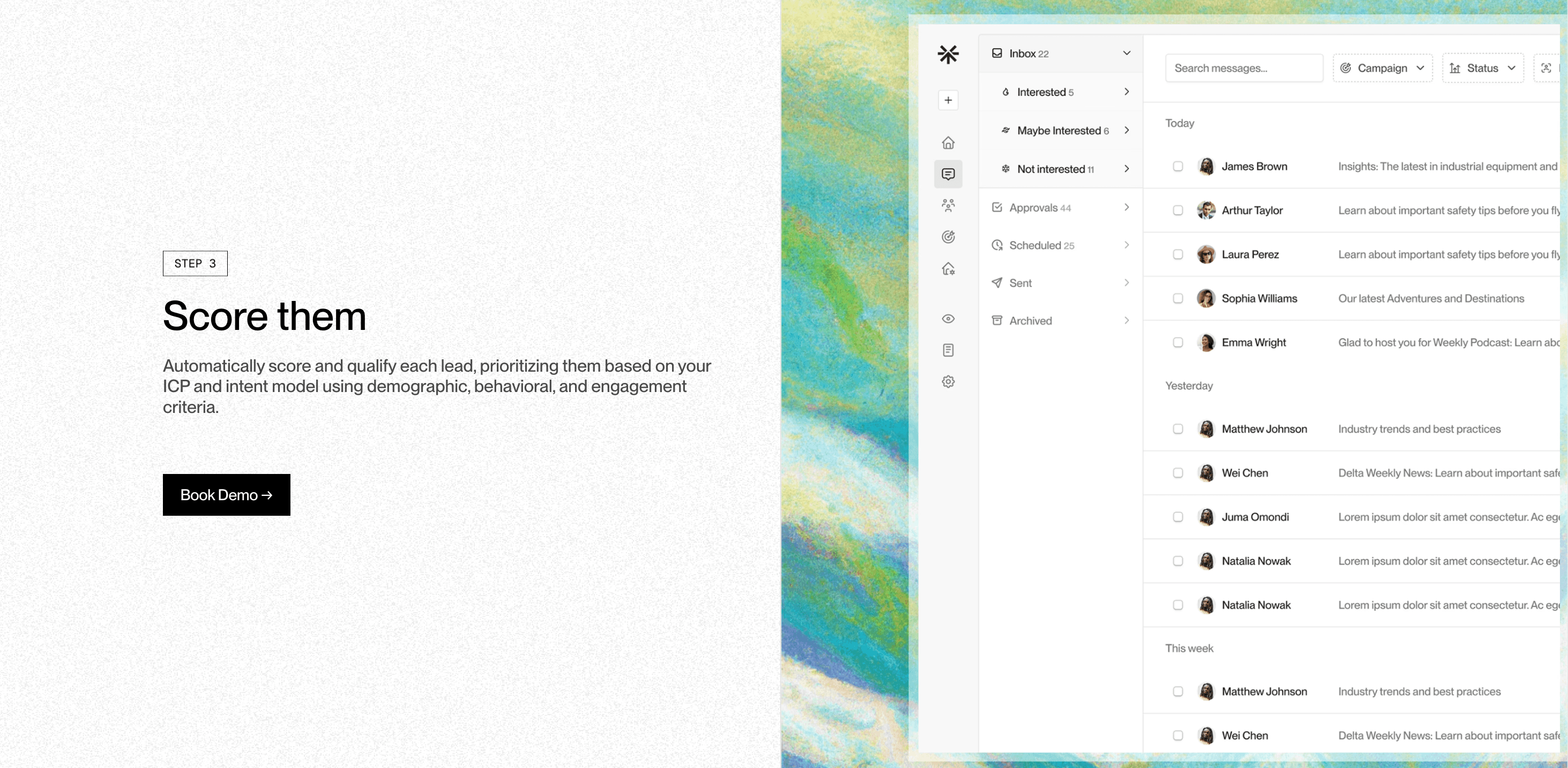
Valley then scores prospects on two dimensions: ICP fit (how well they match your defined criteria) and overall prospect score (based on problem intensity, role, organizational position, and industry context). The scoring isn't just based on LinkedIn data - Valley pulls from sources like podcasts, press releases, job postings, and company deep dives to build a complete picture.
The practical application is the "Delete Low ICP Fits" button - a single click that removes all prospects who don't meet your qualification threshold. Users consistently praise this feature: "Valley is very good at scoring prospects based on the ICP section you set up. Spend time focusing on the ICP section and then just delete low ICP fits every time you launch a campaign."
What About Valley's Do-Not-Contact List Management?
Valley provides robust exclusion capabilities through its DNC (Do Not Contact) list feature. You can upload lists of current customers, active opportunities, competitors, or any other contacts you want to exclude from outreach. This works at both the company and individual level, ensuring you never accidentally message inappropriate prospects.
The DNC list is particularly crucial for maintaining professional relationships and avoiding embarrassment. For example, when pulling engagement from posts, Valley will automatically filter out anyone on your DNC list. You can also train Valley to score anyone from specific companies as "low fit," effectively excluding them from campaigns without manually adding them to the DNC list.
Currently, this is a manual upload process, but Valley is working on automatic synchronization. For now, best practice is to export your customer and opportunity lists monthly and update your DNC list accordingly. This small time investment prevents potentially damaging mistakes while maintaining the efficiency of automated outreach.

Related Blogs

FEATURED READ
5 min
Valley vs HeyReach: Which LinkedIn Outreach Tool Wins More Qualified Meetings?
Read
Read

FEATURED READ
5 min
Valley in 2026: Is the Price Worth the Pipeline?
Read
Read

FEATURED READ
5 min
Valley vs Dripify: Which LinkedIn Outreach Tool Actually Converts in 2026?
Read
Read

FEATURED READ
5 min
Valley vs. Hiring an SDR: The Real Cost and ROI Breakdown for 2026
Read
Read
Which channels does Valley support?
Valley supports LinkedIn outreach, including connection requests and InMails. Valley users safely send 1000-1200 messages per seat every month.
How safe is it and does Valley risk my LinkedIn account?
Do I have to commit to an Annual Plan like other AI SDRs?
How does Valley personalize messages?
Is Valley available in my country?

VALLEY MAGIC





