How Does Valley Handle Campaign Sequences and Follow-Up Messages?

Try Valley
Make LinkedIn your Greatest Revenue Channel ↓

Saniya
Published:
How does Valley structure LinkedIn message sequences?
Valley campaigns consist of either connection request sequences (initial request with note plus follow-ups) or InMail sequences (initial InMail with limited follow-up options). The default setting includes two follow-ups, but you can configure unlimited follow-up messages.
Valley allows you to set timing between messages (days between follow-ups), re-engagement cadences for prospects who go silent, and different approaches for connection requests versus InMails.
The sequence architecture mirrors proven email cadence strategies adapted for LinkedIn's unique dynamics.
Email sequences might include 7-10 touches over 14 days; LinkedIn sequences typically run 2-4 touches over 7-14 days because LinkedIn's environment is more personal and persistent messaging can feel intrusive.
Valley's default two-follow-up structure reflects this best practice while allowing customization for specific situations.
Connection request sequences follow a specific pattern: initial connection request with personalized note, then (upon acceptance) immediate first follow-up message, followed by 2-3 subsequent follow-ups spaced 3-7 days apart.
The timing matters significantly; following up too quickly appears desperate, waiting too long loses momentum from the initial connection acceptance. Valley's configurable timing lets you test different cadences to find what works for your audience.
► Book a demo and explore how Valley can support your use case
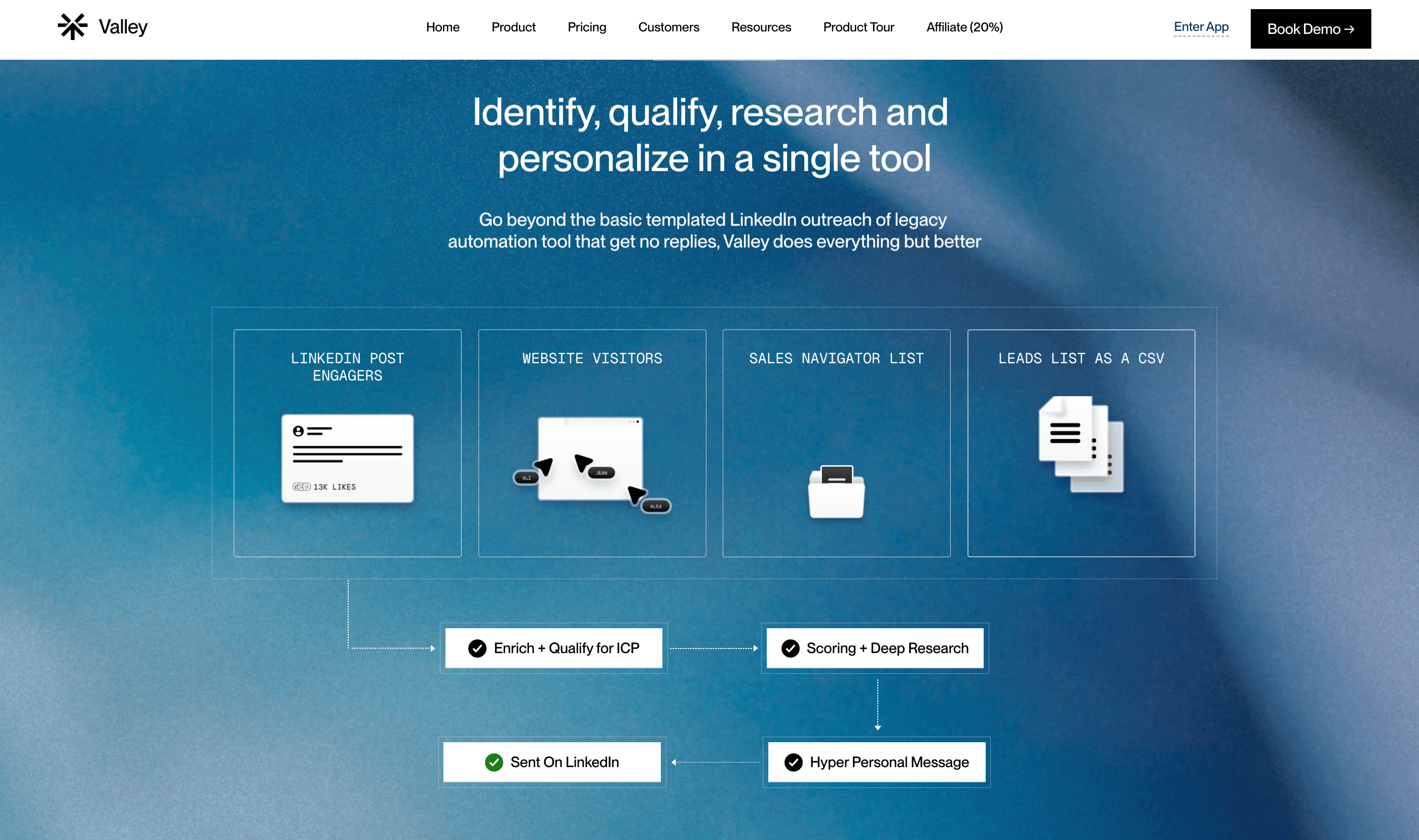
What's Valley's recommended approach for connection requests versus InMails?
Valley recommends running both campaign types simultaneously for the same prospect list. Upload your list once, create two campaigns—one connection request campaign that filters out open profiles, and one InMail campaign that filters out closed profiles. This dual approach maximizes reach: you're sending free InMails to 800 open profiles monthly while sending connection requests to closed profiles, without wasting credits.
The dual-campaign strategy leverages LinkedIn's economics optimally. If you only ran connection request campaigns, you'd miss the 800 monthly free InMails to open profiles—that's significant missed capacity. If you only ran InMail campaigns, you'd burn through your 50-100 credits quickly on closed profiles while ignoring the viable connection request path. Running both simultaneously ensures complete market coverage using the most efficient method for each prospect type.
The operational setup takes 10-15 minutes but doubles your outreach capacity permanently. Create your first campaign as an InMail campaign, select your entire prospect list, and enable "delete closed profiles" filtering. Valley removes all closed profiles from this campaign. Then create a second campaign as a connection request campaign, upload the same list, and enable "delete open profiles" filtering. Valley removes all open profiles from this campaign. Now you have complementary campaigns covering your entire list through optimal channels.

How does Valley handle follow-ups when prospects don't respond?
Valley automatically sends follow-ups based on your configured cadence. If you set a 4-day follow-up interval, Valley drafts and sends (or queues for approval) a follow-up message four days after the initial message receives no response. Each follow-up incorporates new research or angles; Valley doesn't repeat the same information but brings fresh insights to re-engage the prospect.
The follow-up intelligence distinguishes Valley from basic automation tools. Template-based systems often send follow-ups that simply repeat the initial message with different phrasing: "Just wanted to bump this up in your inbox" or "Following up on my previous message." These empty follow-ups add no value and often annoy prospects.
Valley's approach treats each follow-up as a new opportunity to provide value. The first follow-up might reference a different pain point from your initial message, incorporating new research:
"I noticed [Company] just posted about expanding to the West Coast, have you thought about how that affects your [specific challenge your solution solves]?" The second follow-up might share a relevant resource: "I came across this case study from [Similar Company] and thought it might resonate given [specific situation]."
Each message stands alone as valuable communication, not just persistent reminders.
► Book a demo and explore how Valley can support your use case
Can Valley send follow-ups if a prospect accepts a connection request but doesn't reply?
Yes. When a prospect accepts your connection request, Valley immediately sends the first follow-up message (or queues it for approval). If they don't respond to that message, Valley continues with additional follow-ups based on your sequence settings. This ensures accepted connections receive continued engagement without requiring manual intervention.
The acceptance-then-silence scenario is extremely common, prospects accept connection requests for various reasons (building their network, mild curiosity, passive interest) without necessarily wanting immediate conversation. Your acceptance rate might be 35%, but only 20% of acceptances lead to replies. Valley's automatic follow-up system ensures the 80% who accept but don't reply receive continued outreach, recovering conversations that would otherwise go dormant.
The timing of post-acceptance follow-ups matters significantly. Valley sends the first follow-up within 24 hours of acceptance; quickly enough to leverage the moment of connection while the prospect still remembers who you are. If that message receives no reply, Valley waits 3-4 days before the second follow-up, then 5-7 days before a third. This spacing prevents overwhelming newly-connected prospects while maintaining consistent presence.
What happens when a prospect replies to a Valley message?
Valley automatically drafts a reply based on the conversation context, but it never sends replies automatically, you must approve them first. The drafted reply appears in your approvals section where you can accept it as-is, edit it, regenerate it with feedback, or write your own response entirely. Valley pauses all outbound sequences to that prospect once they reply, preventing message overlap.
The automatic draft feature accelerates response management significantly. Instead of reading a prospect's reply, researching context, crafting an appropriate response, and formatting it properly, you simply review Valley's drafted reply and approve or edit. This typically reduces response time from 10-15 minutes per reply to 2-3 minutes—critically important when managing 50+ concurrent conversations.
Valley's drafted replies demonstrate contextual understanding by referencing the conversation history. If a prospect replies asking about pricing, Valley drafts a response that acknowledges their question, provides relevant pricing information or offers to schedule a call to discuss, and includes a follow-up question to keep the conversation moving. The AI understands sales conversation dynamics—never leave a message without a question or clear next step.
How does Valley handle re-engagement after a conversation goes cold?
Valley includes re-engagement functionality where you can set a cadence (for example, 30 days after the last message) for automatically following up with prospects who previously responded but then stopped engaging. Valley reads the conversation history and generates contextually appropriate re-engagement messages that reference previous discussion points while introducing new value.
Cold conversation revival represents a significant revenue recovery opportunity. Research shows that 40-60% of deals don't close because conversations die rather than because prospects actively choose competitors. A prospect who was interested 30 days ago but got busy might welcome re-engagement—they haven't rejected your solution, life simply intervened. Valley's re-engagement sequences systematically recover these dormant opportunities.
The re-engagement messages Valley generates acknowledge the conversation gap without being apologetic or desperate: "It's been a few weeks since we last connected about [specific topic]: I wanted to share [new development, resource, or insight] that might be relevant given what you mentioned about [their specific challenge]." This approach provides a legitimate reason for re-engagement beyond "Just checking in," which prospects ignore as noise.

Can Valley automatically send calendar links when prospects show interest?
You can train Valley to send calendar links at opportune moments by configuring your writing style and sequences accordingly. Valley learns when to include booking links based on your instructions for example, sending collateral first and then the calendar link upon positive response, or including the booking link immediately in InMail campaigns where first impressions matter most. However, you should approve these messages before they send to ensure timing is appropriate.
The decision about when to send booking links involves sales strategy beyond automation—it's about qualification philosophy. Some teams believe in low-friction booking: include the calendar link in every message and let prospects self-qualify by booking. Other teams prefer qualification-first: ask questions to confirm fit before offering meetings. Valley supports both approaches through configuration.
The low-friction approach works well for high-volume, shorter-sales-cycle products where meeting capacity isn't constrained. If you can handle 30 meetings weekly and don't mind if 20% are poor fits, including calendar links early maximizes meeting volume. The qualification-first approach suits complex sales with longer cycles where meeting time is precious; you'd rather have 10 qualified meetings than 20 meetings with 50% poor fits.
Does Valley work differently for connection requests with notes versus blank connection requests?
Valley supports both approaches—connection requests with personalized notes or blank requests. A great personalized note outperforms a blank request, and a blank request outperforms a poor generic note. Valley's AI excels at crafting relevant connection request notes that mention specific details about the prospect's recent activity, company developments, or shared interests, significantly improving acceptance rates beyond industry averages.
The connection request note debate has strong proponents on both sides. Blank request advocates argue that personalized notes increase rejection rates—if prospects don't like your note's premise, they reject rather than ignore. They claim blank requests with strong profiles get accepted based on perceived mutual value. Personalized note advocates argue that thoughtful, relevant notes dramatically increase acceptance rates by demonstrating genuine interest versus mass-adding.
Valley's data across thousands of campaigns shows personalized notes outperform blank requests by 15-25 percentage points when the notes are high quality. The key phrase is "high quality" generic notes like "I'd like to connect with you to expand my network" perform worse than blank requests.
Valley's notes reference specific research: "I saw your post about [Topic] and it resonated with challenges we're seeing across [Industry]—would value connecting to exchange ideas." This level of personalization drives acceptance rates of 40-50% versus 20-30% for blank requests.
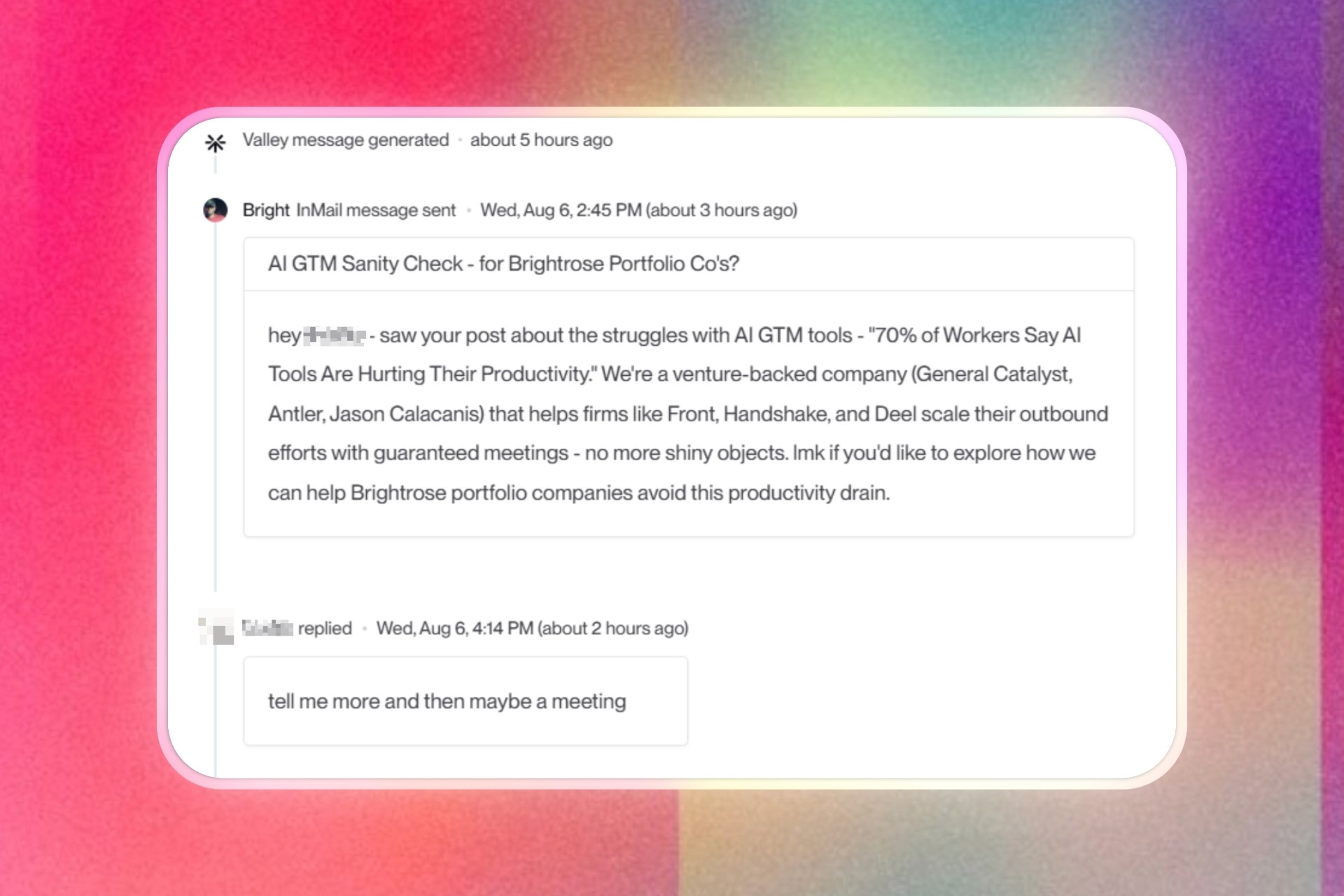
► Check Out More of Valley's Incredible Outreach: A compilation of real time messages and responses!

Related Blogs

FEATURED READ
5 min
Valley vs HeyReach: Which LinkedIn Outreach Tool Wins More Qualified Meetings?
Read
Read

FEATURED READ
5 min
Valley in 2026: Is the Price Worth the Pipeline?
Read
Read

FEATURED READ
5 min
Valley vs Dripify: Which LinkedIn Outreach Tool Actually Converts in 2026?
Read
Read

FEATURED READ
5 min
Valley vs. Hiring an SDR: The Real Cost and ROI Breakdown for 2026
Read
Read
Which channels does Valley support?
Valley supports LinkedIn outreach, including connection requests and InMails. Valley users safely send 1000-1200 messages per seat every month.
How safe is it and does Valley risk my LinkedIn account?
Do I have to commit to an Annual Plan like other AI SDRs?
How does Valley personalize messages?
Is Valley available in my country?

VALLEY MAGIC





