How Does Valley Integrate with Sales Navigator and LinkedIn?

Try Valley
Make LinkedIn your Greatest Revenue Channel ↓

Saniya Sood
Published:
Does Valley require LinkedIn Sales Navigator to function?
Sales Navigator is highly recommended and technically required for full Valley functionality, though Valley is moving toward making it optional.
Sales Navigator enables Valley to send 800+ InMails monthly to open profiles and provides the search functionality needed for building targeted prospect lists.
Without Sales Navigator, you can still use Valley for connection requests but lose significant InMail capacity and list-building capabilities.
The Sales Navigator dependency stems from LinkedIn's platform architecture. LinkedIn segregates its product offerings: basic LinkedIn for networking, LinkedIn Premium for job seeking and basic professional features, Sales Navigator for B2B sales activities, and Recruiter for talent acquisition.
Each tier unlocks different messaging capabilities and search features. Valley is built on top of Sales Navigator because that's where LinkedIn's B2B sales features reside.
► Book a demo and explore how Valley can support your use case
How does Valley connect to my LinkedIn account?
Valley uses a Chrome extension that captures your LinkedIn session token; your LinkedIn password never enters Valley's system.
You download the extension, log into LinkedIn in one tab with Valley open in another, click "Connect Valley" in the extension, and authentication completes.
This session token allows Valley to perform actions as your account without compromising your credentials.
The session token architecture provides both security and functionality. Tokens function as temporary access passes that grant Valley permission to act on your behalf without exposing your underlying credentials.
Think of it like valet parking; you give the valet a temporary key that starts your car but doesn't open your glovebox or trunk. Similarly, the session token lets Valley send messages and access public information but doesn't expose your password or private account settings.
The connection process requires minimal technical knowledge. You don't need to understand APIs, webhooks, or authentication protocols—the extension handles complexity invisibly.
The only requirement is using Chrome or a Chrome-based browser (Brave, Edge, Opera) because Valley's extension is built for Chrome's extension architecture. Safari and Firefox users need to use Chrome specifically for Valley authentication.

Can I use Sales Navigator Core or do I need Sales Navigator Advanced with Valley?
Most Valley users have Sales Navigator Core (the basic plan at approximately $80-90 monthly). However, Sales Navigator Advanced provides significant advantages: you can send 800+ InMails to open profiles monthly compared to 200-300 with Core. This effectively doubles your outreach capacity.
If budget allows, Advanced is encouraged for maximizing Valley's capabilities.
The Core versus Advanced decision comes down to math: is the additional $60-80 monthly worth roughly 500-600 extra InMails? If your average deal size is $10,000+ annually and you close even one extra deal per quarter from the increased outreach capacity, Advanced pays for itself many times over. For smaller deal sizes or more limited budgets, Core provides sufficient functionality to see strong results.
Valley customers using Core typically adopt a blended strategy: maximize the 200-300 InMails they have for highest-priority prospects (C-suite, decision-makers, accounts with highest deal potential), then use connection requests for secondary prospects.
This prioritization ensures limited InMail credits go to prospects most likely to generate significant revenue.
How does Valley handle Sales Navigator search URLs?
Valley can directly import Sales Navigator searches by copying and pasting the search URL. When you create a campaign, select the Sales Navigator URL option, paste your search link, and Valley automatically imports all prospects from that search. This eliminates manual CSV exports; Valley handles the list creation while you focus on defining search criteria in Sales Navigator.
The URL import functionality transforms list building from a multi-step export-import process into a one-click operation.
Traditional workflow: build search in Sales Navigator, export to CSV, clean the CSV data, upload to your automation tool, verify import success. Valley workflow: build search in Sales Navigator, copy URL, paste into Valley. The 5-step process becomes 3 clicks.
The seamless integration also maintains live connectivity to your Sales Navigator searches. If you paste a search URL from a saved search that updates regularly (for example, "VPs of Sales at companies that raised funding in the past 30 days"), Valley can re-import that search periodically to capture new prospects matching your criteria.
This creates evergreen prospect sourcing without manual list maintenance.
Does Valley work with LinkedIn Recruiter accounts or only Sales Navigator?
Currently, Valley integrates only with Sales Navigator and cannot send InMails through Recruiter accounts. Valley's architecture was built specifically for Sales Navigator's InMail system. While some recruiters use Valley for sourcing and outreach, they need Sales Navigator in addition to (or instead of) Recruiter for Valley to function properly.
The Recruiter limitation frustrates recruiting agencies who already pay significant fees for Recruiter licenses. LinkedIn Recruiter costs significantly more than Sales Navigator (starting around $700-900 monthly per seat), so requiring Sales Navigator in addition creates budget challenges.
Valley's product team has explored Recruiter integration but faces technical complexities because Recruiter's messaging system operates differently than Sales Navigator's InMail infrastructure.
Some recruiters solve this creatively by using Valley for client outreach (business development to find new recruiting clients) rather than candidate outreach.
They connect their personal LinkedIn profile with Sales Navigator to Valley, run campaigns targeting HR leaders and talent acquisition professionals, and use Valley to book meetings with companies needing recruiting services.
This applies Valley's strengths to the sales side of recruiting rather than the sourcing side.
Can I import LinkedIn lead lists directly into Valley?
Yes. If you've saved lead lists within Sales Navigator, you can access them through the lead list filter on the right column in Sales Navigator, copy that URL, and paste it into Valley. Valley treats lead list URLs the same as search URLs, importing all prospects from your saved lists for campaign creation.
Lead lists in Sales Navigator function as saved prospect collections—maybe you've manually curated 500 ideal prospects over the past month, or you've exported prospects from another source and uploaded them to Sales Navigator. These saved lists can feed directly into Valley without re-exporting or manual transfer. The integration respects your curation work and accelerates the path from saved list to active outreach.
The lead list import also enables collaborative list building. Multiple team members might contribute to a shared Sales Navigator lead list; one person adds prospects from events they attend, another adds prospects from partner referrals, a third adds prospects from content downloads. Once the collaborative list reaches critical mass, paste it into Valley for coordinated outreach without manually dividing responsibilities.
► Check Out More of Valley's Incredible Outreach: A compilation of real time messages and responses!

How does Valley handle LinkedIn's native messaging limits?
Valley operates within LinkedIn's restrictions by design. You can send approximately 25-30 connection requests daily and similar volumes for InMails. Valley includes built-in guardrails that monitor these limits and automatically stop sending when thresholds are reached. The platform resumes appropriately based on LinkedIn's weekly reset cycles, ensuring compliance without manual intervention.
The guardrails operate proactively rather than reactively. Valley doesn't wait until LinkedIn sends a limit warning instead, Valley tracks your sending velocity and stops before reaching limits. This conservative approach prevents any risk of temporary restrictions that could occur if you consistently push right up to LinkedIn's ceiling. Valley aims to keep your account in LinkedIn's "safe zone" where activity appears natural rather than testing upper limits.
The weekly reset cycles matter for understanding your true monthly capacity. LinkedIn doesn't reset limits on the first of each month instead, limits operate on rolling seven-day windows. If you send 200 connection requests in one week then take a week off, your capacity refreshes more quickly than if you consistently send 150 weekly. Valley's algorithms understand these dynamics and optimize sending patterns for maximum sustained capacity without triggering restrictions.
What if I want to use multiple LinkedIn accounts with Valley?
Valley's pricing is seat-based, meaning each LinkedIn account requires a separate seat. You can manage multiple accounts within one workspace as the admin—log into each account through the extension once, and Valley tracks all campaigns and responses in a unified inbox. This is common for agencies managing client accounts or companies using multiple team members' profiles for outreach at scale.
The multi-account management capability makes Valley particularly powerful for agencies and sales teams. Instead of each team member independently managing their LinkedIn outreach with different tools, messaging quality, and tracking systems, Valley centralizes everything.
You see all responses from all accounts in one feed, ensure consistent messaging quality across all accounts, and manage capacity holistically rather than hoping each individual maintains their cadence.
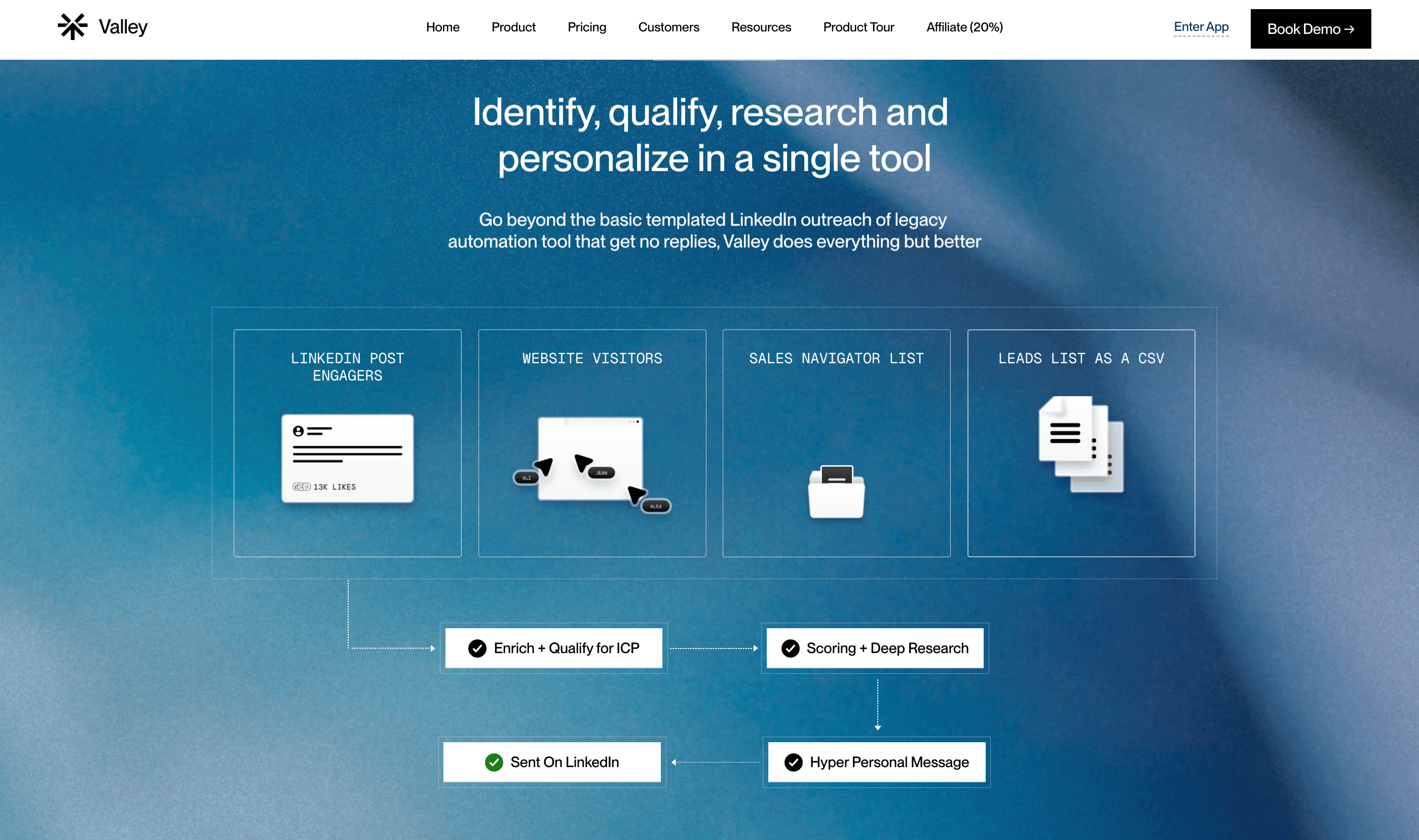
The unified inbox transforms response management from fragmented chaos into streamlined operations. Without Valley, managing five LinkedIn accounts means checking five separate LinkedIn inboxes multiple times daily, context-switching constantly, and likely missing responses. With Valley, all five accounts' responses appear in one feed filterable by account, campaign, ICP fit, or status. You can manage 50+ daily responses across multiple accounts in 15 minutes rather than spending an hour checking individual inboxes.
► Book a demo and explore how Valley can support your use case

Related Blogs

FEATURED READ
5 min
Valley vs HeyReach: Which LinkedIn Outreach Tool Wins More Qualified Meetings?
Read
Read

FEATURED READ
5 min
Valley in 2026: Is the Price Worth the Pipeline?
Read
Read

FEATURED READ
5 min
Valley vs Dripify: Which LinkedIn Outreach Tool Actually Converts in 2026?
Read
Read

FEATURED READ
5 min
Valley vs. Hiring an SDR: The Real Cost and ROI Breakdown for 2026
Read
Read
Which channels does Valley support?
Valley supports LinkedIn outreach, including connection requests and InMails. Valley users safely send 1000-1200 messages per seat every month.
How safe is it and does Valley risk my LinkedIn account?
Do I have to commit to an Annual Plan like other AI SDRs?
How does Valley personalize messages?
Is Valley available in my country?

VALLEY MAGIC





