How Does Valley's Al Learn Your Writing Voice and Tone?

Try Valley
Make LinkedIn your Greatest Revenue Channel ↓

Saniya
Published:
Why AI Voice Matching Matters for Response Rates:
Generic AI-generated messages sound robotic because they lack authentic voice—the unique communication style, word choices, and personality that make your messages recognizably yours. Valley's 30-day AI training process transforms generic AI into personalized message generation that matches your specific voice so precisely that prospects can't distinguish AI-written from human-written messages.
When prospects receive obviously AI-generated outreach, trust evaporates and response rates plummet. They recognize templated language patterns: "I hope this message finds you well," "I wanted to reach out regarding," "innovative solutions for optimizing," and "I'd love to connect to discuss."
These corporate-speak phrases scream automation. Prospects delete without reading.
Valley-trained AI generates natural messages that sound like you: "Saw you checked out our pricing page yesterday. Seems like you're evaluating options," or "Your comment on my post about LinkedIn outbound raised a great point."
► Book a demo and explore how Valley can support your use case
The difference determines whether prospects engage authentically or dismiss your outreach as spam.
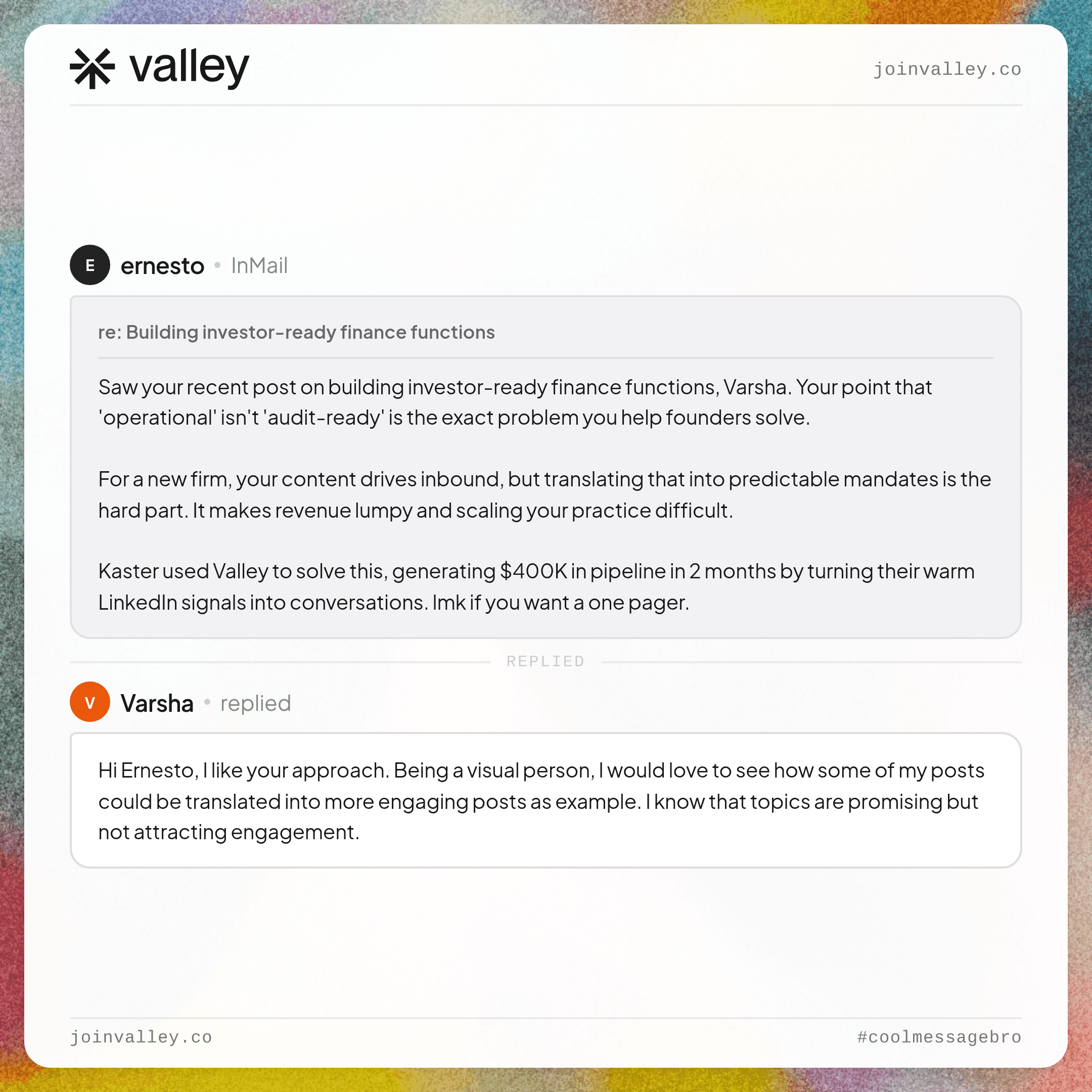
► Check Out Valley's Incredible Outreach: A compilation of real time messages and responses!

How Valley's 30-Day Training Process Works:
Valley's AI learns your voice through iterative feedback over roughly one month, progressing from basic imitation to sophisticated replication that captures nuance.
Days 1-7: Foundation Setting
During initial onboarding, you provide Valley with foundational training data: 3-5 examples of your best-performing LinkedIn messages that generated responses, your value proposition and key differentiators in your own words, "dos": preferred phrases, approaches, and tone characteristics, "don'ts": words to avoid, styles to never use, off-brand approaches, and common objections and how you typically address them.
Valley's AI analyzes these inputs to establish baseline voice parameters: average sentence length (short and punchy vs. longer and flowing), question frequency (consultative question-based vs. declarative statement-based), data usage patterns (heavy on metrics vs. story-focused), formality level (casual vs. professional vs. highly formal), and emotional tone (enthusiastic vs. measured vs. direct).
You launch your first campaign and Valley generates initial messages based on these baseline parameters.
Days 8-14: Active Refinement Through Feedback
Valley presents generated messages for your review before sending. For each message, you choose: approve as-is (message matches your voice perfectly), edit and approve (minor adjustments needed), or regenerate (message misses the mark significantly).
When you edit messages, Valley's AI analyzes your changes: which words did you replace with what alternatives, which phrases did you remove or add, how did you restructure sentences, and what tone adjustments did you make.
These edits train the AI more effectively than abstract guidelines. If you consistently replace "innovative" with "new" and "leverage" with "use," the AI learns to avoid business jargon in favor of plain language.
Provide explicit feedback on specific issues: "Too formal—write more casually," "Don't use questions in the opening—start with a direct statement," "Reference their specific post topic, not just 'your recent content'," or "Shorten this—I never write messages longer than 4 sentences."
Valley incorporates this feedback into future message generation immediately.
Days 15-21: Pattern Recognition and Consistency
By week three, Valley's AI identifies consistent patterns in your preferences. You notice that generated messages increasingly match your voice without extensive editing—perhaps 60-70% of messages need only minor tweaks or no changes.
The AI understands your voice characteristics: you prefer sentence fragments for emphasis, you use specific metaphors or analogies repeatedly, you always acknowledge their signal before pitching, you end messages with questions that invite response, and you avoid superlatives ("best," "fastest," "only") preferring concrete specifics.
Continue providing feedback, but focus on edge cases and exceptions: how you adjust tone for C-level vs. director-level prospects, how you modify messaging for different industries, and how you handle different signal types (profile viewers vs. post engagers).
Days 22-30: Optimization and Autopilot Readiness
By the fourth week, Valley generates messages matching your voice 80-90% of the time without editing. You still review messages but increasingly approve them as-written.
At this point, you can enable autopilot mode for high-confidence prospects (ICP score 80+) while maintaining manual review for lower-confidence or edge-case scenarios.
The AI continues learning indefinitely from your approvals and edits, refining voice matching as your communication style naturally evolves.
► Book a demo and explore how Valley can support your use case
What Writing Style Elements Valley Configures:
Valley's writing style configuration goes beyond simple templates, allowing granular control over how the AI generates messages.
Sentence Structure Preferences:
Configure preferred sentence patterns: short and punchy (5-10 words average), medium conversational (10-15 words), or longer flowing (15-20+ words). Specify fragment usage for emphasis, whether you prefer simple or complex sentence structures, and how you use punctuation for rhythm (dashes, ellipses, parentheticals).
Example configuration: "I prefer short sentences. Mix in occasional fragments for emphasis. Use dashes to add context—like this—instead of parentheses."
Opening Hook Styles:
Define how you typically start messages: direct signal reference ("Saw you viewed my profile yesterday"), question-based ("Quick question about your LinkedIn outreach"), shared connection ("[Mutual connection] suggested I reach out"), or value-first offer ("Thought you'd find this LinkedIn outreach framework useful").
Valley learns which opening styles you prefer for different scenarios.
Personalization Depth Guidelines:
Specify how deeply you personalize: minimal (name and company only), moderate (name, company, and one specific detail), or deep (name, company, specific signal reference, and researched context).
Example: "Always reference the specific signal (which post they engaged with, what page they visited, how many times they viewed profile). Don't use generic 'I noticed you work at [Company]' personalization."
Call-to-Action Preferences:
Configure your preferred CTA styles: direct ask ("Want to see how this works? Book 15 minutes here: [link]"), soft invite ("Worth a conversation? Let me know."), question-based ("Would you be open to a quick call this week?"), or resource offer ("I put together a guide on this, want me to send it over?").
Valley matches your preferred CTA approach automatically.
Tone and Formality Specifications:
Define appropriate formality for your market: casual and conversational ("Hey [Name], saw you checked out our site. Cool stuff you're building at [Company]."), professional and friendly ("Hi [Name], I noticed [Company] was exploring our pricing page. I'd love to share some insights relevant to your role."), or formal and executive ("Hello [Name], I observed that [Company] has demonstrated interest in our LinkedIn automation platform. I would appreciate the opportunity to discuss how we serve organizations in the [Industry] sector.").
Vocabulary and Phrasing Guidelines:
Create lists of preferred and prohibited words and phrases:
Prefer: use, help, show, specific numbers, concrete examples Avoid: leverage, synergy, innovative, solutions, cutting-edge, game-changer, paradigm, empower
Valley's AI references these lists during message generation.
Message Length Boundaries:
Set minimum and maximum message lengths: short (2-3 sentences, 40-60 words), medium (3-5 sentences, 60-100 words), or long (5-7 sentences, 100-150 words).
Example: "Never exceed 5 sentences. Aim for 60-80 words total. Shorter is better."
These granular controls ensure Valley's AI generates messages matching your exact communication preferences.

How Valley Handles Different Messaging Contexts:
Your voice likely varies slightly depending on context: who you're messaging, why you're reaching out, and what stage of conversation you're in. Valley's AI adapts to these contextual variations.
Audience-Based Tone Adjustment:
Configure different voice parameters for different prospect levels: C-level executives (slightly more formal, emphasize strategic outcomes, shorter messages), VP/Director level (balanced professional tone, mix strategy and tactics), Manager level (conversational, tactical focus, specific examples), and Individual contributors (very casual, peer-to-peer tone, technical depth).
Valley automatically adjusts tone based on prospect seniority.
Signal-Based Messaging Variation:
Different signals warrant different approaches: Profile viewers ("I noticed you checked out my profile; glad to connect"), Post engagers ("Your comment on my post about [topic] resonated, you raised a great point"), Website visitors ("Saw someone from [Company] was exploring our pricing page"), Company page followers ("Thanks for following [Company] on LinkedIn, wanted to reach out personally"), and Competitor post engagers ("I saw you engaged with [Competitor]'s content about [topic]. We take a different approach you might find interesting").
Valley references the specific signal and adjusts messaging appropriately.
Conversation Stage Adaptation:
Voice evolves as conversations progress: Initial connection request (brief, context-setting), First message after acceptance (value-focused, specific personalization), Follow-up after no response (different angle, fresh value), Response to positive reply (conversational, focused on next steps), and Meeting scheduling (direct, logistical).
Valley maintains voice consistency while adapting to conversation stage.
How to Maintain AI Voice Quality Over Time:
Voice training isn't one-time setup—it requires ongoing attention to maintain quality as your communication style evolves.
Monthly Voice Audits:
Once monthly, review sample of recently sent messages: select 10-20 messages Valley sent without editing, evaluate whether they still match your current voice, identify any drift or emerging patterns that don't align, and provide corrective feedback through writing style settings.
Communication styles naturally evolve, monthly audits ensure Valley evolves with you.
Update Writing Style Documentation:
As you refine your messaging approach, update Valley's writing style configuration: add new prohibited phrases you've started avoiding, include preferred phrasings you've adopted, adjust tone guidelines based on what's working, and document new voice rules for emerging scenarios.
Keep the writing style section current rather than treating it as static initial setup.
Team Voice Consistency:
For teams with multiple people using Valley, establish shared voice guidelines: document company-wide tone preferences, create approved and prohibited phrase lists, define voice variations by team member or territory, and conduct quarterly voice alignment reviews.
This ensures consistent brand voice across team members while allowing for individual personality.
► Book a demo and explore how Valley can support your use case
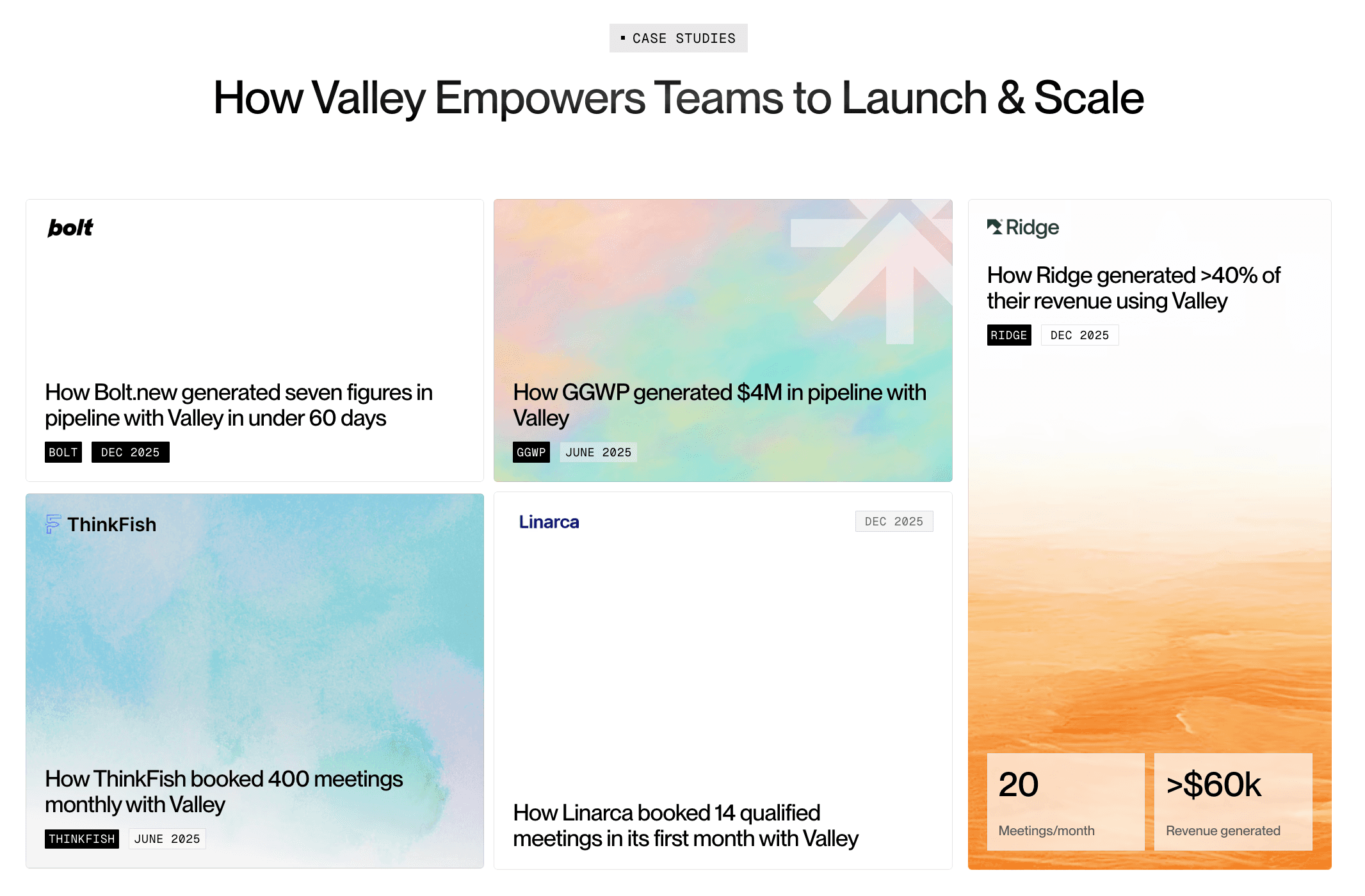
Valley's AI maintains voice quality indefinitely with minimal ongoing attention but periodic reviews and updates ensure the quality stays high as your needs evolve, transforming generic automation into authentic communication that prospects can't distinguish from messages you personally crafted.

Related Blogs

FEATURED READ
5 min
Valley vs HeyReach: Which LinkedIn Outreach Tool Wins More Qualified Meetings?
Read
Read

FEATURED READ
5 min
Valley in 2026: Is the Price Worth the Pipeline?
Read
Read

FEATURED READ
5 min
Valley vs Dripify: Which LinkedIn Outreach Tool Actually Converts in 2026?
Read
Read

FEATURED READ
5 min
Valley vs. Hiring an SDR: The Real Cost and ROI Breakdown for 2026
Read
Read
Which channels does Valley support?
Valley supports LinkedIn outreach, including connection requests and InMails. Valley users safely send 1000-1200 messages per seat every month.
How safe is it and does Valley risk my LinkedIn account?
Do I have to commit to an Annual Plan like other AI SDRs?
How does Valley personalize messages?
Is Valley available in my country?

VALLEY MAGIC





