How Does Valley's Unified Inbox and Response Management Work?

Try Valley
Make LinkedIn your Greatest Revenue Channel ↓

Saniya
Published:
How does Valley handle incoming LinkedIn responses?
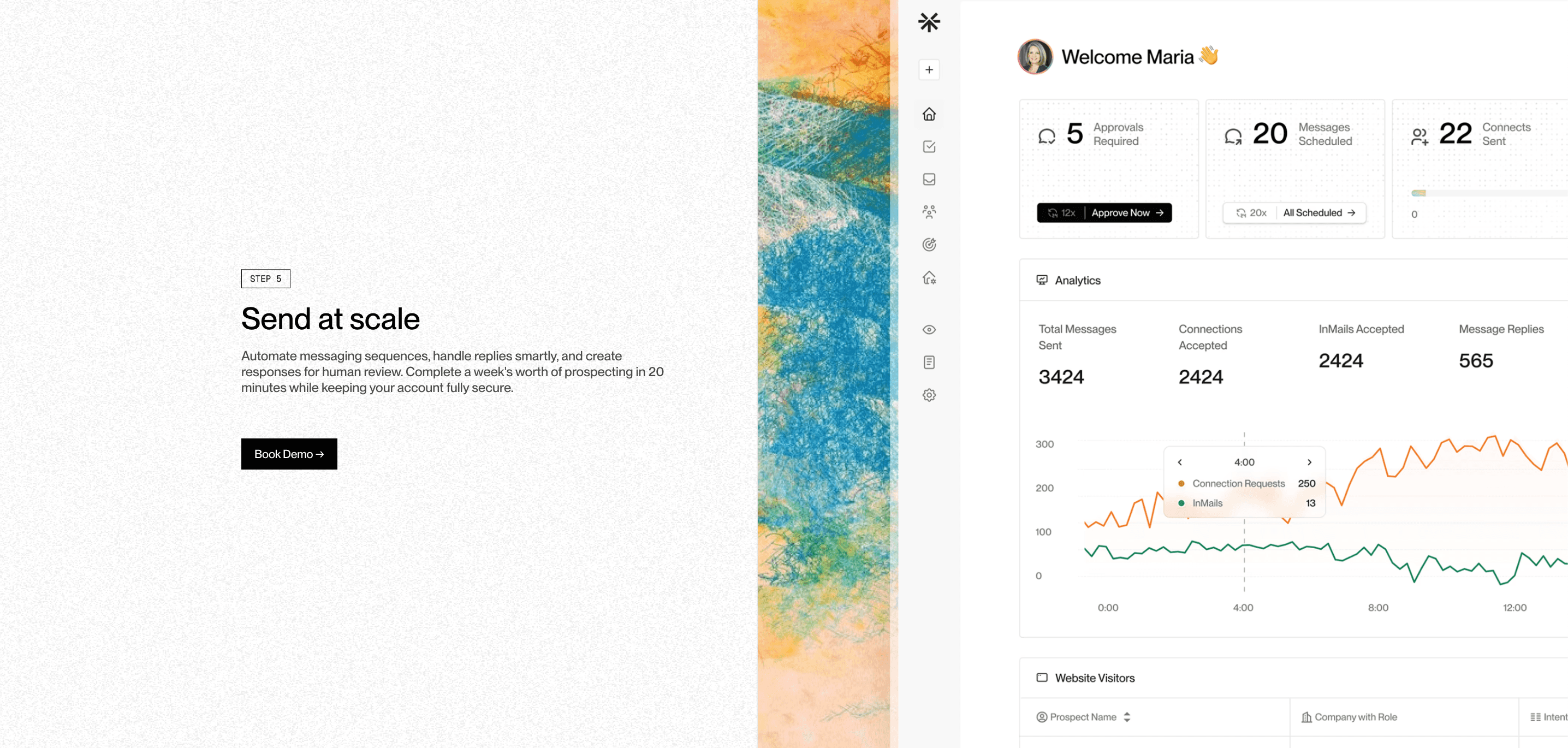
All LinkedIn replies from Valley-sent messages appear in Valley's unified inbox. You can view responses from all your connected accounts in one place, filter by status (interested, not interested, indifferent), ICP fit level, or date ranges.
The inbox shows the full conversation history, prospect research, and ICP scoring; everything needed to respond effectively without switching between platforms.
The unified inbox architecture solves the fundamental chaos problem of multi-channel, multi-account sales outreach.
Traditional approaches force you to check multiple inboxes: your personal LinkedIn messages, your team members' LinkedIn messages if you're managing accounts for them, your CRM for logged activity, your email for follow-ups. This fragmentation guarantees dropped conversations and missed opportunities.
Valley consolidates everything into a single feed that functions like your email inbox but specifically for LinkedIn conversations. You see every response across all connected accounts, sorted by recency, urgency, or whatever filter criteria you select. Each conversation thread includes complete context: every message sent, all prospect research
Valley conducted, the ICP fit score explaining why this prospect was contacted, and quick-action buttons for responding, tagging, or routing.
► Book a demo and explore how Valley can support your use case
Can Valley automatically respond to prospect replies?
No. Valley drafts suggested replies based on conversation context, but never sends them automatically. When a prospect replies, Valley generates a contextually appropriate response that appears in your approvals section. You can approve it as-is, edit it, regenerate it with feedback, or write your own response. This ensures replies remain appropriate and allows human judgment for delicate sales conversations.
The automatic drafting without automatic sending reflects Valley's philosophy on AI-human collaboration. AI excels at research aggregation, pattern matching, and generating options quickly. Humans excel at nuanced judgment, emotional intelligence, and strategic decision-making. Valley's architecture combines these strengths: AI does the heavy lifting of drafting contextually appropriate replies, humans apply final judgment about whether the reply captures the right tone and strategic approach.
The drafted replies save enormous time even without automatic sending. Instead of reading a prospect's reply, thinking through the appropriate response, typing it out, and proofreading, you simply review Valley's draft, maybe make a small edit, and approve. This typically reduces response time from 8-10 minutes per reply to 1-2 minutes—critically important when you're managing 30-50 active conversations simultaneously.

How does Valley know when prospects aren't interested versus just being non-responsive?
Valley auto-tags prospects based on reply sentiment. If someone sends a clearly negative response ("not interested," "remove me," "stop contacting me"), Valley automatically tags them as "not interested" and stops all outreach.
For non-responses, Valley continues follow-up sequences according to your configured cadence. You can manually tag prospects at any time to override automated categorization.
The sentiment analysis operates on a simple classification model trained on thousands of sales conversation responses.
Valley identifies explicit rejection phrases ("not interested," "not a fit," "not the right time"), polite deferrals that indicate real disinterest ("we're all set," "we have a solution," "not looking to change"), and positive signals ("interested in learning more," "let's schedule time," "send more information").
The auto-tagging prevents wasted follow-up efforts. Without it, prospects who replied negatively would continue receiving follow-ups because Valley doesn't know they've declined.
The automatic detection and outreach stopping ensures you're not annoying people who've already declined; improving your sender reputation and preventing LinkedIn reports that could affect account standing.
Does Valley integrate LinkedIn messages with my CRM for tracking?
Valley integrates with HubSpot natively; all campaign activity, responses, and meeting scheduling can sync automatically. For other CRMs, you can set up webhooks through Zapier, Make, or Workato to report Valley data into your CRM. However, the integration is currently one-directional (Valley pushes data out but doesn't pull information from your CRM back into Valley).
The HubSpot integration provides automatic activity logging without manual data entry. Every Valley message sent creates an activity record in HubSpot associated with the contact. Every reply received creates an engagement record. Meetings booked through Valley conversations can trigger CRM workflow automation. This ensures your CRM remains the source of truth for all customer interactions without requiring SDRs to log Valley activity manually.
The webhook approach for non-HubSpot CRMs requires some technical configuration but achieves similar results. You set up triggers: "When a prospect replies positively in Valley, create a task in Salesforce for the account owner," or "When a meeting is scheduled, update the lead stage to 'Meeting Scheduled' in Pipedrive." These automated data flows eliminate the manual copy-paste work that often leads to incomplete CRM data.
Can I see which messages Valley sent to each prospect before they replied?
Yes. Click into any prospect's profile within Valley to view the complete conversation history all messages sent, dates, prospect research Valley used, ICP scoring details, and any notes you've added. This full context helps you craft appropriate responses and understand exactly what information the prospect has already received.
The conversation history view functions as a comprehensive record of your relationship with each prospect. You see: the initial message Valley sent with the specific research incorporated, the prospect's response, any follow-ups sent before they replied, the research that informed each message, and the ICP fit score that determined they should be contacted. This complete picture enables informed response decisions.
The context matters especially when prospects reply weeks after initial contact. If someone replies 14 days after your initial InMail, you might not remember what you said or why you reached out. Valley's conversation history instantly refreshes your memory—you can see you mentioned their recent funding round and asked about scaling challenges. This context allows you to continue the conversation naturally rather than asking redundant questions or forgetting what you already discussed.
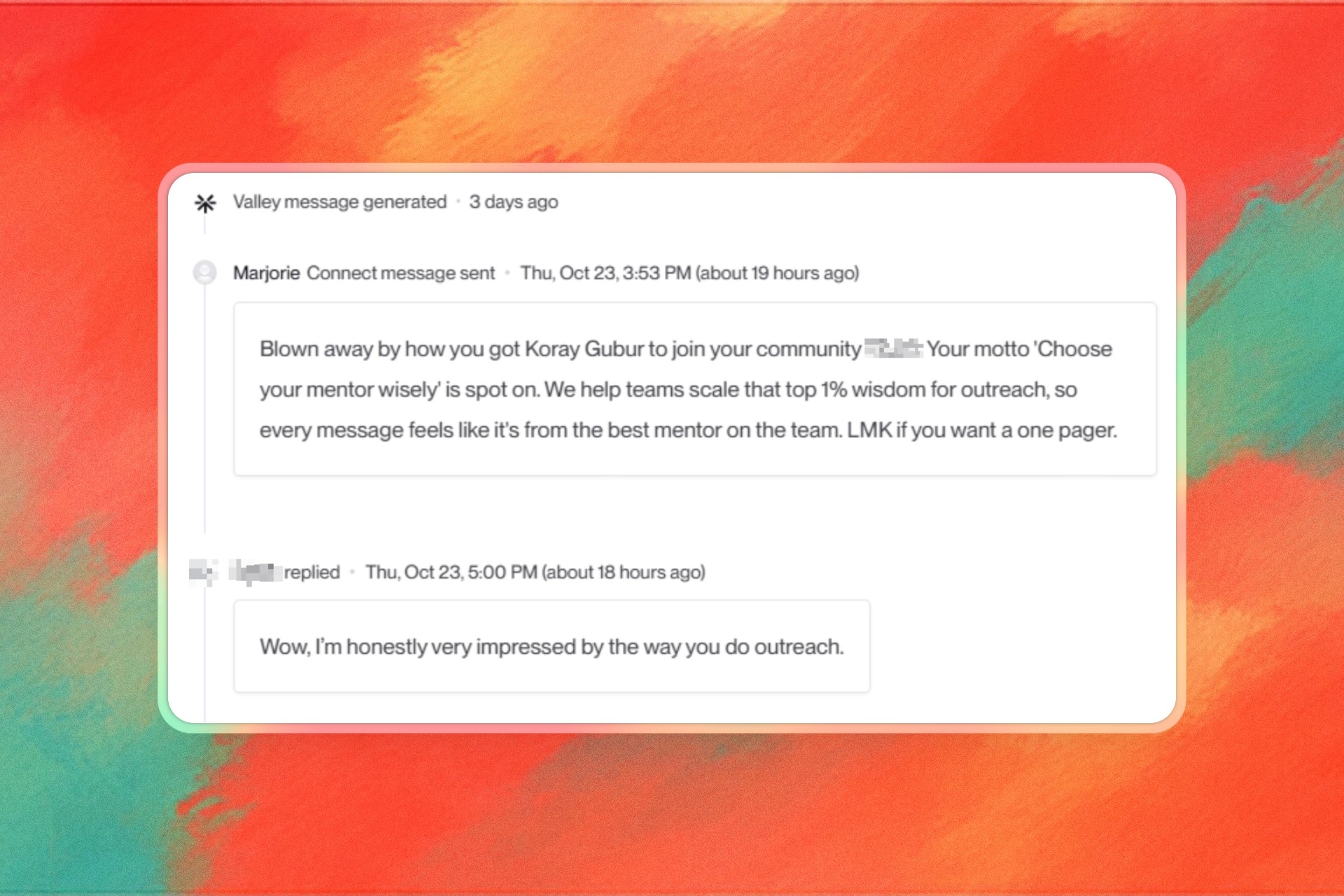
► Check Out More of Valley's Incredible Outreach: A compilation of real time messages and responses!
How does Valley handle conversations that span multiple team members?
Valley's team collaboration features allow multiple users to view the unified inbox. Admin users can log into any connected seat and manage responses on behalf of team members. You can add internal comments or tags to prospects that other team members can see, ensuring coordinated outreach when multiple people manage the same campaigns.
The multi-user collaboration solves handoff challenges common in sales organizations. Often, an SDR initiates outreach but AEs handle qualified conversations. Without proper systems, these handoffs create friction—the AE doesn't have context on what the SDR discussed, response time increases during handoff, and prospects get frustrated repeating information.
Valley enables smooth handoffs through internal tagging and commenting.
When an SDR's conversation reaches qualification threshold, they tag the prospect as "qualified" and add an internal comment:
"@Sarah - this prospect confirmed they have budget and timeline. They're interested in discussing implementation complexity. Their primary concern is integration with Salesforce." Sarah (the AE) sees this tag, reviews the conversation history, and picks up the conversation seamlessly without asking the prospect to repeat themselves.

What happens if I want to take over a conversation manually after Valley starts it?
Click the "human handover" tag or "stop outreach" button for that specific prospect. This pauses all automated sequences while preserving the conversation history. You can then respond manually through LinkedIn while still tracking that conversation within Valley's interface. The prospect remains in your Valley inbox for reference even after automation stops.
The human handover functionality acknowledges that some conversations warrant personal attention beyond AI-drafted responses. Maybe the prospect is an ideal-fit, high-value account where you want complete control. Maybe they asked a complex question requiring detailed technical explanation. Maybe they're a personal connection where automation feels inappropriate. The handover capability gives you that control without losing the tracking and context Valley provides.
The preservation of conversation history after handover ensures continuity. Even though Valley stops drafting messages, you still see the prospect in your inbox with all prior messages, research, and notes. You can continue managing the conversation from Valley's interface, manually typing your LinkedIn replies while tracking everything in one place. This hybrid approach combines AI efficiency with human touch for high-stakes situations.
Can Valley filter my inbox to show only high-priority prospects?
Yes. Valley's inbox filtering allows you to segment by ICP fit score (high, medium, low), response status, campaign, date range, or custom tags you've created. This helps you prioritize responding to high-fit interested prospects first while batching lower-priority responses or delegating them to other team members.
The filtering capability enables sophisticated response triage strategies. You might process your inbox three times daily with different filter settings: Morning (8-9am): Filter for "interested" + "high ICP fit" – respond to your most promising conversations first when you're fresh. Midday (1-2pm): Filter for "indifferent" or "needs more information" – handle prospects who need nurturing but aren't ready to buy yet. Evening (5-6pm): Filter for "not interested" – review these to update your DNC list and analyze rejection reasons.
The custom tagging extends filtering beyond Valley's default categories. You might create tags like "Hot - respond ASAP," "Waiting on their internal discussion," "Qualified but slow timeline," or "Champion but not decision-maker." These custom tags enable precise filtering: "Show me all 'Hot - respond ASAP' prospects across all campaigns" gives you a focused list of your most urgent conversations requiring immediate attention.
► Book a demo and explore how Valley can support your use case

Related Blogs

FEATURED READ
5 min
Valley vs HeyReach: Which LinkedIn Outreach Tool Wins More Qualified Meetings?
Read
Read

FEATURED READ
5 min
Valley in 2026: Is the Price Worth the Pipeline?
Read
Read

FEATURED READ
5 min
Valley vs Dripify: Which LinkedIn Outreach Tool Actually Converts in 2026?
Read
Read

FEATURED READ
5 min
Valley vs. Hiring an SDR: The Real Cost and ROI Breakdown for 2026
Read
Read
Which channels does Valley support?
Valley supports LinkedIn outreach, including connection requests and InMails. Valley users safely send 1000-1200 messages per seat every month.
How safe is it and does Valley risk my LinkedIn account?
Do I have to commit to an Annual Plan like other AI SDRs?
How does Valley personalize messages?
Is Valley available in my country?

VALLEY MAGIC





