How Does Valley Train Its AI on Your Writing Style and Voice?

Try Valley
Make LinkedIn your Greatest Revenue Channel ↓

Saniya Sood
Published:
What information does Valley need to replicate my writing style?
Valley learns your writing style through three inputs in the Studio section: examples of past messages you've written (emails, LinkedIn messages, or any relevant communication), specific do's and don'ts about your communication preferences (what you always do, what you never do), and advanced questions covering structural elements like how you start messages, how you end them, what tone you use, and how formal or casual you prefer.
The three-input architecture addresses different aspects of writing style systematically.
Input 1 (Examples): Shows Valley what your writing looks like in practice, actual sentences you've constructed, vocabulary you naturally use, rhythm and flow you create. This is inductive learning, Valley observes patterns and replicates them.
Input 2 (Do's and Don'ts): Tells Valley explicit rules about your preferences, prescriptive instructions removing ambiguity. This is deductive learning, Valley follows codified rules.
Input 3 (Advanced Questions): Guides Valley on structural decisions, how to open, close, transition, and organize messages. This is architectural learning Valley understands the framework underlying your communication.
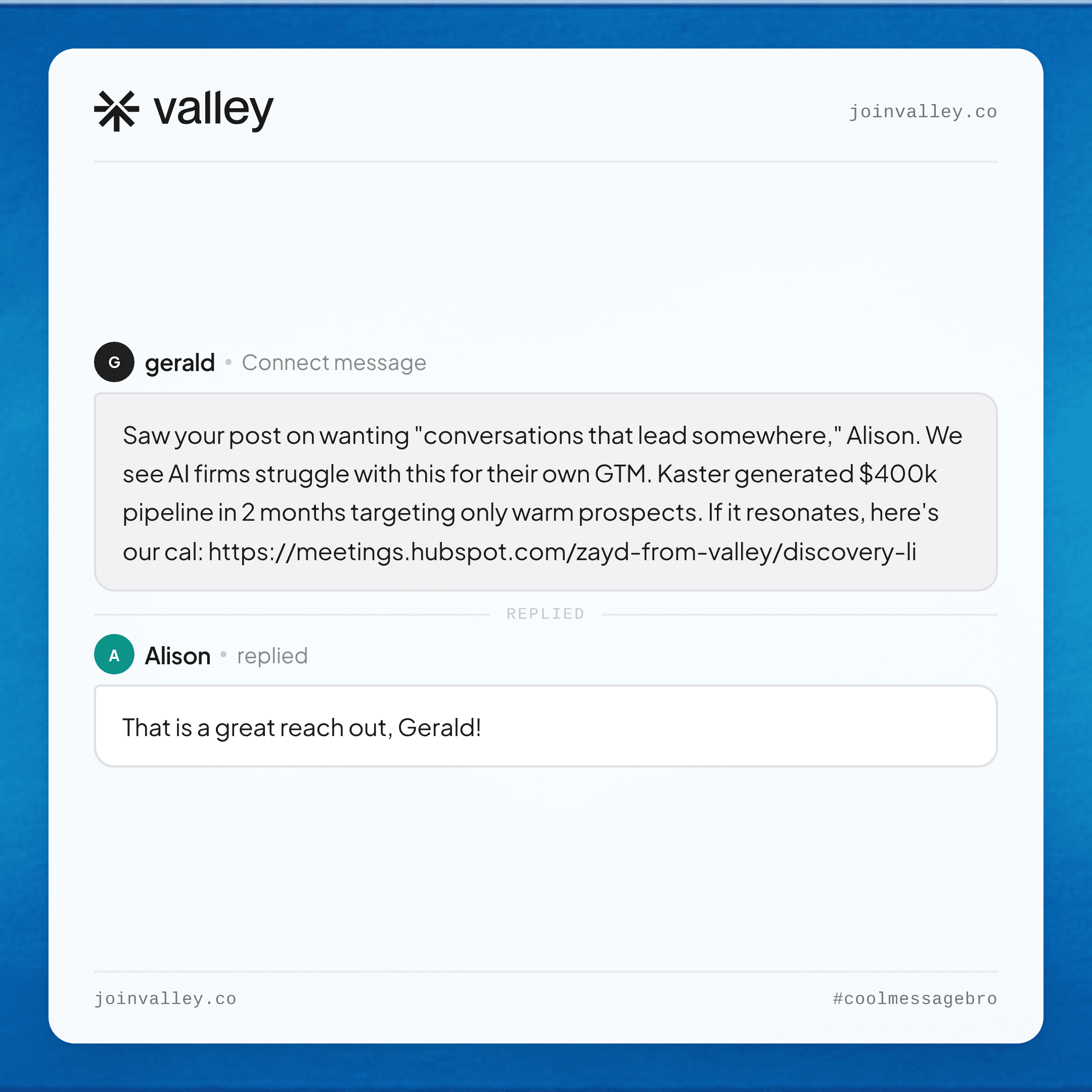
► Check Out More of Valley's Incredible Outreach: A compilation of real time messages and responses!
The multi-modal learning approach produces more accurate style replication than any single method. Examples alone might miss important rules (Valley might observe you rarely use exclamation points but not realize it's a firm rule versus coincidence).
Do's/Don'ts alone lack concrete reference points (telling Valley "be conversational" means different things to different people without examples). Advanced questions alone lack specificity (knowing you prefer question-based CTAs doesn't show what those questions sound like). Combined, the three inputs provide comprehensive style definition.
How many message examples should I provide to Valley for accurate voice replication?
Valley doesn't require extensive examples, most users start with 3-10 past messages that exemplify how they want to sound. The AI analyzes word choice, sentence length, punctuation style, use of questions versus statements, how you transition between topics, and whether you use casual language, industry jargon, or formal business tone. Quality matters more than quantity, a few authentic examples outperform dozens of inconsistent messages.
The quality-over-quantity principle reflects how style analysis works. Valley's AI doesn't need 100 examples to understand you prefer short sentences, 3-5 examples consistently demonstrating that pattern suffice. More examples help when your style varies contextually (formal for C-suite, casual for director-level prospects), but for consistent style, 5-8 high-quality examples provide sufficient data for accurate replication.
The example selection strategy matters significantly. Good examples: Messages you're proud of that generated positive responses, messages that feel authentically "you" when you reread them, messages demonstrating your ideal approach you wish you could replicate consistently. Poor examples: Messages you wrote quickly without thought, messages from years ago when your style was different, messages crafted by someone else (copied templates) rather than your organic voice. The examples establish Valley's baseline—choose them deliberately.
► Book a demo and explore how Valley can support your use case

Can Valley match different communication styles for different audiences?
Yes. Valley's writing style section allows you to create multiple styles: one for engineering leaders, another for C-suite executives, a third for operations managers, etc. Each style can have unique characteristics, perhaps more technical language for engineers, ROI-focused messaging for executives, or process-oriented communication for operations.
You select which writing style to apply when creating each campaign.
The multi-style capability enables sophisticated audience segmentation impossible with template-based tools. Template approach: Create one template for "technical audience" with merge tags for personalization, everyone in that segment receives structurally identical messages. Valley approach: Create distinct writing styles for DevOps engineers, software architects, and CTOs, all "technical" but requiring different sophistication levels, jargon comfort, and detail depth.
The practical implementation involves strategic style proliferation. Don't create 20 different writing styles; you'll spend all your time managing style nuances.
Instead, create 3-5 strategic styles covering your main audience segments: C-suite (strategic, ROI-focused, minimal jargon), Director-level (balanced detail and strategy, moderate jargon), Manager-level (tactical, process-focused, comfortable with detailed jargon), Technical individual contributors (very technical, depth over breadth), Non-technical roles (avoid jargon, use analogies, explain rather than assume).
These 5 styles cover 95% of B2B situations.
What are the most important "do's and don'ts" to specify for Valley?
Common effective do's include: mention specific details from research, ask engaging questions, reference recent posts or content, keep messages concise (under X words), use first names naturally, include relevant proof points. Key don'ts include: avoid sales jargon like "touch base" or "circle back," never mention competitors by name, don't use excessive punctuation or emojis, avoid pitch-slapping with links in first messages, never talk about specific topics the prospect dislikes.
The do's establish positive patterns Valley should follow consistently.
Example do's list:
"Always include one specific, personalized detail from research in the first two sentences,"
"Ask one clear question at the end of messages,"
"Reference recent LinkedIn posts when prospects have posted in last 30 days,"
"Use casual, conversational tone, write like you're texting a colleague,"
"Keep messages under 150 words,"
"Include one relevant statistic or result when available (XX% improvement, XX meetings booked)."
The don'ts prevent negative patterns Valley might otherwise default to.
Example don'ts list:
"Never use phrases like 'I hope this email finds you well,' 'Just checking in,' 'Circling back,' or 'Touching base,'"
"Never mention competitor names directly, reference them as 'other solutions' or 'alternative approaches,'"
"Never use emojis or exclamation points,"
"Never include links in first message, wait for second follow-up,"
"Never apologize for reaching out or say 'I know you're busy.'"
These explicit prohibitions prevent AI-typical patterns that feel robotic.
How does Valley handle industry-specific terminology and jargon?
Valley learns industry terminology from your message examples and the research it conducts on your prospects' industries.
If you use specific acronyms, technical terms, or industry phrases in your examples, Valley incorporates them appropriately.
You can also specify in your do's section: "Use industry terminology like [examples]" or in your don'ts section: "Never use jargon terms like [examples]" to guide Valley's language choices.
The jargon calibration requires strategic thinking about audience knowledge levels. Selling to data scientists: Comfortable using terms like "model training," "hyperparameter tuning," "MLOps," "feature engineering."
Selling to marketing executives: Avoid technical jargon, use terms like "campaign performance," "conversion optimization," "audience segmentation," "attribution modeling." Valley doesn't automatically know these audience-appropriate jargon levels, you teach it through examples and explicit instructions.
The over-jargoning risk exists even with industry-appropriate terms. Just because your audience understands technical terminology doesn't mean drowning them in it improves results. Best practice: Include 1-2 industry-specific terms per message to demonstrate credibility, but keep most language accessible. Valley can replicate this balance when your examples demonstrate it, messages with strategic jargon placement teach Valley when and how much technical language adds value versus overwhelming the message.
► Book a demo and explore how Valley can support your use case

Can Valley replicate casual communication styles with grammatical imperfections?
Yes. Valley specifically captures grammatical quirks, lowercase preferences, text-message-like styles, and conversational imperfections that make messages feel human. If your examples include casual punctuation, sentence fragments, or deliberate grammar choices that create personality, Valley replicates these patterns. This capability helps messages avoid sounding AI-generated or overly polished.
The deliberate imperfection strategy works because perfect grammar often signals automation. Human communication includes: sentence fragments for emphasis, strategic lowercase usage, occasional typos (though Valley won't replicate actual errors), casual punctuation (dash instead of semicolon), conversational filler words ("honestly," "tbh," "basically"), and varying sentence lengths including single-word sentences. These "imperfections" create authentic voice.
The implementation requires showing Valley examples with these characteristics. If your examples are all grammatically perfect with formal punctuation, Valley replicates formality. If your examples include: "Hey Sarah - noticed your team's expanding. hiring three sales engineers according to your company page. that kind of rapid scaling usually creates demo consistency challenges. would love to share how we've helped similar teams maintain quality while scaling. 15 min chat make sense?" Valley learns: casual greeting, lowercase, fragments, no formal sign-offs. The key is authentic examples, not performing casual style artificially.
Should I use Valley's preset writing styles or create my own from scratch?
Valley recommends starting with preset writing styles, particularly the "Valley writing style" that's updated bi-weekly based on what performs across their customer base. This provides a strong foundation with proven structural elements and best practices. You can then customize the preset by adding your specific examples, industry context, and unique preferences rather than building everything from scratch.
The preset advantages include: proven performance (these styles achieve the 9-10% reply rates Valley advertises), comprehensive structure (covering all advanced questions and common do's/don'ts), regular updates (incorporating latest learnings from thousands of campaigns), and time savings (15 minutes customizing preset versus 60+ minutes building from scratch). The preset becomes your starting point, not your ending point.
The customization approach involves selective enhancement rather than wholesale revision.
Start with Valley preset
→ Add 3-5 examples of your best messages
→ Add 5-10 do's specific to your situation
→ Add 5-10 don'ts for things you particularly dislike
→ Review advanced questions and adjust any that don't match your preferences.
This focused customization takes 20-30 minutes and produces better results than either pure preset (too generic) or pure custom (potentially missing best practices you didn't think to include).
How often should I update my writing style in Valley?
Update your writing style whenever you notice patterns you don't like in Valley's generated messages. If you see Valley repeatedly doing something you'd prefer it didn't, add that to your "don'ts" list immediately. Proactive updates work better than waiting for Valley to learn from rejected messages, codifying preferences explicitly ensures consistency across all future campaigns.
The continuous refinement approach treats writing style as living documentation.
Week 1: Initial setup with examples and basic do's/don'ts.
Week 2: After reviewing 50-100 generated messages, add 3-5 new don'ts for patterns you dislike.
Month 1: After campaign results come in, analyze what's working (add successful patterns to do's).
Quarter 1: Major review of all campaigns, update advanced questions, refresh examples with recent high-performing messages. Annual: Complete writing style audit and refresh.
The feedback loop mechanisms include: message-level refinement (see bad message, add specific don't immediately), campaign-level analysis (after 30 days, identify patterns in low-performing campaigns and adjust writing style accordingly), performance-based optimization (analyze reply rates across writing styles to identify highest-performing approaches and replicate those elements).
This systematic refinement produces compounding improvements, your writing style becomes increasingly effective over time through evidence-based evolution.

Related Blogs

FEATURED READ
5 min
Valley vs HeyReach: Which LinkedIn Outreach Tool Wins More Qualified Meetings?
Read
Read

FEATURED READ
5 min
Valley in 2026: Is the Price Worth the Pipeline?
Read
Read

FEATURED READ
5 min
Valley vs Dripify: Which LinkedIn Outreach Tool Actually Converts in 2026?
Read
Read

FEATURED READ
5 min
Valley vs. Hiring an SDR: The Real Cost and ROI Breakdown for 2026
Read
Read
Which channels does Valley support?
Valley supports LinkedIn outreach, including connection requests and InMails. Valley users safely send 1000-1200 messages per seat every month.
How safe is it and does Valley risk my LinkedIn account?
Do I have to commit to an Annual Plan like other AI SDRs?
How does Valley personalize messages?
Is Valley available in my country?

VALLEY MAGIC





