How to Do LinkedIn Outbound Without Getting Your Account Restricted

Try Valley
Make LinkedIn your Greatest Revenue Channel ↓

Saniya Sood
What Actually Triggers LinkedIn Account Restrictions
What Actually Triggers LinkedIn Account Restrictions
LinkedIn account restrictions are triggered by behavioral patterns that deviate from normal human LinkedIn usage. The four primary triggers are: exceeding daily connection and message limits, using browser automation tools that simulate human actions, sending high volumes of identical or near-identical messages, and receiving a high proportion of "I don't know this person" rejection responses on connection requests. Avoiding restrictions means staying well clear of all four triggers simultaneously.
LinkedIn's detection system is behavioral and statistical, not rule-based. It is not looking for a specific tool name or API fingerprint. It is looking for patterns that no human would naturally produce: mechanical consistency in action timing, velocity that exceeds what a human can sustain, message similarity that indicates templated output, and connection request patterns that generate disproportionate rejection rates.
Understanding this helps explain why the same tool used carefully produces no restrictions for one team and regular restrictions for another. The tool is a factor; the behavioral pattern is the primary variable.
The Four Primary Restriction Triggers: What They Look Like and How to Avoid Them
Trigger 1: Exceeding Daily Connection and Message Limits
What LinkedIn considers safe: Approximately 20–25 connection requests per day for established accounts (12+ months old, 500+ connections). Newer accounts should start at 10–15 per day and ramp up gradually over the first 60 days.
What causes restrictions: Consistently sending 50–100+ connection requests per day, particularly when a high proportion are declined or ignored. LinkedIn's system flags both the volume and the acceptance ratio — high volume with low acceptance is a strong restriction signal.
How to stay safe:
Hard cap your daily connection requests at 25 per day regardless of the tool you use
Newer accounts should ramp from 10 to 20 to 25 over 8–12 weeks
Never push beyond 25 regardless of how clean your list is
Spread requests throughout the day — not all in one morning batch
Valley enforces the 25-per-day limit as a hard cap. You cannot accidentally exceed it, regardless of how many campaigns you run simultaneously.
Trigger 2: Browser Automation That Simulates Human Behavior
What causes restrictions: Chrome extension tools (Waalaxy, older versions of MeetAlfred, PhantomBuster's LinkedIn phantoms) operate by injecting JavaScript into LinkedIn's interface and simulating clicks, scrolls, and form submissions. LinkedIn's detection systems have become increasingly sophisticated at identifying these behavioral patterns — the mechanical consistency of automated clicks stands out against natural human variability.
What keeps you safe: Cloud-based tools that use server-side LinkedIn API interactions instead of browser simulation. The critical distinction is not "Chrome extension vs cloud" in general — it is whether the tool mimics browser behavior in your LinkedIn session. Valley uses cloud-based execution that never touches your browser session. Your LinkedIn login is never at risk of being associated with automated behavior.
The red flag test: If a tool requires you to keep a Chrome tab open with LinkedIn for the automation to run, it is browser-based. If it runs independently of your browser (you can close all browser tabs and the campaigns still execute), it is cloud-based.
Trigger 3: High Message Similarity at Volume
What causes restrictions: Sending hundreds of messages with the same structure, similar length, and similar content within short time windows. LinkedIn's spam detection analyzes message similarity — a sequence of 200 messages that all follow the pattern "Hi [Name], I noticed you work at [Company] as [Title]..." registers as automated spam regardless of the tool producing it.
What keeps you safe: Genuine personalization at the message level, not just the field-substitution level. Messages that reference different aspects of each prospect's context (their recent posts, their company's news, their specific role challenges) produce significantly different text across the message set, which does not trigger similarity detection.
Valley's multi-dimensional research produces genuinely different messages per prospect — because each message is based on individual research, not a common template structure. The content variation is not artificial diversity injection; it is the natural result of different research producing different messages.
Trigger 4: High "I Don't Know This Person" Rejection Rates
What causes restrictions: LinkedIn allows recipients of connection requests to report them as "I don't know this person." When a high proportion of your connection requests generate these responses, LinkedIn's system interprets it as spam behavior and restricts connection request sending — sometimes temporarily, sometimes more severely.
What keeps you safe: Targeting only people who have some reason to recognize or be interested in connecting with you. Warm signal targeting — reaching out to people who viewed your profile, engaged with your content, or visited your website — dramatically reduces "I don't know this person" responses because the prospect has context for why you are connecting.
Cold list outreach to people who have never heard of you produces the highest "I don't know this person" rates. This is one of the structural reasons warm outbound on LinkedIn is safer than cold outreach, beyond just the personalization quality: the prospect's pre-existing awareness of you reduces rejection signals.
The Safe Daily Limits: A Reference Guide
Action | Safe Daily Volume | Risky Volume | Notes |
|---|---|---|---|
Connection requests | 20–25/day | 40+/day | New accounts: start at 10/day |
InMails to open profiles | Up to 800/month | N/A (LinkedIn-imposed cap) | Open profiles only; check profile type |
Messages to connections | 30–50/day | 100+/day | Varies by account age and history |
Profile views (manual) | Unlimited | N/A | Automated scraping of profile view data is risky |
Sales Navigator searches | Unlimited | N/A | Using results in automation has limits |
A note on InMails: Open profiles — LinkedIn members who have enabled "Open Profile" allowing anyone to message them for free — can receive InMails without a connection. Valley detects open versus closed profiles before sending and routes the appropriate outreach mechanism. 800 free InMails to open profiles per month is a significant supplementary outreach channel that most teams do not fully use.
[Visual suggestion: Traffic light system showing safe (green: under 25 connections/day), caution (yellow: 25–35), and danger (red: 35+) zones with daily action limit reference. Alt text: "LinkedIn outbound daily limit reference guide — safe, caution, and restriction-risk zones."]

The Tool Choices That Determine Your Risk Level
The Tool Choices That Determine Your Risk Level
Your choice of LinkedIn outreach tool is the single biggest determinant of restriction risk outside of your own behavior. Here is the honest safety assessment:
Chrome extension tools (Waalaxy, some PhantomBuster configurations): Highest restriction risk. Browser automation in your LinkedIn session is specifically what LinkedIn's detection is trained to identify. Even at low volumes, the behavioral signature of automated browser activity can trigger flags.
Cloud-based tools with shared IP infrastructure (HeyReach, Expandi, Dripify): Moderate restriction risk. Server-side execution is safer than browser automation. Shared IPs create the cross-client contamination risk described earlier — a restriction flag on one account on the shared IP affects IP reputation for all accounts on it.
Cloud-based with dedicated IPs (Valley): Lowest restriction risk. Each account operates from its own IP address. No cross-client contamination. Cloud-based execution never touches your browser session. Open/closed profile detection prevents InMail/connection misrouting. Hard daily limits enforced automatically. Zero documented account restrictions across Valley's customer base in 2+ years of operation.
The safety architecture is not just a feature comparison point — it is the difference between running a sustainable LinkedIn outbound motion for years and discovering six months in that your primary pipeline channel has been suspended.
The Warm Outbound Safety Dividend
Beyond the technical safety architecture, warm outbound on LinkedIn is inherently safer than cold outreach for one behavioral reason: warm prospects are more likely to accept your connection request and less likely to report it as spam.
When you connect with someone who viewed your profile this morning, they recognize your name. The connection request is not random — it is a natural next step in a research journey they initiated. Acceptance rates for warm signal connection requests run 30–40%. "I don't know this person" rates are near zero.
Cold connection requests to people who have never heard of you produce 20–25% acceptance rates and meaningfully higher "I don't know this person" rates. At high volume, that rejection signal accumulates and triggers LinkedIn's spam detection.
Running warm outbound on LinkedIn through Valley is therefore safer at the behavioral level — not just at the infrastructure level. The combination of dedicated IP architecture and warm signal targeting produces the lowest restriction risk available for any LinkedIn outreach motion at scale.

If Your Account Does Get Restricted: The Recovery Protocol
If Your Account Does Get Restricted: The Recovery Protocol
Despite best practices, restrictions happen — sometimes from reasons outside your control (a prospect who reported an otherwise appropriate message, a temporary LinkedIn system flag, or a new account that built connection volume too fast).
Temporary restriction (connection request block): Usually 24–72 hours. Do not attempt to send connection requests manually to "test" the restriction — that extends it. Wait the full window, then resume at reduced daily volume (15/day for the first week post-restriction, ramping back to 25 over 2–3 weeks).
Message restriction: Usually 1–2 weeks for first offenses. Review which messages you sent in the period before the restriction and identify any patterns that might have triggered spam detection. Adjust your message variation approach before resuming.
Account verification requirement: LinkedIn sometimes requests phone verification or ID verification before restoring full access. Complete the verification immediately — delays extend the restriction period.
Severe restriction or suspension: Contact LinkedIn support with an explanation of your legitimate business use case. Do not mention automation tools in the support request — describe your manual use of the platform for professional networking.
Book a demo with Valley to see the safety architecture that has produced zero account restrictions in 2+ years of operation. Most teams have their first safe LinkedIn outbound campaign running within 24 hours.
Frequently Asked Questions
Q: What is the maximum number of LinkedIn connection requests I can send per day safely?
The safe limit is 20–25 connection requests per day for established accounts (12+ months, 500+ connections). New accounts should start at 10/day and ramp up over 8–12 weeks. Valley enforces a hard cap of 25/day per account automatically — you cannot accidentally exceed it regardless of how many campaigns run simultaneously.
Q: Does using LinkedIn automation always risk account restriction?
Not always. Cloud-based tools with dedicated IPs that stay within daily limits and do not simulate browser behavior have very low restriction risk. Chrome extension tools that automate browser behavior have high restriction risk regardless of volume. Valley has zero documented account restrictions in 2+ years because its architecture is specifically designed to avoid every restriction trigger.
Q: Can warm outbound reduce my LinkedIn restriction risk compared to cold outreach?
Yes — measurably. Warm outbound targets people who have shown prior interest in you, producing higher connection acceptance rates and lower "I don't know this person" rejection rates. Both of those behavioral signals affect LinkedIn's restriction algorithm. Cold outreach to strangers at volume produces the higher rejection signals that accumulate into restrictions.
Q: What should I do immediately if I get a LinkedIn account restriction?
Stop all automated outreach immediately. Wait the full restriction window without testing whether the restriction has lifted (attempting to send during a restriction extends it). Resume at 50% of your previous daily volume for the first week post-restriction, then ramp back to 25/day over 2–3 weeks. Review your previous campaigns for the patterns that may have triggered the flag.
Q: Is Valley safe to use with a LinkedIn Premium or Sales Navigator account?
Yes. Valley works with all LinkedIn account types including Premium and Sales Navigator. Sales Navigator adds proactive targeting capability (using search URLs as campaign sources). Valley's safety limits apply regardless of account type — dedicated IPs, 25 connection requests/day maximum, open/closed profile detection — which protects Premium and Sales Navigator accounts the same way.

Related Blogs
FEATURED READ
5 min
Valley LinkedIn Safety Features Explained
Read
Read
FEATURED READ
5 min
Our Biggest Quarter, 4 Winning ICP Segments, and What We're Fixing
Read
Read
FEATURED READ
5 min
How to Use Stripe and Claude to Find Your ICP Golden Segment (6-Step Process)
Read
Read
FEATURED READ
5 min
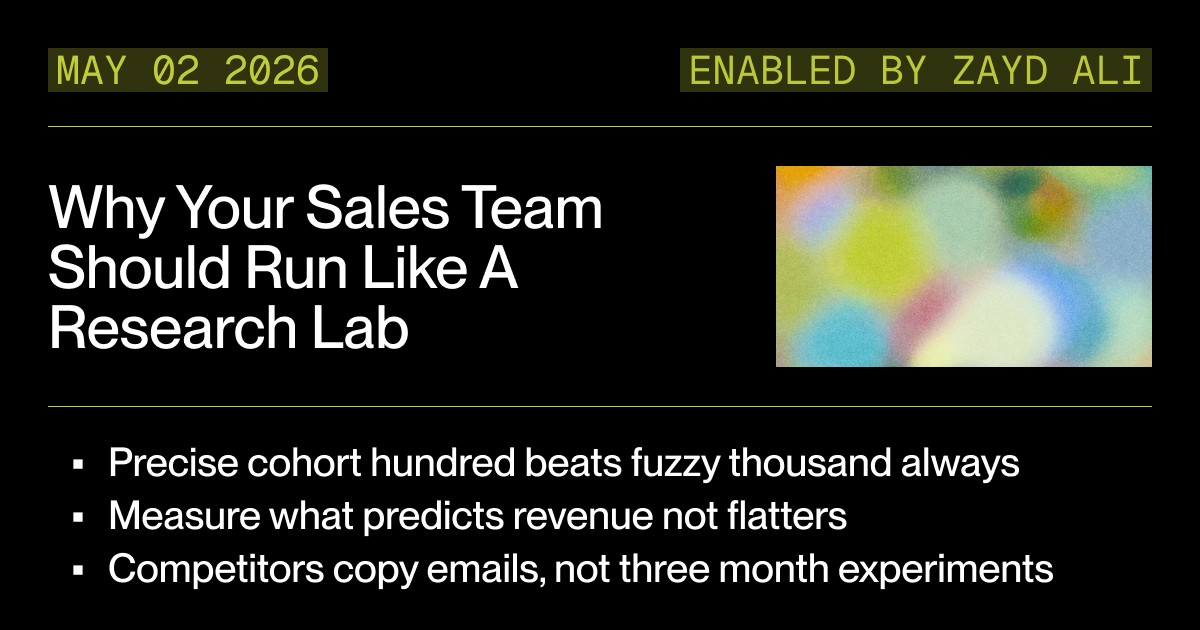
Why Your Sales Team Should Run Like a Research Lab: The 100-Prospect Experiment
Read
Read
Which channels does Valley support?
Valley supports LinkedIn outreach, including connection requests and InMails. Valley users safely send 1000-1200 messages per seat every month.
How safe is it and does Valley risk my LinkedIn account?
Do I have to commit to an Annual Plan like other AI SDRs?
How does Valley personalize messages?

VALLEY MAGIC





