How to Simplify Your LinkedIn Outbound Tech Stack

Try Valley
Make LinkedIn your Greatest Revenue Channel ↓

Saniya Sood
Why Stack Sprawl Happens, and What It Costs
The instinct is to audit tools and cut the cheapest ones. That is backwards. You simplify by collapsing functions, not by trimming subscriptions.
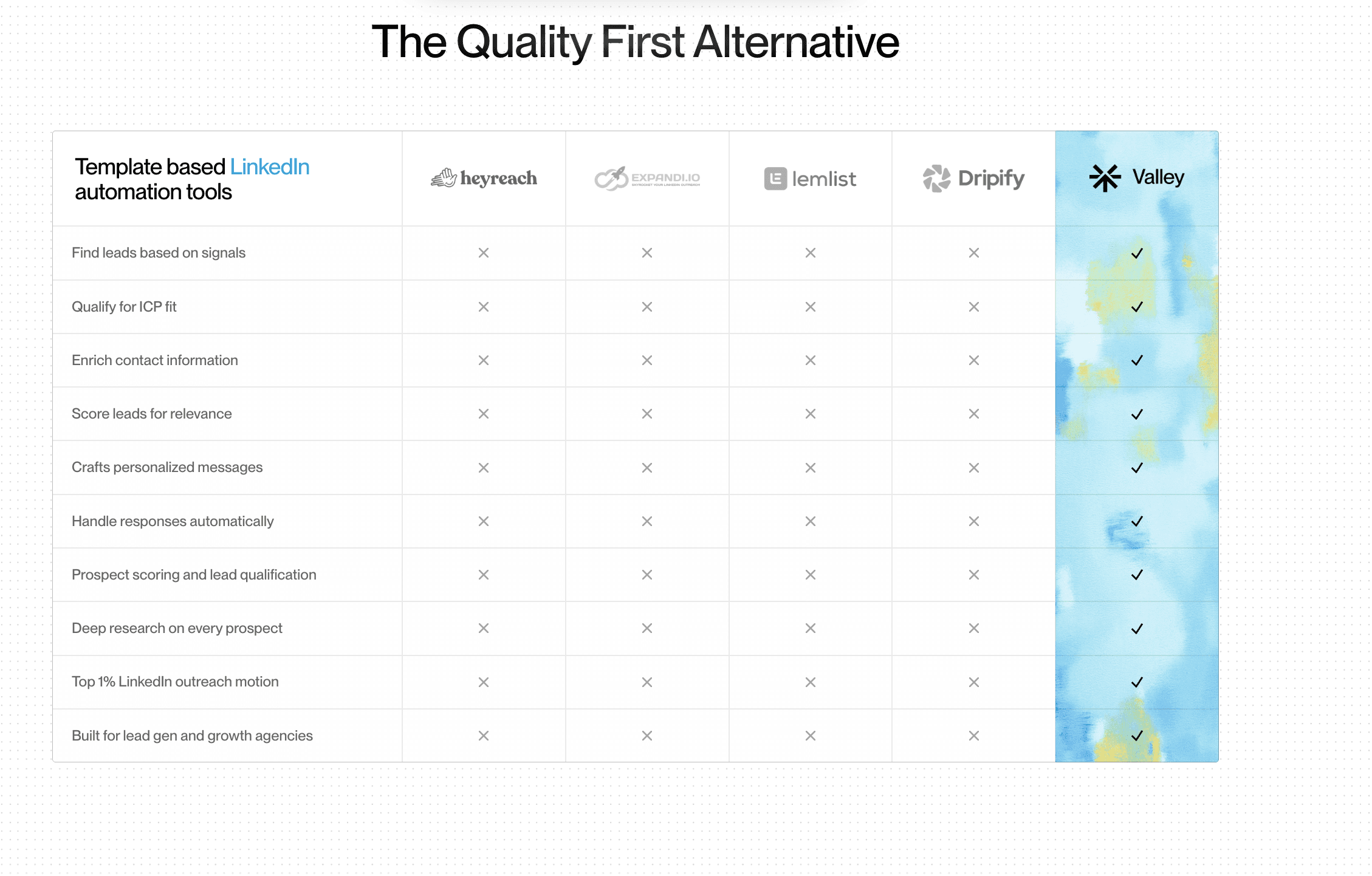
You simplify a LinkedIn outbound tech stack by replacing point solutions with one platform that owns the full workflow, signal capture, enrichment, ICP scoring, research, message generation, and sending.
Valley consolidates these into a single system for warm outbound on LinkedIn, removing the data handoffs, integration glue, and maintenance overhead that a multi-tool stack requires.
► Book a demo and explore how Valley can support your use case

Why Stack Sprawl Happens, and What It Costs
Outbound stacks sprawl because every gap looks like it needs a new tool. The prospecting tool cannot enrich, so you add enrichment. Enrichment cannot send, so you add a sender. The sender flags accounts, so you add a safer sender. Each addition is locally rational and globally disastrous: you end up with five tools and four seams.
The cost shows up in three places. Subscriptions stack up.
A person spends hours weekly moving data and fixing broken zaps, pure operational drag with no pipeline return. And accuracy degrades: with no single source of truth, exclusions get missed, follow-ups misfire, and reporting requires manually reconciling numbers from five dashboards. The team is busy maintaining the machine instead of feeding it.
The Simplification Criterion: Functions, Not Logos
Simplifying correctly means thinking in functions, not products. Map your outbound to its underlying jobs: source prospects, qualify them against ICP, enrich and research them, write messages, send safely, report. Now ask how many of those jobs a single platform can own with context flowing between them.
The reason this matters for warm outbound on LinkedIn specifically is that the jobs are deeply interdependent.
The signal that sourced a prospect should inform the research; the research should inform the message; the ICP should govern qualification. When those jobs live in separate tools, the interdependencies are severed and you rebuild them manually with integrations. When they live in one platform, they are native.
How to Collapse the Stack With Valley
Here is the practical consolidation path RevOps teams follow.
Step 1, Inventory functions. List what each current tool actually does, by job, not by name. You will usually find overlap (two tools enriching) and seams (no tool capturing signals).
Step 2, Map to one platform. Valley owns signal capture (profile views, post engagement, website visitors, Sales Nav lists, followers), ICP qualification and scoring, per-prospect enrichment and research, voice-trained message generation, safe sending with sequencing, and per-campaign reporting.
Step 3, Keep what is genuinely complementary. Sales Navigator stays for proactive list building. Your CRM stays as the system of record. Valley supports light CRM integration to sync activity. Almost everything else, the scraper, the standalone enrichment tool, the separate sender, the template library, becomes redundant.
Step 4, Cut over and measure. Run the consolidated workflow and compare: hours spent maintaining the stack before versus after, plus meetings booked. The maintenance hours that disappear are pure reclaimed capacity.
Number of vendors: Multi-tool stack 4–6, Simplified (Valley) 1 (+ Sales Nav, CRM).
Data handoffs: Multi-tool stack Many, manual, Simplified (Valley) None.
Integration glue: Multi-tool stack Zapier / custom, Simplified (Valley) Native.
Source of truth: Multi-tool stack Scattered, Simplified (Valley) Single.
Weekly maintenance: Multi-tool stack Hours, Simplified (Valley) Minimal.
Account safety: Multi-tool stack Variable, Simplified (Valley) Dedicated IPs, limits, exclusions.
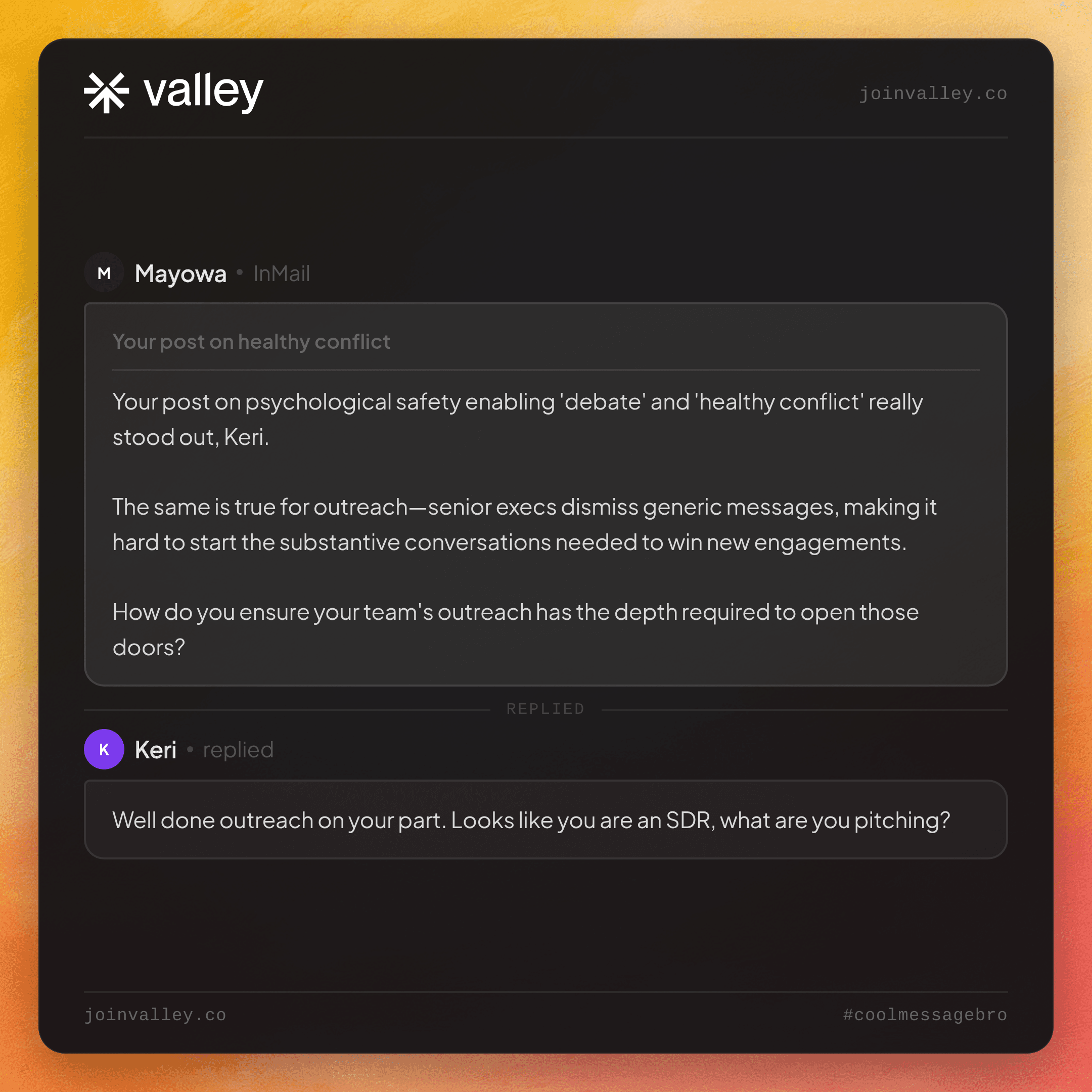
► Check Out Valley's Incredible Outreach: A compilation of real time messages and responses!

A Simplified Workflow That Booked Fast
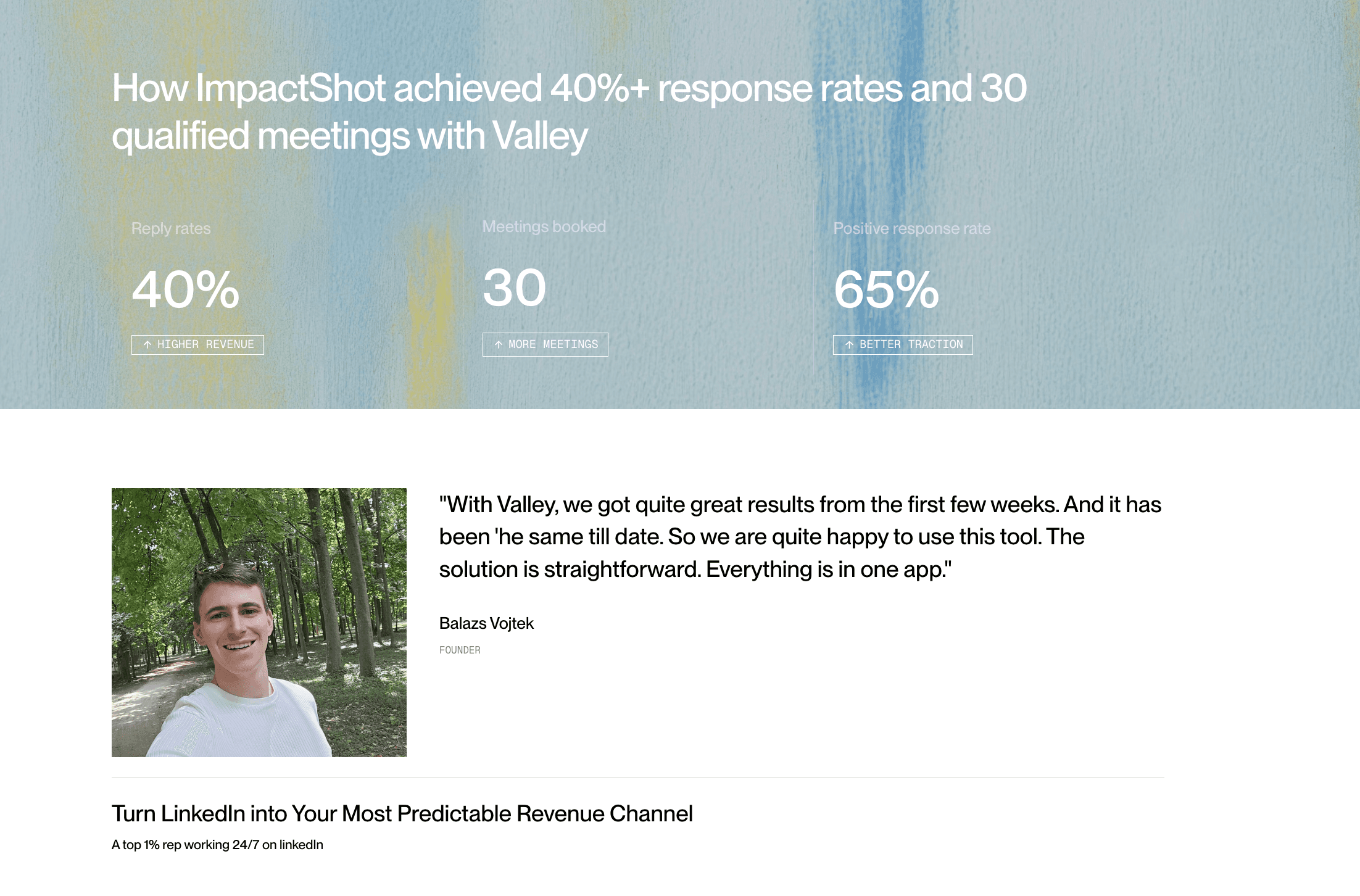
Balazs Vojtek, founder of Impact Shots, described the simplification directly:
"With Valley we shortened our workflow and everything is inside, so we don't need to set up so many different long workflows. This makes the work much easier and creates amazing results."
The result was not theoretical, his team booked four meetings in the first week. Everything inside one platform meant the team spent its time on conversations, not on maintaining the machine.
► Book a demo
If a person on your team spends hours each week keeping the outbound stack from falling over, that is capacity you are spending on plumbing instead of pipeline. Valley collapses the stack into one workflow for warm outbound on LinkedIn, so the interdependencies are native and the maintenance disappears.
Frequently Asked Questions
How do I simplify my LinkedIn outbound tech stack?
Replace point solutions with one platform that owns the full workflow. Map your outbound to its functions, then consolidate sourcing, enrichment, ICP scoring, research, message generation, and sending into a single system like Valley.
Can one platform replace a multi-tool LinkedIn stack?
Yes. Valley owns signal capture, qualification, enrichment, research, AI message writing, and safe sending. You typically keep only Sales Navigator for list building and your CRM as the system of record.
What does a fragmented outbound stack actually cost?
Stacked subscriptions, hours of weekly maintenance moving data and fixing integrations, and accuracy loss from having no single source of truth, missed exclusions, misfired follow-ups, and reconciled reporting.
Will simplifying the stack hurt my results?
Usually it improves them. Impact Shots shortened its workflow with everything in one platform and booked four meetings in the first week, because the team's time shifted from maintenance to conversations.
What should I keep alongside an all-in-one platform?
Sales Navigator for proactive list building and your CRM as the system of record. Valley supports light CRM sync so outbound activity stays visible there.

Related Blogs
FEATURED READ
5 min
How to Simplify Your LinkedIn Outbound Tech Stack
Read
Read
FEATURED READ
5 min
One LinkedIn Outbound Platform vs. a Five-Tool Stack
Read
Read

FEATURED READ
5 min
How to Personalize LinkedIn Messages at Scale With AI
Read
Read

FEATURED READ
5 min
AI That Writes LinkedIn Messages in Your Voice, Not Templates
Read
Read
Which channels does Valley support?
Valley supports LinkedIn outreach, including connection requests and InMails. Valley users safely send 1000-1200 messages per seat every month.
How safe is it and does Valley risk my LinkedIn account?
Do I have to commit to an Annual Plan like other AI SDRs?
How does Valley personalize messages?

VALLEY MAGIC





