
Try Valley
Put your outbound workflow to work.

Saniya Sood
Published:
Updated:
Published May 29, 2026 · Updated August 31, 2026
LinkedIn quietly shipped a Sales Navigator filter that finds buyers who don’t even know you exist yet.
Even with all the signal-based lead options available today, Sales Navigator still has some of the best outreach data on the market. Filters like “changed jobs in the last 90 days” and “posted in the last 30 days” have been workhorses for years.

But there’s a new set of filters worth building into your lists. Here’s everything worth knowing.
► Book a demo (teams of 5+)and explore how Valley can support your use case
The 5 Buyer Intent Filters in Sales Navigator
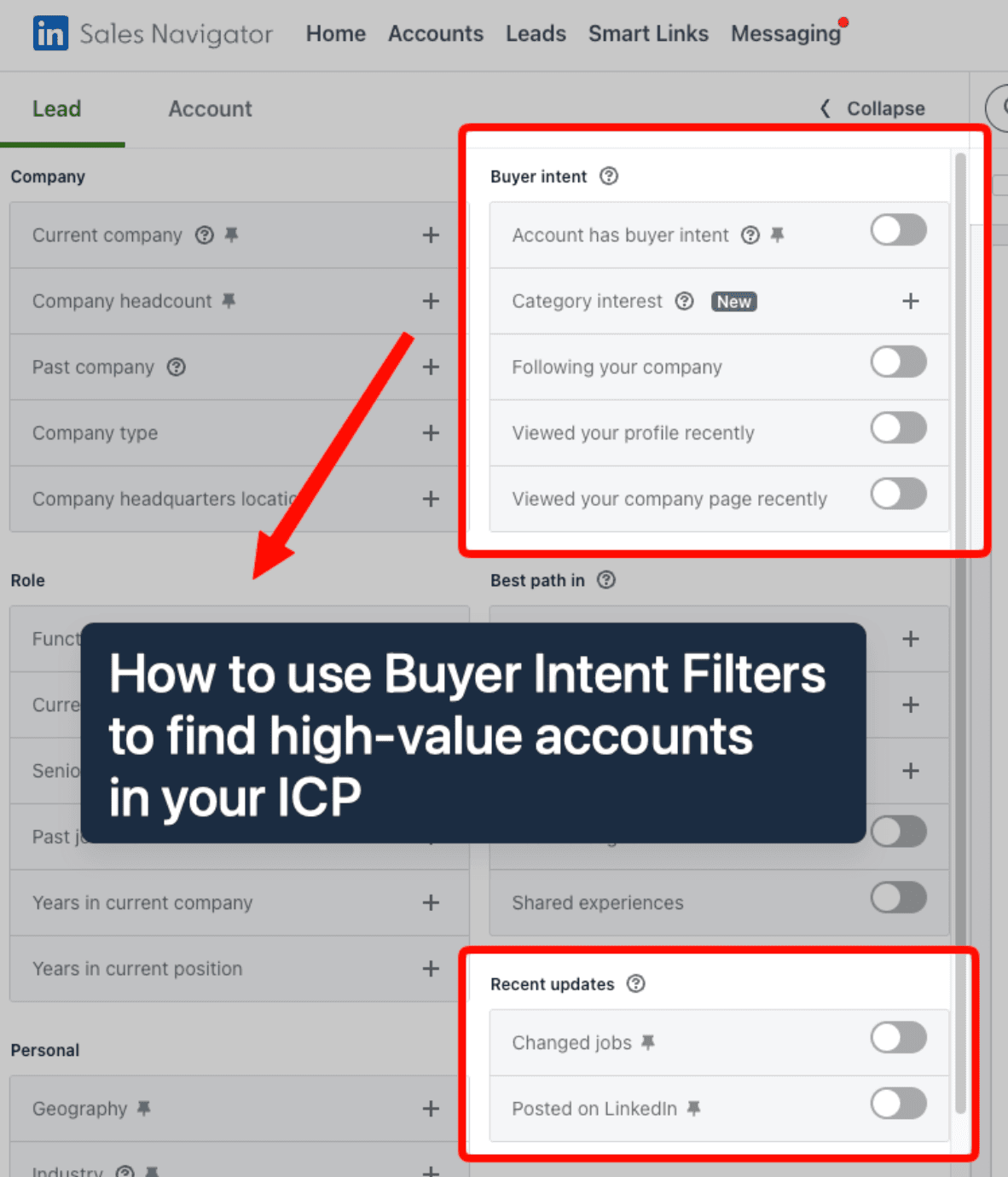
The Buyer Intent filter group contains five signals:
Filter | What It Means | Plan Required |
|---|---|---|
Account has buyer intent | People actively researching your specific company | Advanced |
Category interest | People researching your category who haven’t found you yet | Advanced |
Following your company | People who follow your company page | Core |
Viewed your profile recently | People who visited your personal LinkedIn profile | Core |
Viewed your company page recently | People who visited your company page | Core |
The last three work on Core. The first two require Advanced.
► Check Out Valley’s Incredible Outreach: A compilation of real time messages and responses!
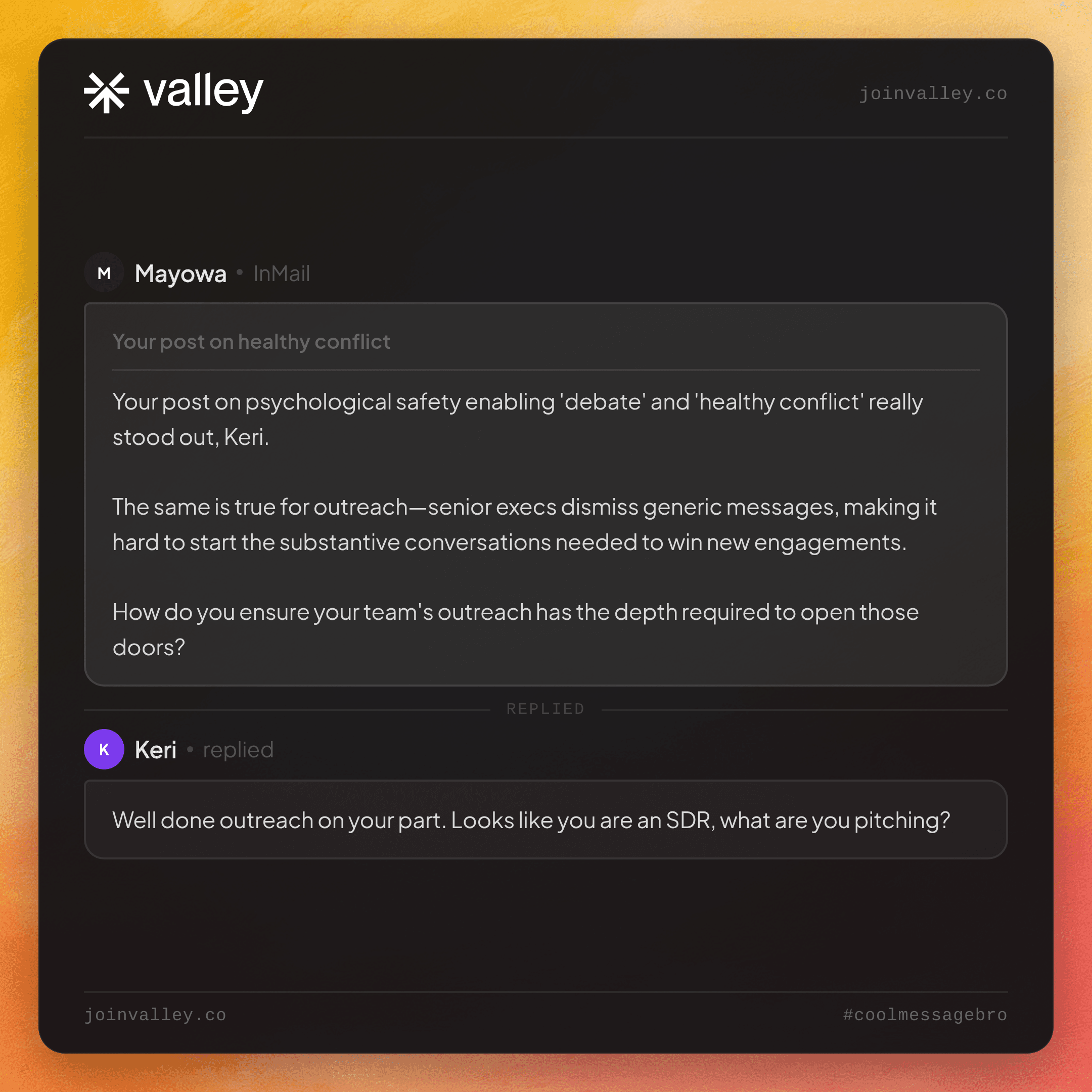
► Test signal-based outbound on your real ICP: Valley is free for 7 days

Give your sales team
an unfair advantage.
The distinction between the top two filters is the whole game:
Account Buyer Intent surfaces people already looking into your specific company. They're warm, but they already found you. You're not finding new pipeline here.
Category Interest surfaces people who are in-market for a solution like yours but have never heard of you. That's net-new pipeline, reached before your competitors do.
LinkedIn's AI infers category interest from group membership, profile data, and engagement patterns. You can select up to 10 categories per search.
The category-interest leads who do NOT already follow your company are your prime outbound targets. They're in-market, they're uncontacted, and you have a 2 to 3 week window before intent cools.
(Reply if you want LinkedIn's official list of product categories to check whether yours is included.)
The Highest-Use Warm Signal on the Platform
If someone follows your company page, they are 270% more likely to accept your InMail.
Not 27%. Two hundred and seventy percent.
Almost nobody filters for it.
Company page followers are one of the most actionable signals in Sales Navigator and one of the most consistently ignored. If you're not filtering for this as a baseline on every list you build, you're leaving an enormous acceptance rate advantage on the table.
The Rules That Make Intent Filtering Actually Work
Stack intent on top of ICP. Never search "everyone with buyer intent." Search "my ICP, with buyer intent." Intent narrows your aim. It doesn't fire the gun. Without ICP filters underneath, you're reaching everyone in-market, not the ones you can actually win.
Multi-signal beats single-signal. One profile view is noise. A profile view plus a page follow plus a website visit within 14 days is a real account worth contacting immediately.
Move fast. Intent has a 2 to 3 week shelf life. Contact within the first hour and you're 7x more likely to qualify the lead. Waiting a week on a warm signal is almost the same as not having the signal.
Foundation first. The intent score is built from your company page activity, team posting, ads, and the LinkedIn Insight Tag. Without a solid content and tracking foundation, the intent data gets noisy. Fix the inputs before relying on the outputs.
The Mistake That Kills Reply Rates
Never reveal the signal.
"I saw you viewed our pricing page three times" reads as surveillance. Even if it's true, naming it out loud creates friction before the conversation starts.
Use signal data to inform relevance, not to flex your tracking.
Do not name their behavior. Name the pattern instead.
Instead of: "I noticed you've been looking at tools in our category"
Try: "Most heads of growth I'm talking to this quarter are dealing with [the problem your category solves]"
The second version is just as relevant and signals zero surveillance. The first kills the response rate before the message is finished.
About the "NEW" Badge
It has been live since 2023. LinkedIn just renamed it in the UI recently.
It's still the most underused filter for finding in-market buyers before anyone else does. The rename is what's drawing fresh attention to it, but the underlying data has been there for years.

Give your sales team
an unfair advantage.
Surfacing intent signals is the easy part. Acting on all of them fast, before that 2 to 3 week window closes, is where most teams fall apart.
That’s exactly what Valley is built for. Valley identifies people who viewed your profile, engaged with a competitor, or followed your company page, automatically scores them against your exact ICP, and sends personalized outreach before your competitors even notice the signal.
Real campaigns average 3x better results than standard outreach, because every message goes out while the intent window is still open.
(I’ll also show you our real campaigns averaging 3x better results than regular outreach.)
See more of Valley’s outreach examples: coolmessagebro.com
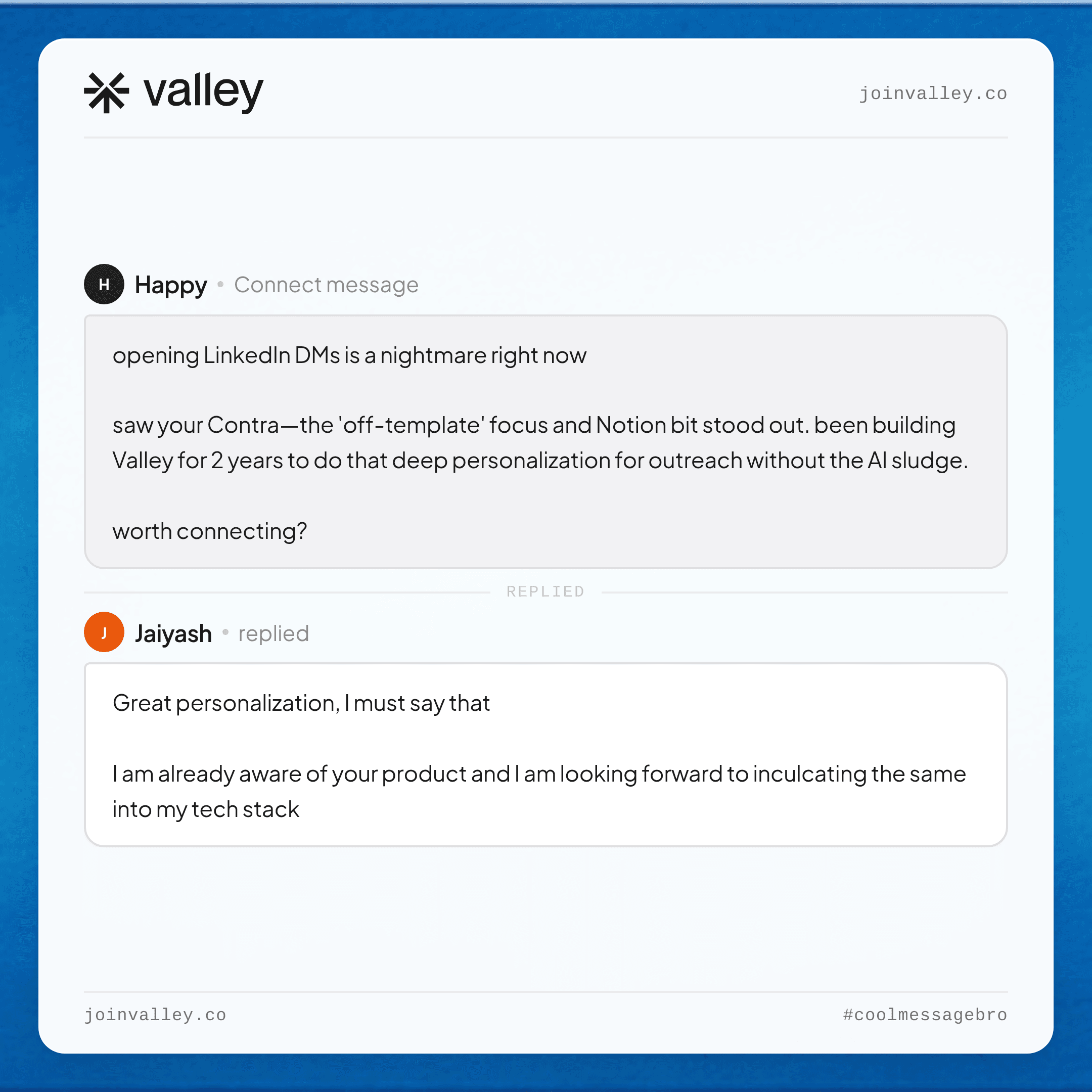
Generate more demos using LinkedIn: Apply here
Become a Valley partner and earn 20% recurring commission: Join the affiliate program
Frequently Asked Questions
What is the Category Interest filter in Sales Navigator?
Category Interest is a Buyer Intent filter in LinkedIn Sales Navigator (requires Advanced plan) that identifies people who are actively researching a product category like yours but have not yet engaged with your specific company. Unlike Account Buyer Intent, which finds people already looking at you, Category Interest surfaces net-new, in-market prospects before competitors reach them. LinkedIn’s AI infers interest from profile data, group membership, and engagement patterns.
How is Category Interest different from Account Buyer Intent in Sales Navigator?
Account Buyer Intent finds people actively researching your specific company. They are already aware of you. Category Interest finds people in-market for a solution in your category who have not found you yet. For pipeline generation, Category Interest is generally more valuable because it surfaces leads before any competitor has the chance to engage.
How long does LinkedIn buyer intent data stay relevant?
Intent signals have roughly a 2 to 3 week shelf life. Contacting a warm intent lead within the first hour gives you a 7x higher likelihood of qualifying them compared to waiting. Leaving intent data unacted on for more than two weeks significantly reduces its value.
Why does following a company page increase InMail acceptance rates so much?
A company page follow is a high-commitment signal. The person actively chose to stay updated on your company. That pre-existing awareness and interest means they have meaningful context before your message arrives, which reduces friction and dramatically increases acceptance rates. The 270% lift compared to non-followers reflects the difference between cold outreach and warm outreach at the signal level.
What is the most common mistake when using buyer intent filters in Sales Navigator?
The most common mistake is searching for buyer intent without ICP filters underneath. Running a search for “everyone with buyer intent” returns a broad, unqualified pool. The correct approach is to layer intent signals on top of your existing ICP criteria so that you’re only surfacing in-market leads who also match your ideal customer profile. Intent narrows your aim. It does not replace qualification.
Related: turn LinkedIn profile views into leads.
See also: LinkedIn InMail templates for sales.
► Signals expire; catch this week’s with a free 7-day Valley trial


