
Try Valley
Put your outbound workflow to work.

Zayd Ali
Published:
Updated:
Published April 11, 2026 · Updated August 31, 2026
It’s technically possible but practically…insane!!!!
You would never hire one person to be your copywriter, data analyst, strategist, and research assistant simultaneously. Even if they were brilliant, you’d get B- work across the board instead of A+ work in any single lane.

So why do we do that with AI?
It’s easy to use a single model for everything. Same tool for writing outreach messages, analyzing customer data, brainstorming positioning, and generating reports. You use the same prompting style regardless of the task and then are genuinely confused when the output feels…staggeringly mediocre.
I was trying to force it to work for a while, but finally gave in to the reality that different models are just better at different things. Now I use four different ones.
My Picks
Favorite finds of the week
Warm intro template to grow your pipeline (link)
Generate $440k with automated 2-touch warm outreach in 30 days (link)
How to identify the root causes of a prospect’s pain (link)
Email open tracking is dead (link)
The traditional outbound playbook is dead (link)
Growth survey insights from 100+ companies (link)
The Swiss Army Knife Trap
Here’s the default founder AI workflow: open ChatGPT (or Claude, or whatever you signed up for first), type in whatever you need, accept the output, move on.
The same way that generalists will never be the best at any one thing, AI models each have their own set of specialties where they “win.” Every model has cognitive strengths and weaknesses. Some are fast but shallow. Some are thorough but slow. Some are creative but imprecise. Some are analytical but robotic.
Using one model for everything means you’re optimizing for convenience, not quality, and in a world where AI output is becoming the backbone of your outbound messaging, your strategy docs, and your customer research…quality isn’t optional.
► Turn this into pipeline: Valley is free for 7 days. Real prospects, real drafts, no sandbox data.

Give your sales team
an unfair advantage.
Here's how I split my AI workflow.
(I'm not going to name specific model versions because they change every few months, but the categories are stable)
💡 LinkedIn Hack of the Week:
Adding your location as a major city (even if remote) increases profile views from that area. Prospects search by location.
Lane 1: Deep Analysis & Strategy (The Thinker)
This is your most powerful, most deliberate model. Slower outputs, but significantly more thorough reasoning. I use this for:
Analyzing customer data and finding patterns (like the Carol Method deep-dive)
Evaluating strategic decisions with multiple variables
Writing investor updates and board materials
Reviewing contracts and legal docs before sending to counsel
Synthesizing competitive research into actionable insights
The key here is that you're trading speed for depth. When I fed Valley's entire customer dataset into our Thinker model, it found the agency segment pattern that changed our whole GTM strategy. A faster model gave me surface-level observations. The slow one found the insight worth millions.
Lane 2: Rapid Iteration & Drafting (The Sprinter)
This is your fast, cheap, good-enough model. Use it for volume work where you need quantity before quality:
First drafts of emails and outreach messages
Generating multiple variations of ad copy
Quick summaries of long documents
Brainstorming session starters
Internal comms and Slack messages
The mistake people make is using their Thinker model for first drafts. Save the horsepower for work that actually needs it.
🎁 Gift from Zayd:
2026 Guide to LinkedIn Outreach with inmail changes and safety checklist: Claim Here
Lane 3: Creative & Voice Work (The Writer)
This is where you need personality. Different models have genuinely different "voices.” Some are more natural, some more formal, some better at matching a specific tone:
LinkedIn posts and social content
Sales messaging that needs to sound human
Customer-facing copy
Anything where tone matters as much as content
The biggest unlock here is training the model on your existing voice. Feed it your best 20 LinkedIn posts, your most successful outreach messages, your customer testimonials. Then ask it to write new content in that style. The output is dramatically better than starting from a blank prompt.
Lane 4: Data Processing & Research (The Machine)
This is for structured, repetitive, high-volume work:
Enriching prospect lists with company and contact data
Classifying leads by segment or intent level
Extracting key points from sales call transcripts
Reformatting data between systems
Bulk categorization tasks
This lane is about reliability and cost efficiency. You need the output to be consistent across 500 records, not creative on any single one.
► Check Out Valley's Incredible Outreach: A compilation of real time messages and responses!

Give your sales team
an unfair advantage.
Different lanes need different prompting approaches:
For The Thinker: Give it maximum context. Long, detailed prompts with background information, constraints, and explicit instructions to reason through trade-offs. Tell it to think step by step. Show it the data and ask it to challenge its own conclusions.
For The Sprinter: Keep prompts short and directive. “Write 5 cold email subject lines for [product] targeting [persona]. Keep them under 8 words.” Don’t overload it with context it doesn’t need.
For The Writer: Lead with examples. “Here are 3 messages I’ve written that performed well. Write 3 more in the same voice for a different audience.” Voice-matching prompts beat instruction-based prompts every time.
For The Machine: Structure the input and output precisely. Use JSON or CSV formats. Define exactly what you want extracted and how you want it formatted. Leave zero room for interpretation.
How can we work together 🏔️
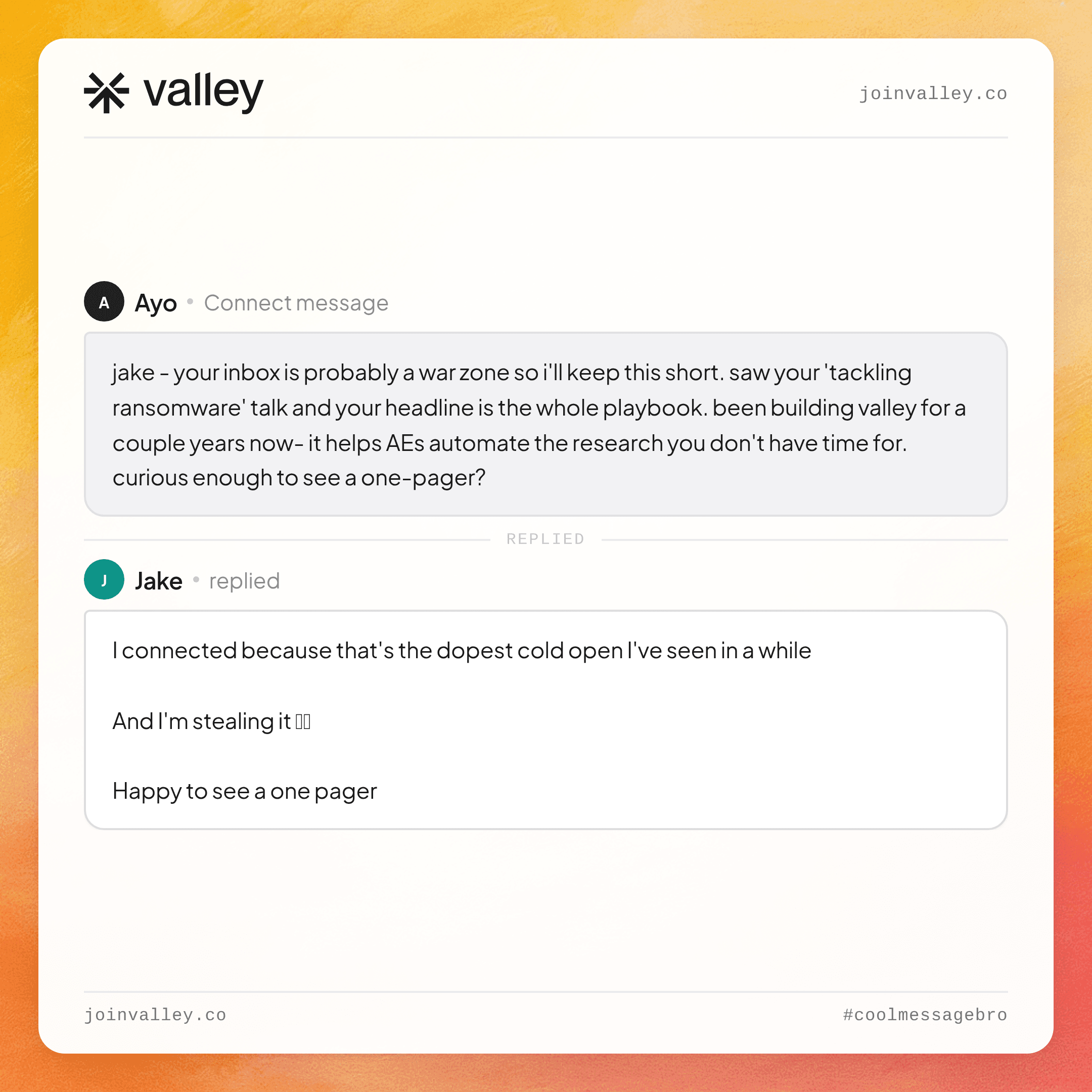
See more of Valley’s messaging examples, feel free to roast them: https://coolmessagebro.com/
Generate more demos for your company using LinkedIn: https://meetings.hubspot.com/zayd-from-valley/tryvalley
Become a Valley partner and get 20% recurring commission for every user you bring in: https://withvalley.notion.site/valley-affiliate-partner-program
Related: how Valley works.
See also: Lead Acquisition Marketing: Effective Strategies, Processes, and Models · First 10 Customers, Then a Pipeline That Never Empties (the B2B Startup Playbook)


