11 Lead Generation Strategies That Drive Pipeline in 2026

Try Valley
Make LinkedIn your Greatest Revenue Channel ↓

Saniya Sood
Published:
Updated:
How Does Lead Generation Work?
Published May 7, 2025 · Updated August 31, 2026
Lead generation, answered up front: attract the right audience, capture interest with something worth trading contact details for, then nurture and qualify toward the sale - inbound and outbound working together, not competing. 61% of marketers call lead gen their top challenge; the difference-maker in this guide is intent: targeting people showing buying signals instead of broadcasting to titles.
The 4 L's | What it means |
|---|---|
Lead capture | a clean way to collect contact + context |
Lead magnets | value worth the email address |
Landing pages | one page, one offer, one action |
Lead scoring | rank by fit + intent so sales works the right ones |
Why trust us: Valley's pipeline runs on the intent-first version of this playbook at 1,000+ account scale. The adjacent guides: online lead generation, B2B leads on LinkedIn, and the buying-signals guide.
Generating quality leads is a challenge that many businesses face - 61% of marketers even say it's their top hurdle.

At its core, lead generation is the process of attracting potential customers, capturing their interest, and gathering their information to nurture them through the sales funnel. Without a strong lead generation strategy, even the best products or services can struggle to get noticed.
In this article, we’ll cover effective strategies to help you not only attract high-quality leads but also convert them into loyal customers.
How Does Lead Generation Work?
Lead generation works by sparking consumer interest in your brand's products or services, turning that interest into a potential sale.
Typically, businesses capture leads through web forms, landing pages, or surveys, where prospects provide their contact details. This allows businesses to follow up and nurture these leads further, moving them down the sales funnel.
But how you generate those leads can vary depending on your strategy, and that’s where inbound and outbound lead generation come in.
Inbound vs Outbound: Which Works Best?
There’s no one-size-fits-all approach. Your best strategy depends on your market, goals, offer size, and available resources.
Inbound Lead Generation: Inbound focuses on attracting prospects organically through content marketing, SEO, email campaigns, and social media.
Pros: Cost-effective, builds trust, delivers higher intent leads, and compounds over time.
Cons: Requires consistent effort, takes time to show results, and demands standout content.
Outbound Lead Generation: Outbound means proactively reaching prospects via cold emails, paid ads, telemarketing, and direct outreach.
Pros: Quick to deliver results, highly targeted, and easy to scale up.
Cons: Costly, often intrusive, faces lower trust, and typically converts less efficiently.
A strong lead generation plan often combines both, using outbound for short-term wins and inbound to fuel long-term brand growth.
The 4 L’s of Lead Generation Campaigns
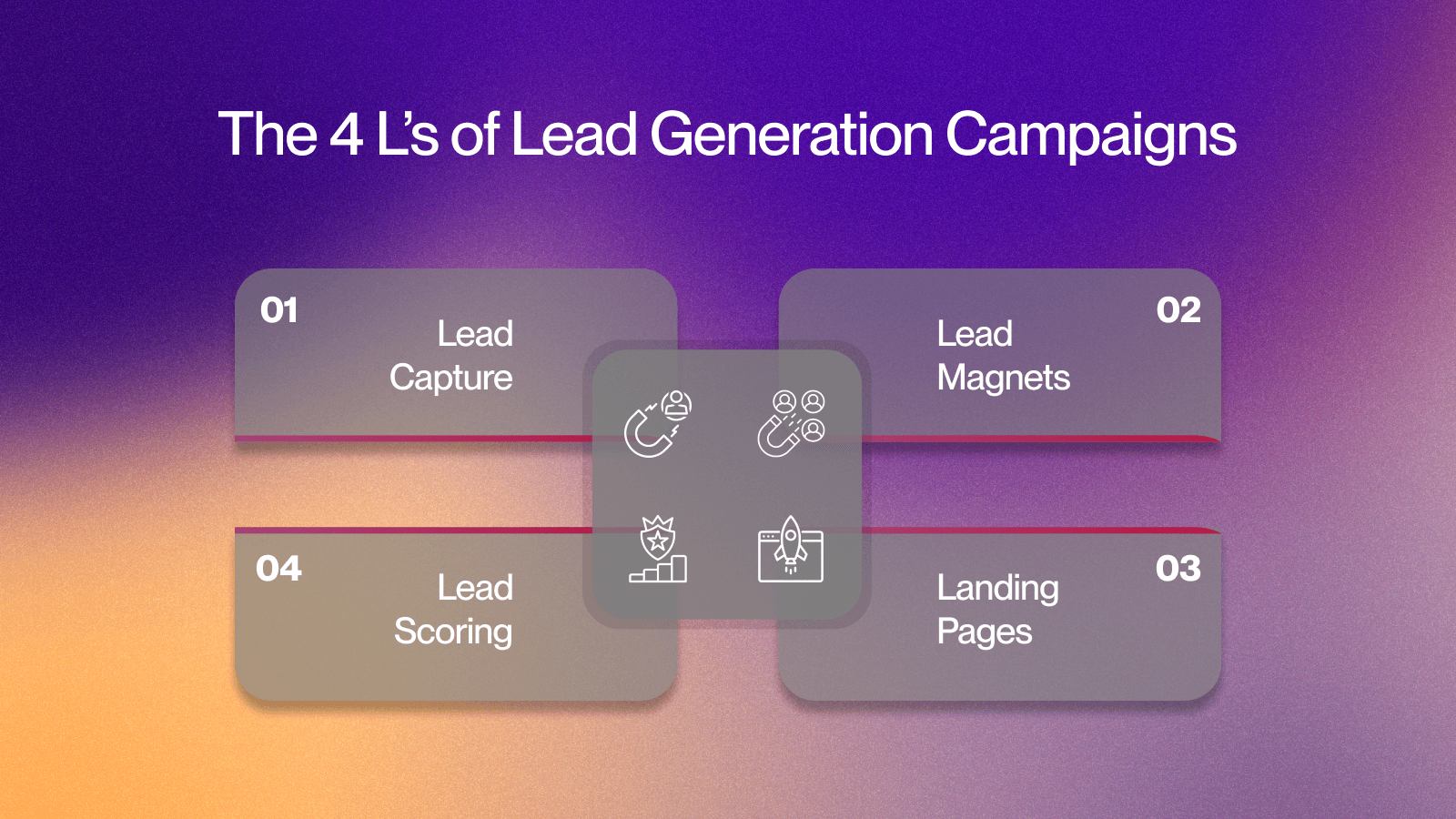
To run a successful lead generation campaign, you need more than just traffic. You need a structured approach. That’s where the 4 L’s of lead generation come into play.
Lead Capture: This is where you collect contact information, typically through forms or sign-ups. It’s about engaging visitors and making it easy for them to share their details.
Lead Magnets: Offer something of value, such as an eBook or a discount, in exchange for contact information. The goal is to entice visitors to give their details by providing relevant, useful content.
Landing Pages: Dedicated pages that focus on one clear action, whether it's signing up, downloading, or purchasing. A simple, distraction-free design is key to converting visitors into leads.
Lead Scoring: Not all leads are equal. Lead scoring helps prioritize leads based on their engagement and likelihood to convert, so you can focus your efforts where they matter most.
Now, let’s move on to the core components of a lead generation campaign.
Core Components of an Effective Lead Generation Campaign
A successful lead generation campaign doesn’t happen by chance. It involves several critical components that must work together to attract, capture, and convert prospects. Let's explore these core components:
Optimizing Lead-Generating Websites
Your website is the first interaction many prospects will have with your brand, so it’s crucial to design it with lead capture in mind. Make sure your Calls-to-Action (CTAs) are clear and placed in key spots, like blog posts, landing pages, and the navigation bar.
Whether it’s signing up for a demo, downloading a guide, or joining a newsletter, each CTA should encourage the visitor to take action. Since more people access websites on mobile devices, ensure your website is mobile-friendly. Forms should be simple, CTAs easy to click, and pages should load fast to prevent visitors from leaving before they’ve converted.
Using CRM Systems for Lead Management
A Customer Relationship Management (CRM) system helps you keep track of leads, interactions, and follow-ups in one place. It organizes your process and makes it more efficient by automating tasks and segmenting leads based on behavior.
Automating follow-ups with your CRM ensures no leads are missed. Set up automatic email sequences and reminders to engage leads at the right time, without manually tracking each one. CRM systems also allow you to segment your leads, tailoring outreach to groups based on factors like industry or behavior.
Content Marketing for Lead Generation
Content marketing is essential for attracting and nurturing leads. By producing helpful and relevant content, you can engage prospects and guide them toward becoming customers.
Start by creating educational content like blog posts, case studies, and how-to guides. This type of content provides real value to your audience, builds trust, and encourages them to learn more about your solutions.
Want to save time and boost your lead generation? Let Valley’s AI-powered tools handle the LinkedIn outreach and follow-ups, so you can focus on closing more deals.
Read: Boost Your Sales: 9 Proven Strategies to Optimize Your Automated Sales Process

11 Effective Lead Generation Strategies That Work
In addition to the core components of an effective campaign, there are several proven strategies to help you attract high-quality leads and convert them at scale.
1. LinkedIn Advertising for B2B Lead Generation
LinkedIn is a top platform for B2B lead generation, with 89% of B2B marketers using it to find leads and 62% claiming it provides more leads than any other social platform. Its precise targeting capabilities allow you to reach decision-makers by job title, industry, company size, and interests.
Lead Gen Forms make it easy to capture leads directly within the platform, boosting conversion rates. Sponsored content helps expand your reach and drive traffic to your site. To maximize this, tools like Valley can automate prospect research, personalize outreach, and engage high-intent leads, allowing your sales team to focus on nurturing the most valuable prospects.
Also read - based-outreach-on-linkedin”>5 Key Strategies for Effective Intent-Based Outreach on LinkedIn
2. Co-Marketing Partnerships
Co-marketing is a strategy where companies collaborate to reach new prospects by building on each other’s credibility. The key is to partner with businesses that share your target audience but don’t compete directly. For example, a project management tool could team up with a time-tracking software company.
Through collaborative content creation, such as ebooks, blog posts, webinars, or whitepapers, you can address shared challenges and provide valuable insights to both audiences. By promoting this content across both partners’ marketing channels, social media, email newsletters, and blogs, you can significantly extend your reach and generate more qualified leads.
3. Retargeting and Remarketing Campaigns
Retargeting and remarketing strategies are effective for reengaging leads who have interacted with your brand but haven’t converted yet. Targeting past visitors is a key component of these campaigns.
By using retargeting ads, you can reach people who have previously visited your website or engaged with your content. Show them relevant offers or reminders that encourage them to take the next step in the buying process.
Additionally, nurturing through email allows you to send targeted messages to prospects who have shown interest but didn’t convert. By staying top of mind with personalized emails, you increase the likelihood of turning these leads into customers.
4. Sales Intelligence for Targeted Lead Generation
Sales intelligence tools enable you to create highly targeted lists of decision-makers by gathering rich, contextual data, such as job titles, company size, and recent sales events. These tools help you focus on prospects who are actively looking for solutions like yours, improving the relevance of your outreach.
By using sales intelligence platforms, you can enrich your lead lists for Account-Based Marketing (ABM) campaigns or even revive old leads.
5. Simplifying Lead Generation Forms for Better Conversions
Long forms often discourage prospects from submitting their information. Keep your lead capture forms short and ask only for the essential information. This is especially important on mobile devices, where long forms can be cumbersome. Fewer fields lead to a higher chance of conversions, making it easy for prospects to share their contact details without frustration.
Later, you can enrich this basic data to understand your leads better and nurture them down the funnel. A simple, efficient lead-gen form enhances the user experience and drives higher conversion rates.
6. Offer a Free Trial or Plan
After capturing attention, the next step is getting prospects to experience your product firsthand. Free trials and freemium plans are proven ways to do this.When you offer a trial, you reduce friction. Instead of committing blindly, prospects experience the value themselves. If the product meets their needs, they are far more likely to buy.
Keep your trial short but impactful. Offer full functionality for a limited time to create urgency. Support trial users with onboarding emails, quick guides, and usage tips to drive engagement .If a free trial doesn’t fit your model, a freemium plan can still build a qualified pipeline. Ensure the free version shows real value but leaves enough incentive for upgrading.
Your goal is simple: show clear results during the trial window so moving to a paid plan feels like a natural next step.
7. Using Contextual Data and intent signals
Identifying when prospects are actively researching solutions like yours gives you a huge advantage. Intent data tools help you discover leads who are already in the market for your product. By understanding their intent, you can tailor your outreach with highly relevant content and offers.
Additionally, sales event triggers, such as a company experiencing growth, launching a new product, or making hiring decisions, signal when a lead is likely to make a purchase. These insights help you prioritize leads and engage with them when they are most likely to convert.
8. Use AI and automation for lead generation
Today, speed and precision are key to effective lead generation. AI lets you automate repetitive tasks without sacrificing personalization, freeing your team to focus on qualified conversations.
Instead of manually researching prospects and crafting individual messages, AI tools take over the early steps. You reach more high-quality leads in less time.
Platforms like Valley combine AI-driven research with natural messaging. Valley identifies buying signals, personalizes outreach at scale, and prioritizes high-intent prospects. You engage the right people without hours of manual prospecting.
AI chatbots replace static forms by creating real-time conversations. They answer visitor questions, qualify leads, and route them to your sales team. This reduces lead response time and increases conversions.
using ai and automation is no longer optional. It’s how you stay competitive while maintaining a personal, relevant approach to outbound.
9. Running Paid Media Campaigns for Quick Lead Generation
Paid advertising, such as Google Ads, is an effective way to quickly generate leads. While SEO brings long-term results, paid campaigns help you reach prospects immediately. By targeting the right keywords and audiences, you can drive high-intent traffic directly to your landing pages.
For even better results, combining paid ads with intent data can boost engagement and conversion rates. Ads that target prospects actively searching for solutions like yours can significantly improve your ROI.
10. Go Beyond Google and Facebook Advertising
Paid ads are essential, but limiting your campaigns to Google and Facebook means missing high-quality leads elsewhere. Smart marketers explore beyond the obvious channels. Niche platforms often have lower competition and higher engagement rates. You reach decision-makers where they’re actively searching for solutions.
Research where your audience spends time. LinkedIn, Reddit, Quora, and industry-specific communities often outperform mainstream platforms for B2B outreach. Start with small tests and measure carefully. Monitor every campaign closely. Track cost-per-lead, engagement rates, and conversions. Compare these metrics to your Google and Facebook benchmarks. Double down on channels that bring better returns.
11. Incorporating Interactive Content and Gamification
Interactive content, like quizzes, polls, or contests, increases engagement and motivates visitors to provide their contact details. Gamification elements, such as a “spin-to-win” wheel or fun quizzes, make the lead capture process more enjoyable, encouraging prospects to take action.
These tactics make the experience of engaging with your brand more dynamic, leading to higher interaction rates and more lead conversions.
You might also like - signal-driven-outbound-strategy”>What Are the Benefits of Adopting a Signal-Driven Outbound Strategy?

Building an Effective Lead Generation Funnel
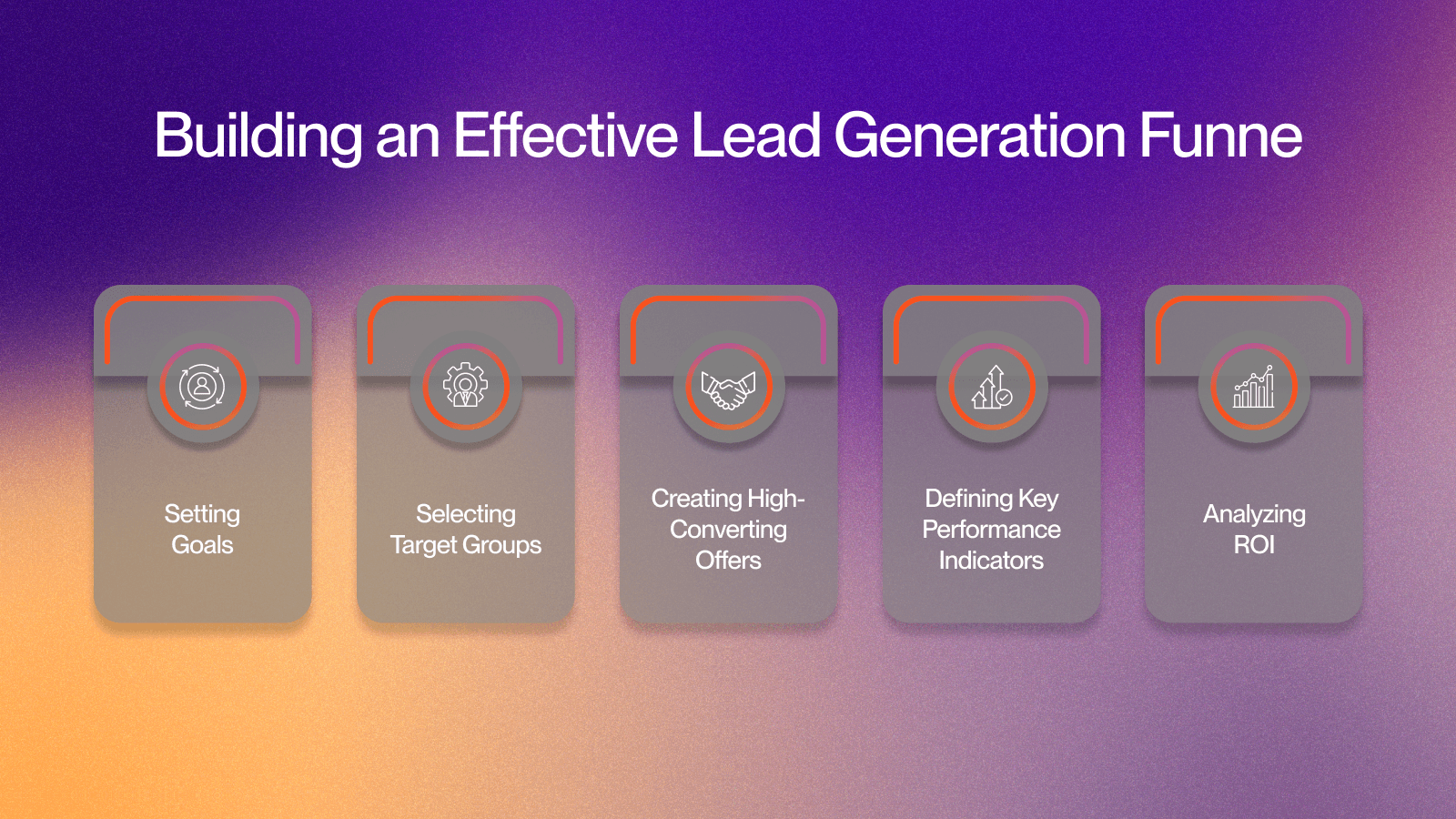
An optimized lead generation funnel ensures that you’re converting leads at every stage of their journey. Here’s how you can build and maintain an effective funnel:
1. Setting Clear, Measurable Campaign Goals
The first step in building an effective lead generation funnel is setting clear and measurable goals for your campaign. Without specific objectives, it’s impossible to gauge success or identify areas for improvement. Here’s how to approach goal setting for your lead generation campaigns:
Define Specific Objectives: Set clear targets, like increasing leads by 25% in a month or booking 10 demos weekly. Specific goals keep your campaign focused.
Align Your Goals with Funnel Stages: Match your objectives to the relevant funnel stages. Focus on website traffic during awareness, and lead nurturing and conversions during the decision stage.
Ensure Goals Are Realistic: Aim high, but stay practical. Set achievable, incremental goals based on your team’s capacity and available resources.
Measure and Adjust: Track your performance using tools like Google Analytics or CRM systems. Review results regularly and tweak your strategy when needed.
2. Identifying and Selecting Target Groups
Understanding and identifying your target audience is vital for creating a lead generation funnel that resonates. By pinpointing your Ideal Customer Profiles (ICPs) and creating buyer personas, you can make sure your marketing efforts are reaching the most relevant prospects. Here’s how to identify and select your target groups:
Define Your Ideal Customer Profiles (ICPs):
Start by identifying the characteristics of your most successful customers. This includes factors like industry, company size, job title, pain points, and purchase behavior. The more specific your ICPs are, the better you can tailor your funnel to attract similar leads.Create Detailed Buyer Personas:
Develop buyer personas that reflect both demographic and psychographic details. Focus on motivations, challenges, barriers to purchase, and what drives decision-making. These personas help shape your messaging and content strategies.Segmentation for Targeted Outreach:
Not all leads are created equal. Segment your target audience into smaller groups based on shared characteristics or behaviors. For example, you might have one persona for “early-stage startups” and another for “established tech companies.” Tailor your content, offers, and outreach to each segment’s specific needs.
3. Creating High-Converting Offers and Landing Pages
Your lead generation funnel relies heavily on the offers you present to your prospects, and the way you deliver them through landing pages. A high-converting offer paired with an optimized landing page is key to capturing quality leads. Here’s how you can create both:
Develop Irresistible Offers:
Craft offers that are valuable, relevant, and aligned with the lead’s funnel stage. Educational resources, such as e-books, work well for early stages, while demos and free trials appeal to prospects closer to making a decision.Use Clear, Actionable CTAs:
Every landing page should have a clear and concise CTA (Call-to-Action). This CTA should communicate exactly what the prospect will get by clicking it. Make it simple, prominent, and hard to ignore.Landing Page Optimization:
Focus each landing page on one action. Remove unnecessary distractions, keep forms short and simple, and use persuasive copy to explain the value of signing up.A/B Testing:
Regularly test different versions of your landing pages to see which versions convert better. A/B testing can help optimize elements like headlines, images, CTAs, and form placement, ensuring that your landing pages are always performing at their best.
4. Defining Key Performance Indicators (KPIs)
Key Performance Indicators (KPIs) are metrics that help you measure the effectiveness of your lead generation efforts. Here are the KPIs you should track to understand your campaign’s success:
Conversion Rate:
This is the percentage of website visitors or leads who take the desired action (e.g., submitting a form, signing up for a demo). It’s a key indicator of how well your landing pages and offers are performing.Lead Quality:
Not all leads are equal. Track the quality of leads based on their engagement and readiness to purchase. Using lead scoring can help you differentiate between high-potential leads and those still in the early stages of the buyer journey.Cost per Lead (CPL):
This metric helps you measure the cost-effectiveness of your campaigns. It calculates the cost of generating each lead. The lower the cost per lead, the better your campaign’s efficiency.Customer Acquisition Cost (CAC):
This is the total cost of acquiring a new customer, including marketing, sales efforts, and other costs. Tracking CAC helps you evaluate whether your lead generation strategies are delivering profitable results.
5. Analyzing ROI and Campaign Effectiveness
After tracking your KPIs, it’s time to assess your return on investment (ROI). This allows you to determine the financial success of your campaign and identify which strategies are driving the best results. Here's how to measure ROI:
Calculate the Cost and Revenue:
To calculate ROI, subtract the total cost of your campaign from the revenue generated from the leads. Divide this by the campaign cost, then multiply by 100 to get your ROI percentage.Identify Top-Performing Channels:
By analyzing the performance of different lead generation channels (e.g., SEO, LinkedIn Ads, email marketing), you can identify where to focus your budget and efforts for the next campaign. Channels with a higher ROI should receive more attention in future campaigns.Optimize for Future Campaigns:
Regularly review and optimize your campaigns based on past performance. Adjust targeting, offers, landing pages, and CTAs based on what’s working best for your leads.
The Future of Lead Generation
Lead generation is an ongoing process that requires continuous learning, adaptation, and optimization. By focusing on personalized outreach, using AI-powered tools like Valley, and refining your strategies, you can streamline your lead generation efforts, scale them effectively, and generate more qualified leads with less effort.
As personalization, data-driven strategies, and automation continue to shape the future of lead generation, it's crucial to stay ahead of the curve. With the right tools and strategies, your business can convert more visitors into customers and build a steady pipeline of qualified leads.
Ready to take your lead generation to the next level? Explore how Valley can transform your outreach and boost your conversions today.
FAQ
Inbound or outbound - which generates better leads? Inbound compounds but is slow; outbound is immediate but labor-heavy. The teams that win run outbound aimed at inbound-style signals - proactive contact with people already showing interest.
What is the highest-converting lead source? Warm signals: referrals, website visitors, and engagement on your content consistently outconvert cold lists because intent arrives built-in.
How do I qualify leads without slowing sales down? Score on fit (ICP match) and intent (behavior) automatically, and only route what clears the bar - qualification should be a filter, not a meeting.
How much of this can be automated? Capture, scoring, research and first-touch personalization automate well; discovery conversations and closing stay human.

Related Blogs

FEATURED READ
5 min
ZoomInfo Pricing Explained (2026): What It Actually Costs
Read
Read

FEATURED READ
5 min
Apollo Pricing and Credits Explained (2026): What You Actually Pay
Read
Read

FEATURED READ
5 min
Clay Pricing and Credits Explained (2026): The Post-March Math
Read
Read

FEATURED READ
5 min
LinkedIn Sales Navigator Cost Explained (2026): Every Tier, Real Numbers
Read
Read
Which channels does Valley support?
Valley supports LinkedIn outreach, including connection requests and InMails. Valley users safely send 1000-1200 messages per seat every month.
How safe is it and does Valley risk my LinkedIn account?
Do I have to commit to an Annual Plan like other AI SDRs?
How does Valley personalize messages?
Is Valley available in my country?

VALLEY MAGIC





