
Try Valley
Put your outbound workflow to work.

Saniya Sood
Published:
Updated:
Published June 26, 2026 · Updated August 31, 2026
The best LinkedIn automation tool for an agency is one with true per-client separation: a distinct ICP, cloned voice, and inbox per client, plus account safety across every seat.

Valley gives each client its own workspace, Product, and writing style, runs warm outbound from real LinkedIn signals, and keeps every account safe in the cloud, so an agency can manage many clients without the quality collapsing into one shared template.
► Book a demo (teams of 5+)and explore how Valley can support your use case
Why free and single-user LinkedIn tools break for agencies
Free and single-user automation tools assume one person, one brand, one ICP. Agencies are the opposite: one operator, many brands, many ICPs. Forced through a single-user tool, every client inherits the same campaign structure, and often the same template, so the second client’s outreach reads like the first client’s. The agency’s differentiator, tailored execution, disappears.
Account safety compounds the problem. A free tool usually runs as a browser extension, which is the riskiest execution model, and an agency multiplies that risk across every client account it touches. One restricted profile is a client-facing failure the agency owns.
Then there is the white-label question. Agencies want to present outreach as their own service, with clean separation between clients. Tools built for end users rarely support that cleanly, so agencies stitch together logins and spreadsheets, and the operational drag eats the margin. What an agency actually needs is workspace-level separation that keeps each client distinct by design.
What agencies should require from a LinkedIn automation tool
Score any agency LinkedIn automation tool on five requirements:
Per-client workspaces, separate ICP, voice, lists, and inbox per client.
Voice cloning per client, each client’s messages sound like that client, not the agency.
Warm sourcing per client, pull each client’s own engagers and signals.
Multi-account safety, cloud execution and per-account throttling, not extension risk.
Reply management at scale, a unified inbox the operator can run across clients.
Valley delivers all five, which is why agencies use it to run automated LinkedIn messaging for clients without the quality drift free tools cause.

Comparison Point | Valley | Free / Single-user Tool |
|---|---|---|
Client separation | Workspace, product, and voice per client | One shared setup |
Voice per client | Cloned across 15 to 25 categories | Generic templates |
Warm signal sourcing | Per-client profile viewers, followers, and post engagers | Usually cold lists |
Account safety | Cloud-based, randomized timing, zero flags since Oct 2023 | Extension risk |
Reply handling | Unified inbox per workspace | Manual tracking |
CRM | Native two-way HubSpot; others via API | Often none |
Reply rate | ~9.3% average vs ~1% industry | Cold-level replies |
Contract | Month-to-month | Varies |
Best for | Agencies protecting client quality | Solo users on a budget |
The pattern is consistent: a free tool minimizes cost and maximizes risk and sameness. Valley keeps each client distinct, safe, and converting, warm outbound Valley as the agency's execution layer.
How Valley runs agency client accounts
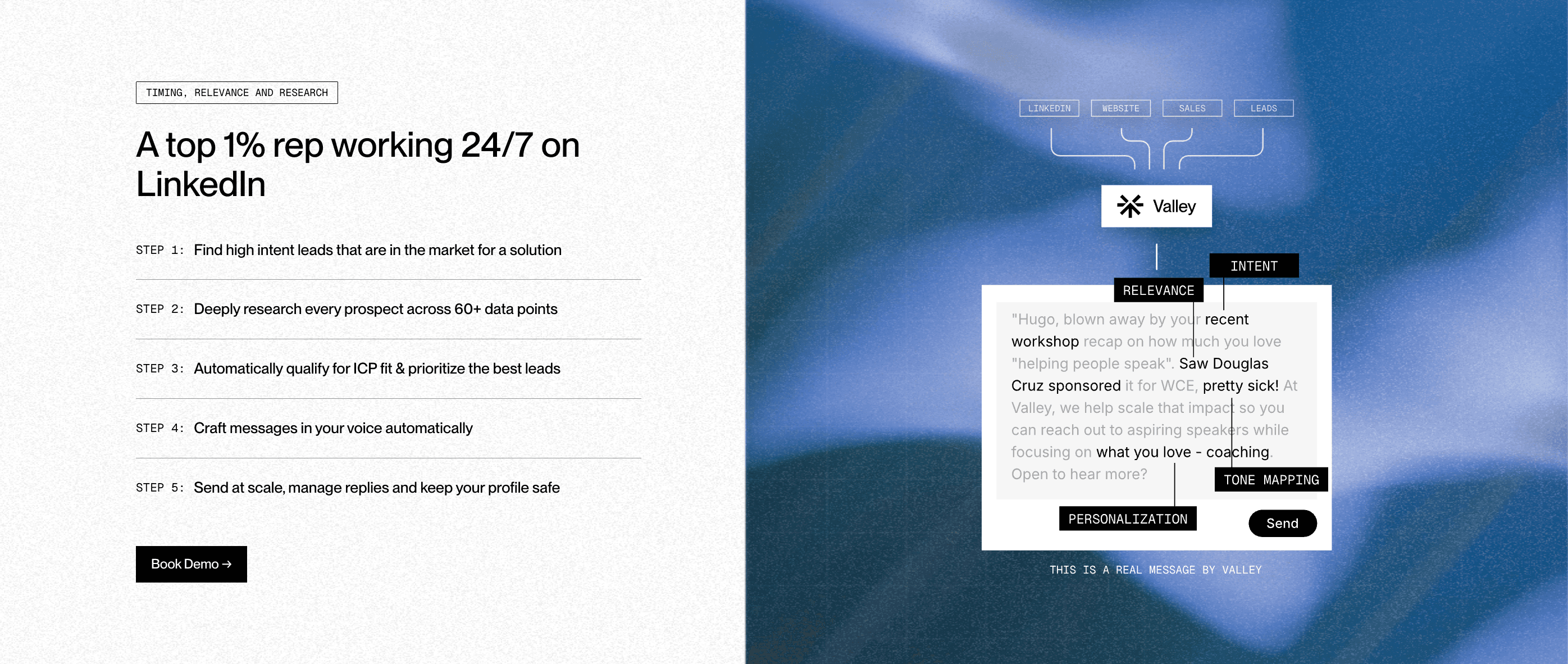
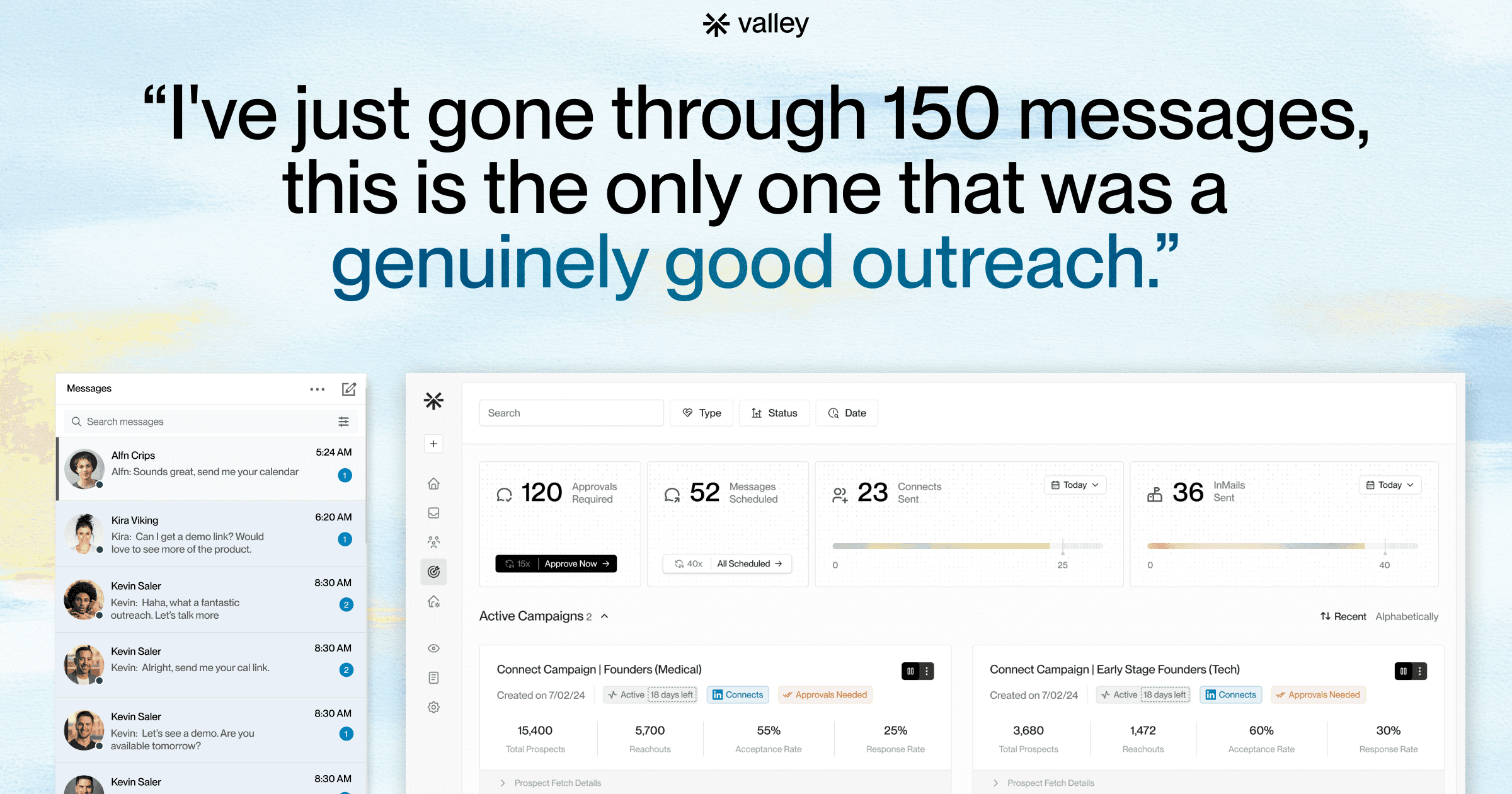
Each client connects its LinkedIn account once and lives in its own Valley workspace. The agency builds that client's Product, ICP, value props, pains, proof, booking link, and clones the client's writing style, so messages carry the client's voice. Valley sources warm prospects per client (post engagers, followers, profile viewers, site visitors), scores them to that client's ICP, researches each, and writes contextual openers. Outreach runs in the cloud at safe volume per account, and replies land in that client's unified inbox for the operator to manage. Clean separation, client by client.
ButteredToast and WeLaunch on Valley
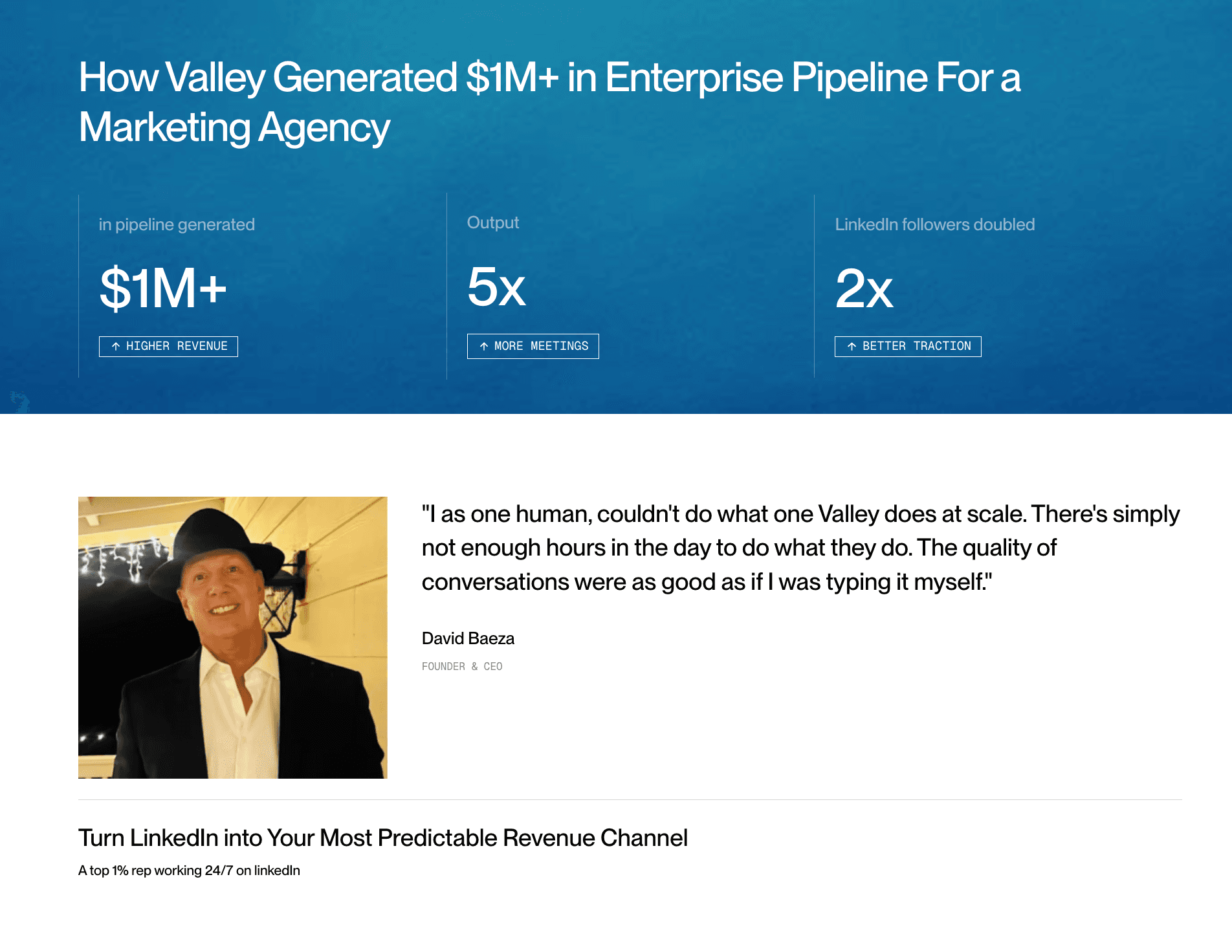
Valley generated $1M+ in enterprise pipeline for a marketing agency (ButteredToast) at 5x output, per founder and CEO David Baeza, scaling one founder's personal brand into pipeline without losing the brand's voice.
And WeLaunch, running client outreach, closed $5M in ARR for clients and booked 100+ quality meetings on Valley, per founder Aviral Bhutani. Agencies hit those numbers because Valley keeps each client's outreach distinct and warm.

Stop forcing many client brands through a one-size tool that flattens their voice and risks their accounts. Valley gives every client a separate, safe, warm-outbound workspace, month-to-month, live on day one.
Book a demo (teams of 5+) to see Valley run two distinct client ICPs side by side.
How does Valley separate each client's outreach?
Running multiple client accounts safely means keeping each one truly distinct. Valley uses per-client workspaces, each with its own ICP, its own cloned brand voice, and its own unified inbox, so a message sent for one client never reads like a message sent for another. That separation is what makes white-label-style delivery credible: the prospect sees the client's brand, not your agency's template.
Valley syncs natively two-way with HubSpot and connects to other CRMs through Zapier, Make, webhooks, or its API, plus a native Clay integration, so each client's replies and booked meetings flow into the system that client actually uses. For an agency, that means you can report on pipeline per client without manual exports, and each account's data stays in its own lane. The result is a clean operational model where adding a client adds a workspace, not a maintenance burden.
Related on Valley
FAQs
Is Valley a good LinkedIn automation tool for agencies?
Yes. Valley gives each client its own workspace, ICP, cloned voice, and unified inbox, so an agency can run many client accounts without the outreach collapsing into one shared template. ButteredToast generated $1M+ in pipeline on Valley.
Does Valley support white-label-style client separation?
Valley separates clients into distinct workspaces with their own Products, voices, lists, and inboxes. It offers an affiliate program and per-client management, though full white-label is limited.
Is a free LinkedIn automation tool safe for agency client accounts?
Free tools usually run as browser extensions, the riskiest execution model, and agencies multiply that risk across clients. Valley runs cloud-side with a zero-flag record since October 2023.
Can Valley clone each client's brand voice?
Yes. Valley clones each client's writing style across 15 to 25 categories per workspace, so one client's messages read differently than another's, in each client's own voice.
How does Valley keep many client accounts safe at once?
Valley runs every account in the cloud with randomized timing and dynamic per-account limits near 25 to 30 connection requests per day, applied separately to each client.


