
Try Valley
Put your outbound workflow to work.

Saniya Sood
Published:
Updated:
Published July 27, 2026 · Updated August 24, 2026
The umbrella question: how do you follow up enough to win the deal without becoming the person prospects screenshot? The data answer: a large share of positive replies arrive on touches 2 - 3 - so not following up is leaving meetings on the table - but returns go negative fast after touch 3, and “just bumping this” is where trust dies. The system answer: two context-adding follow-ups on a week’s spacing, automated for timing but human in content, plus a reply workflow that keeps a growing inbox from becoming the new bottleneck. Both halves below.

Give your sales team
an unfair advantage.
The rules that survive contact with real prospects:
Two follow-ups, then stop. Spacing: ~5 - 7 days, then ~10 - 14. Beyond that, the marginal reply isn't worth the brand damage - and on LinkedIn specifically, persistence-spam drives report rates, which drives account risk.
Every follow-up must carry new cargo. A relevant observation, a resource, a sharper question. The test: would this message be worth reading even if they never saw the first one? "Just floating this to the top" fails the test; it asks them to do your job.
Never guilt. "I know you're busy, but…" and "since I haven't heard back…" convert worse and read as pressure. Warm professionalism: "this may just not be a priority right now - if that changes, here's where to find me" outperforms and leaves the door open.
Follow up on the signal, not the silence. The best trigger isn't "3 days passed" - it's "they viewed your profile after your first message" or "they engaged your new post." Signal-aware timing is the single biggest upgrade automation brings to follow-ups: the machine watches for the moment; you supply the words.
The channel switch is the best follow-up (August 2026 changed this section)
The strongest follow-up move in 2026 isn't a better bump - it's a surface change. A prospect who ignored your connection request often answers the same researched ask in their inbox; one who let your email sit answers the LinkedIn touch. The mechanics of why: silence on one channel is frequently channel mismatch, not disinterest - and a cross-channel follow-up ("sent you a note on LinkedIn - figured email might be easier") converts that mismatch into demonstrated, non-repetitive persistence. It reads as effort, not pressure, because it is: you met them where they are.
Since Valley added native email (August 2026 - previously LinkedIn-only), this runs as one branched sequence rather than two tools taped together: connection request → LinkedIn follow-up → InMail if warranted → email, each step aware of what happened before it, email sent from your own OAuth inbox (~30/day/seat, an add-on on Starter, included on Plus and Growth). Three rules make the cross-channel version work: never send the same text on both surfaces (the second channel adds, it doesn't repeat); count touches across channels, not per channel (two LinkedIn + two email = four touches - the ceiling is the ceiling); and one reply anywhere stops everything everywhere, instantly - as does one "no," which suppresses the prospect on both rails. A follow-up system that can't see across channels isn't a system; it's two overlapping annoyances. (The full cadence logic.)
Three follow-ups, written out (the shapes that pass the cargo test)
The observation follow-up (day ~6):
"Thought of you - saw [company] just posted for a second AE. That usually means the pipeline math is getting real. The question from my first note stands: how are you handling top-of-funnel while the team ramps?" New cargo: a fresh, true observation. The original ask, restated once, sharper.
The resource follow-up (day ~14, different channel):
"Following up here since LinkedIn's easy to lose - no pitch this time. We published the reply-rate benchmarks we use internally [link]; the warm-vs-cold gap on page one is the thing I mentioned. If it's useful, great; if the timing's off, no worries at all." New cargo: something genuinely useful, zero pressure, explicit permission to pass.
The graceful close (final touch):
"Closing the loop so I'm not another unread thread - sounds like this isn't a now thing, which is completely fair. If [problem] climbs the list, you know where I am. Good luck with the [specific thing they're doing]." This message books more meetings than any bump ever written - the close itself is the pattern-break, and it converts silence into a warm future instead of a burned name.
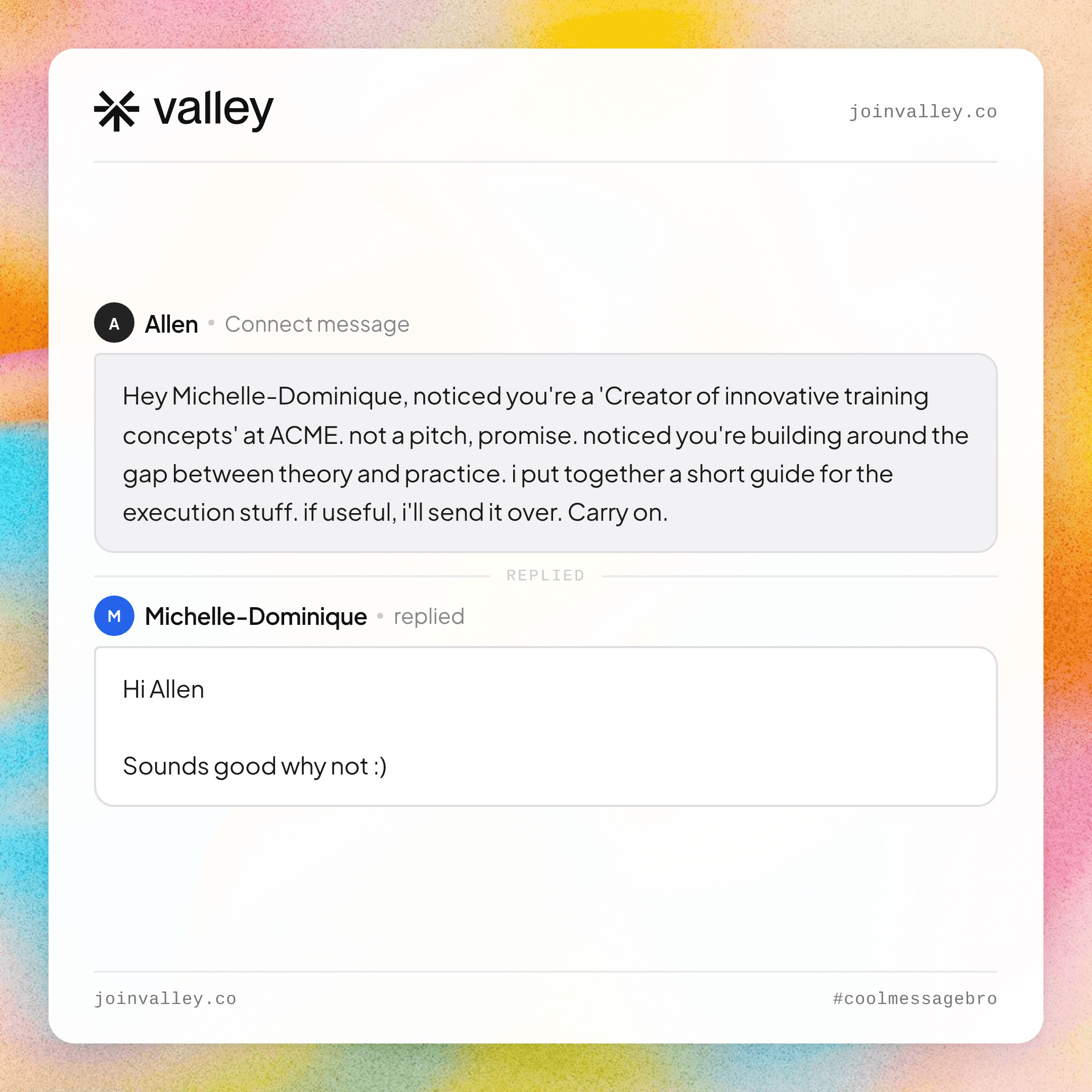
► What does good outreach actually look like? Real Valley messages, real replies

Give your sales team
an unfair advantage.
Warm outreach creates a problem cold senders never face: actual replies, in volume. At 15 - 45% reply rates, a few hundred sends a week means dozens of live conversations - and reply latency is where booked meetings quietly leak. The published receipt for what scale looks like handled well: one documented week of 8,415 messages produced 545 positive replies and 52 booked meetings - running on warm lists plus dedicated reply management. The system that holds:
Triage automatically, respond humanly. Software should sort the inbox - interested / question / not-now / no - route hot replies instantly, and queue the rest. What software should not do (in our deliberate opinion): negotiate with your future customers unsupervised. Tools that fully automate replies are re-selling the autonomous AI SDR bet; one hallucinated answer in a live thread costs more than the minutes saved. (Where we draw that line and why.)
Same-day is the SLA. Reply speed is a founder/small-team superpower big vendors can’t match. Batch twice daily; hot replies interrupt.
Not-nows are pipeline, not rejection. “Ping me next quarter” belongs in a dated queue, not an archive - signal-aware tools re-surface these when the person re-engages.
Part 3 - The learning loop (tools that improve with results)
“A/B tests messaging automatically” and “learns which messages get replies” describe the right instinct with a scale caveat: classic A/B testing needs volume most LinkedIn motions don’t have (statistical significance on 200 sends/week takes months). What actually compounds at small-team scale:
Variant learning at the pattern level - which signal sources, openers, and question shapes drive replies - rather than button-color-style split tests.
Feedback into drafting. Systems like Valley improve output from results across its send base and your own edits: every message you tweak before approving teaches the voice model what “you” sounds like. The approve-before-send loop isn’t just safety - it’s the training signal.
Source-level review beats message-level obsession. Monthly: which signal types produced meetings (profile viewers vs post engagers vs site visitors)? Double down there. Copy is the 20%; sourcing is the 80%.
The stack, minimally
Job | Manual (fine to start) | Systematized |
|---|---|---|
Follow-up timing | Calendar reminders | Signal-aware sequences (pause-on-reply, always) |
Reply triage | Batch 2×/day | Auto-sorted inbox, hot-reply routing |
Learning | A notes doc of what worked | Voice model + source analytics |
Valley covers the systematized column inside the flat $149/mo (billed quarterly) plan - follow-ups as vetted sequence steps you approve, reply routing, and drafting that learns your voice from your edits. 7-day trial.
Related: how Valley works.
See also: Reply.io pricing explained · follow-up emails after no response.
FAQ
How do I follow up without being annoying? Two follow-ups max, spaced ~1 then ~2 weeks, each adding something new (an observation, a resource, a sharper question). Never “just bumping.” Then a graceful close that leaves the door open.
How many follow-ups convert best on LinkedIn? Touches 2 - 3 capture a large share of total replies; past touch 3, response rates collapse while report risk grows. Two is the professional ceiling.
Can AI handle my outreach follow-ups? Timing and drafts, yes - signal-aware automation beats calendar-based nagging decisively. Full autonomous conversation, we’d argue no: route hot replies to a human in minutes instead.
How do I manage LinkedIn replies at scale? Auto-triage (interested/question/not-now/no), same-day response SLA, hot-reply interrupts, and a dated re-engage queue for not-nows. At 500+ positive replies/week this is a dedicated function - plan for success.
Do outreach tools really learn what works? The honest version: they learn your voice from your edits and reveal which signal sources convert - pattern-level learning. Claims of fully-automatic message optimization at small-team volumes outrun the statistics.
Should follow-ups move to email if LinkedIn goes quiet? Yes - the channel switch is the highest-converting follow-up that exists, because silence is often mismatch, not rejection. Reference the earlier touch, add new cargo, and count it against the same 3 - 4 touch ceiling. One reply or “no” anywhere stops both rails.
How fast should I respond to a positive reply? Same day as the SLA, same hour as the edge. Reply speed compounds: a warm prospect answered now - every hour of latency is intent decaying back toward the pile. Batch the routine twice daily; let hot replies interrupt anything.
What do I do with “not interested”? Thank them in one line, suppress permanently on both channels, and mean it - no “may I ask why” follow-up. A clean no costs nothing; a contested no costs the report that LinkedIn and email providers both count against you.
What’s a good meeting-rate from positive replies? Warm-motion norms run roughly 40 - 60% of genuinely positive replies converting to a booked meeting - the drop-off is usually scheduling friction, which is why the reply that includes your calendar link (offered, not demanded) outperforms the reply that negotiates times by hand.
Related: Reply-rate benchmarks · Warm outbound, explained · LinkedIn limits 2026 · Valley case studies


